Construction Web-App Demo
See how a construction workspace can connect approvals, deliveries, progress and financial records. Watch the recorded workflow and explore the screenshots below.
Contact the Digittrix Team for a Full Live Demo
Want to see the complete workflow? Contact our team to arrange a guided demonstration and discuss your construction project’s requirements.
Material request to accepted delivery
This silent recording shows the seven material workflow steps below, then opens the finance and progress screens.
- The project manager returns a request for 120 cement bags for correction.
- The site supervisor revises the request to 100 bags.
- The manager approves the revised quantity.
- Procurement creates an order for the approved 100 bags.
- The site team records an initial receipt of 60 bags.
- A second receipt records the remaining 40 bags.
- The manager closes the fully received order.
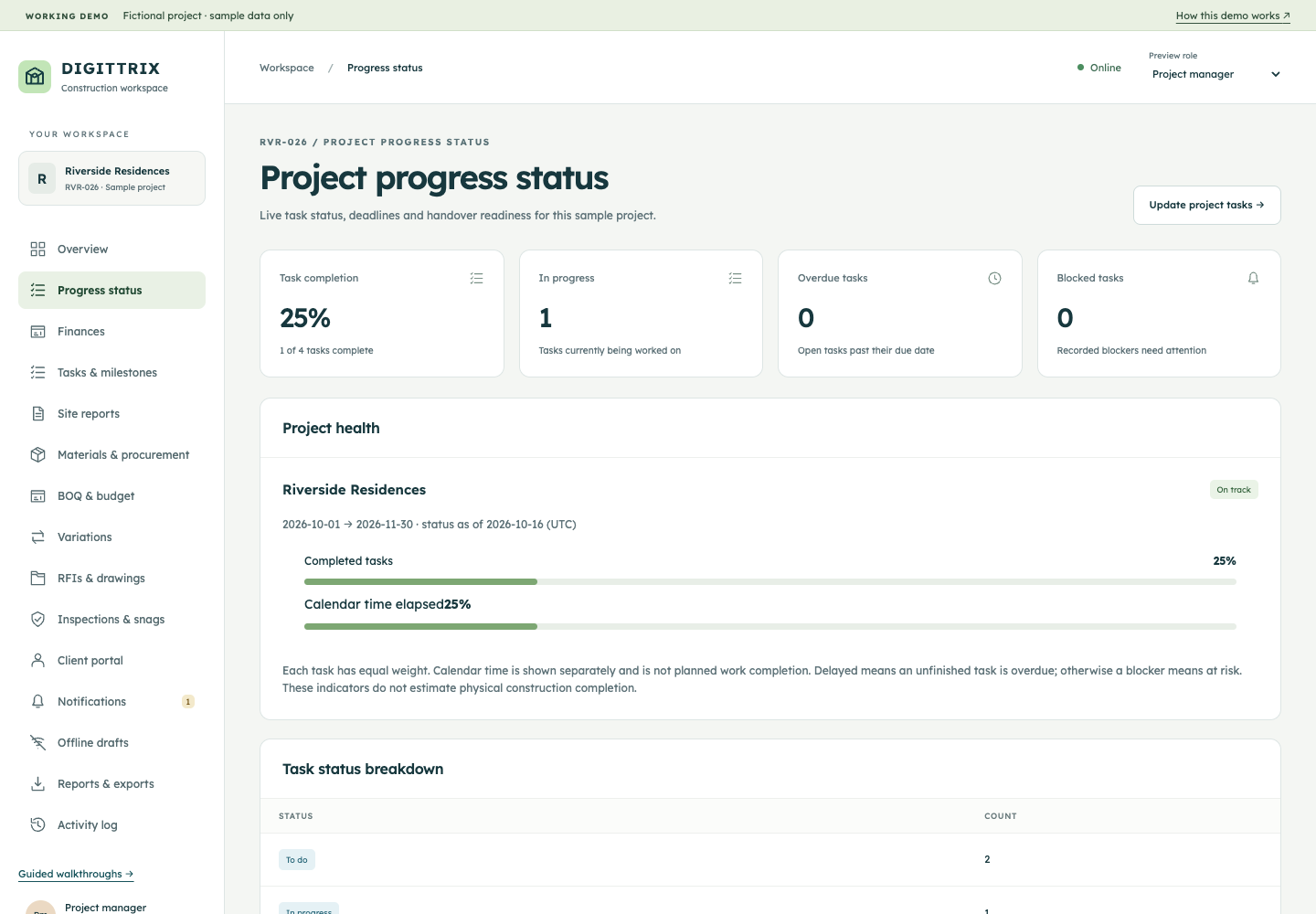
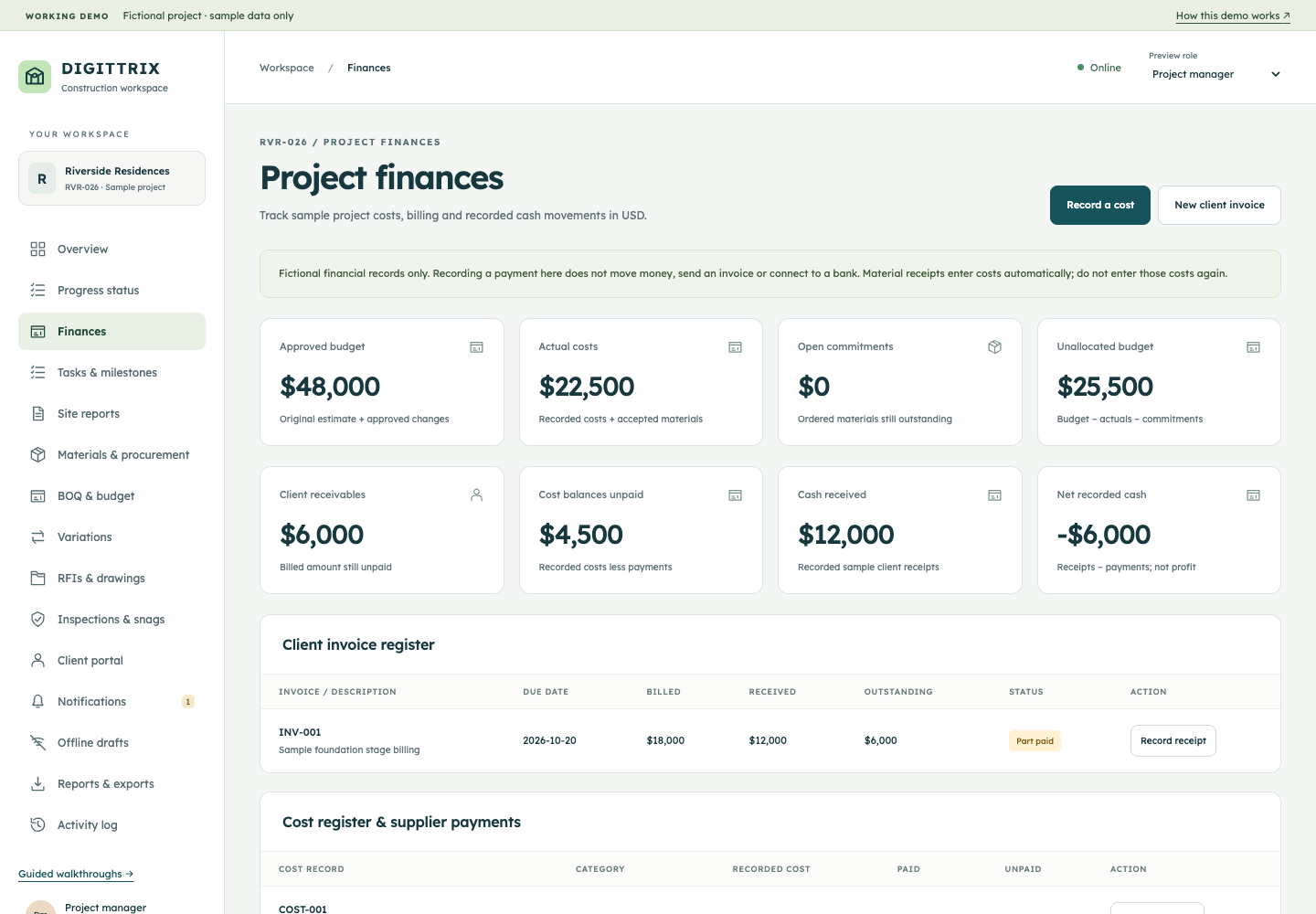
- The finance screen shows sample budgets, recorded costs, commitments and invoice balances. The progress screen shows task completion and project health.
Mobile App Demo
From project status to site reporting
This silent recording shows the responsive construction web-app prototype at a mobile screen size, using fictional Riverside Residences data.
- Open the mobile navigation and review project progress, task completion and project health.
- Check sample budgets, recorded costs, commitments and invoice balances in Finances.
- Switch to the site-supervisor preview and submit a daily site report for review.
This is a mobile web-app preview. Native Android and iOS interfaces, integrations and delivery scope are defined in your proposal.
Request a Full Live Demo →Progress and finance screens
Project progress status
Project finances
Plan the workflow around your project
These screens illustrate one possible implementation. Your proposal defines the interfaces, approval steps, integrations, support and delivery scope included in your release.
Discuss Your Live Demo →