





Chat with us
Construction websites, site apps & project software

Construction App Development Company

Digittrix is a construction software development company building custom websites, mobile apps and management platforms. Connect your clients, office teams and job sites through daily reports, project dashboards and clear approval workflows.

  • Since 2014 Product delivery experience
  • Mobile + Web Site, office & client tools
  • Plan to Handover One connected project journey
Illustrative construction project dashboard and mobile site reporting app

Cross-Industry Delivery Experience

Selected organizations represented across Digittrix’s broader product portfolio. Explore our published work and client reviews to learn about the projects behind these brands.

HappyFidos brand logo
Dudar company logo
Swach Bharat mission logo
Amrutam brand logo
Broomy brand logo
Pongo company logo
GoodLives company logo
Zajel company logo
Satyamev Jayate logo
IKEA brand logo
O&M company logo
CarryOn brand logo
Kazo brand logo
Petovac company logo

Construction Management Software Development

Your website helps win the next project. Your software helps deliver it. Our construction app development services connect both—from service pages and quote requests to site reports, materials, approvals and client updates.

Start with a focused workflow for your contracting, building or engineering business. Add mobile apps, client portals and integrations as your operational needs grow.

Technical review: Harsh Abrol, Co-Founder · Reviewed

Web + mobile
Office and field experiences
Role-based
Site, manager and client access
Your process
Projects, reports and approvals
Eight ways to build your digital foundation

Construction Websites & Apps We Develop

Choose the starting point that fits your business. Connect your website, site teams and client experience through workflows designed around the projects you deliver.

Construction Website Development

Showcase your services, completed projects and specialist capabilities with a fast, mobile-friendly website that turns enquiries into structured project briefs.

  • Project portfolios
  • Quote requests
  • Service-area pages
Plan this construction solution

Construction App Development Services

From your company website to the tools your teams use on site, plan a connected digital experience.

From strategy to site rollout

Build around the way your teams work

Map your enquiry process, project responsibilities and site reporting needs before development begins.

Construction Website Development

As a construction website development company, we help organize your service pages, project content and enquiry journey, with a CMS your team can maintain.

  • Responsive service pages
  • Project portfolio and CMS
  • Enquiry and quote-request forms
  • Search-friendly page structure

Construction Mobile App Development

Plan the mobile experience around site conditions: device use, camera access, connection quality and the records staff need to capture.

  • Native or cross-platform apps
  • Photo and document uploads
  • Push notifications
  • Offline capture when scoped

Custom Construction Software Development

Translate your operating process into a defined release, with agreed data ownership, permission rules and acceptance checks.

  • Project dashboards and permissions
  • BOQ and variation workflows
  • Procurement and inventory
  • CRM, ERP and accounting APIs

Construction Software Integration Services

Review available APIs, map the records to exchange and test failures as well as successful updates before rollout.

  • API mapping and synchronization
  • Integration and field testing
  • Data migration and handover
  • Maintenance and support options
Connect the business behind every build

Construction Business Software & Automation

Choose modules around the decisions, records and handoffs your teams manage every day. Each workflow is scoped for your first release or a later phase.

Project scheduling & progress

Compare planned and reported progress by work package. Flag dependencies and missed milestones so managers can decide whether to resequence tasks or reassign resources.

Contractor management software development

Assign work packages and document access to each contractor. Record completion evidence and review responsibilities without exposing unrelated project information.

Construction ERP software development

Define how purchasing, inventory and project budgets share records. Agree which system owns each field before connecting costs to existing financial systems.

Construction CRM software development

Keep enquiry history, follow-ups and quote versions together. At the sales-to-delivery handover, show the scope and commitments the client actually approved.

Construction billing software development

Prepare milestone invoices and approved variation charges using your finance team's agreed calculation rules, document formats and review controls.

Construction workflow automation software

Route requests and inspection results to the person responsible. Define reminder timing, escalation paths and the evidence required before a decision can move work forward.

The Right Tools for Every Role

Connected site, project management and client experiences, with permissions for each team.

Keep the site and office in sync

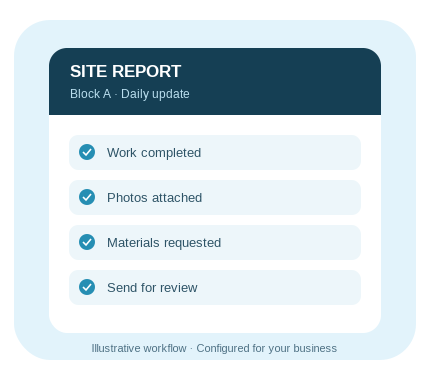
Record the work completed, materials needed and issues found during a shift, with enough context for the office to act.

  • Daily progress reports
  • Task lists and assignments
  • Time and attendance records
  • Photo and file uploads
  • Material requests
  • Inspection checklists
  • Snag and issue reporting
  • Offline drafts when scoped
Site Teams illustrative workflow

See progress, blockers and approvals

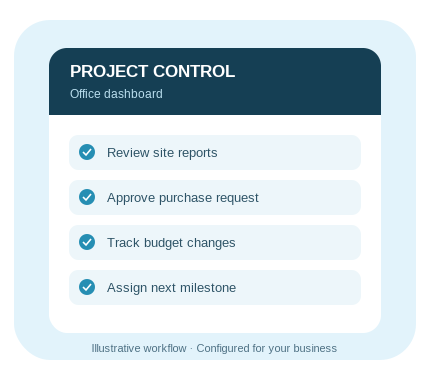
Construction management app development should help managers spot delayed work, review costs and clear approvals across sites.

  • Multi-project dashboard
  • Milestones and deadlines
  • Crew and equipment allocation
  • Purchase approval queues
  • Drawing revision history
  • BOQ and budget comparisons
  • Variation tracking
  • Reports and audit trails
Project Managers illustrative workflow

Share the right information with each role

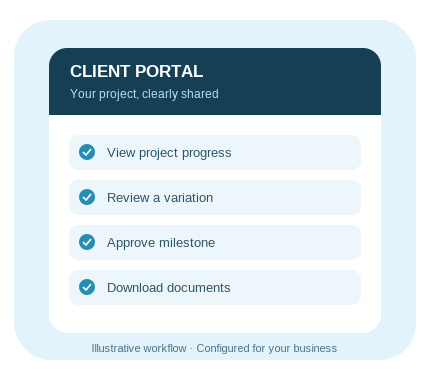
Publish approved updates for clients while administrators manage access and project settings.

  • Client progress dashboard
  • Document sharing
  • Milestone sign-offs
  • Quote and variation approvals
  • Invoice visibility
  • Role-based access
  • Notification preferences
  • Project archive and exports
Clients & Administrators illustrative workflow
A connected project journey

From First Enquiry to Final Handover

Keep responsibilities, records and decisions connected at every stage.

01

Enquire & estimate

Capture the project brief, prepare estimates and record the approved scope.

02

Plan & mobilize

Assign teams, schedule milestones and organize materials, equipment and drawings.

03

Report & approve

Collect site updates, review inspections and resolve material requests or scope changes.

04

Complete & hand over

Close snag lists, share final documents and retain the approved project record.

An illustrative planning example

How a Material Request Moves from Site to Delivery

Consider a request for cement bags on a fictional building project. The example below shows who acts, what gets recorded and how exceptions are handled. It illustrates a possible software workflow, not a completed client project or a standard package inclusion.

  1. Site supervisor

    Raise the request

    The supervisor requests 120 bags, identifying the project, work area, material specification, unit, purpose and needed-by date. The request receives a reference and waits for review; it does not create a purchase order.

  2. Project manager

    Review, return or approve

    In this example, the approved work package calls for 100 bags. The manager returns the request with that reason. The supervisor revises it to 100 and resubmits. The manager then approves it. The record retains both versions, the review reason and the decision history.

  3. Procurement

    Place the agreed order

    Procurement confirms the supplier, specification and delivery terms, then links an order for 100 bags to the approved request. Any quantity change follows the agreed approval rules before ordering.

  4. Site receiving team

    Record a partial delivery

    The team accepts 60 bags and records the delivery reference and receipt date. The order remains open with 40 bags outstanding. Damaged or rejected items are recorded separately and do not count as accepted stock.

  5. Receiving team & project manager

    Receive the balance and close

    When the remaining 40 bags are accepted, the record shows 100 received and zero outstanding. The manager can review the request, approval, order and receipts together. Invoice matching and payment approval remain separate, agreed workflows.

During a connection gap

If offline capture is in scope, a request or receipt stays marked as a draft or pending upload until synchronization succeeds. It must not appear approved or received centrally before that confirmation. Repeated uploads need duplicate checks; conflicting edits go to a defined reviewer instead of silently overwriting an approved record.

Rules to agree before development

Confirm who can approve, whether approval limits apply, how units are validated, how over-deliveries and damaged goods are handled, and who can correct a receipt. Acceptance checks should cover rejected requests, partial receipts, duplicate uploads and users trying actions outside their role.

Working prototype · sample data

See the Construction Workspace in Action

Watch desktop and mobile web-app walkthroughs and view screenshots of the construction prototype built by Digittrix, including material approvals, project progress and financial records.

Riverside Residences is fictional. This demonstrates implemented workflows, not a delivered client project or a measured business result.

Tested on 16 October 2026: Local automated checks passed for material approvals, progress, finance calculations and offline draft sync. Live unauthenticated workspace and API requests were denied. The report documents the methods and limits: no physical-device or site-pilot testing, and offline reopening is not supported.

See what is implemented

Track task completion and blockers; review budgets, accepted material costs, sample invoices and partial payments. The desktop recording shows the implemented material workflow, followed by finance and progress screens. The mobile web-app recording shows progress, finances and a site report submission.

The proposal defines the roles, approval steps, offline behaviour and integrations included in your release.

Built for Real Site Conditions

Define access, connectivity and record-handling rules around daily site conditions.

Access by project

Separate client, subcontractor, site and administrator permissions. Control which documents and costs each role can see.

Offline & synchronization

Queue agreed reports and uploads during connectivity gaps, with retry status and a defined process for conflicting edits.

Document control

Keep drawing revisions, approval history and file access connected to the right project and work package.

Integration & monitoring

Connect agreed CRM, ERP and accounting APIs, with logs and clear handling of failed updates.

Plan the connections first

Construction Software Integration Planning

Start with the systems you already use. Agree which records move, who owns them and what happens when a connection fails before committing to an integration.

Map systems & ownership

List your accounting, CRM, document and project tools. Assign a source of truth for projects, suppliers, material codes, invoices and payments. Decide whether updates are one-way or two-way and which team can correct a record.

Check access & scope

Review API availability, account permissions, subscription requirements and sample records. Procore, Autodesk Construction Cloud and accounting systems are potential connections to assess; naming them does not mean a connector is included or already implemented.

Design for failed updates

Define record matching, duplicate prevention, retry rules and an error queue with an owner. Test permissions, changed records and interrupted transfers, then reconcile the source and destination before sign-off.

Example handoff: an accepted material receipt can be prepared for an agreed purchasing or accounting system. Receipt acceptance, invoice approval and payment remain separate events. The proposal defines the fields, direction, frequency, provider fees and acceptance checks. Read the material approval and handoff guide →
Move in controlled stages

Data Migration & Construction Software Pilot

A proposed rollout starts with a small, agreed workflow. Migration, training and pilot support are scoped in your proposal; this process is not a claim of a completed construction deployment.

1. Audit & trial import

Inventory spreadsheets, documents and existing records. Map identifiers, units, dates and owners; resolve duplicates and missing fields. Test a sample import and reconcile record counts, quantities and opening balances before importing the agreed dataset.

2. Run a focused pilot

Choose one project, team and workflow. Train the participants and agree checks for role access, report submission, approvals and exception handling. Where offline work is in scope, test reconnects and unsent records on the actual supported devices.

3. Sign off & expand

Record defects, assign owners and obtain acceptance against agreed checks. Plan the cutover window, keep a backup and define a fallback with reconciliation if the switch is interrupted. Expand only after the team approves the pilot results.

Choose acceptance measures before the pilot, such as reconciled import totals, no duplicate submissions and correct access by role. Prototype videos illustrate sample workflows; they do not establish production reliability or business outcomes. Plan offline reporting tests →

Technology blueprint

Technology & Backend Architecture

We select the stack around your website, mobile apps, project records, offline requirements and existing business systems. Integrations and infrastructure are chosen for the agreed release.

Architecture layers

Technology choices are finalized during discovery against product scope, project permissions, site connectivity, integration requirements, and operating model.

01 · Web & field experience

Frontend & Mobile

Next.js, Flutter, Swift, and Kotlin support responsive web, cross-platform, and native experiences for site teams, project managers, and clients.

4 technologies
Next.js logo

Next.js

Flutter logo

Flutter

Swift logo

Swift

Kotlin logo

Kotlin

02 · Projects & workflows

Backend APIs

Node.js, PHP, Laravel, Python, and CodeIgniter support project records, estimate calculations, approval queues, document access, notifications, and administration.

5 technologies
Node.js logo

Node.js

PHP logo

PHP

Laravel logo

Laravel

Python logo

Python

CodeIgniter logo

CodeIgniter

03 · Projects & records

Data Layer

Relational, document, and real-time data services are selected around profiles, project records, documents, approvals, reporting, retention, and deletion workflows.

5 technologies
MySQL logo

MySQL

MongoDB logo

MongoDB

PostgreSQL logo

PostgreSQL

Firebase logo

Firebase

MariaDB logo

MariaDB

04 · Scale & release

Cloud Delivery

Azure, Docker, Google Cloud, Vercel, and Netlify support controlled environments, release automation, observability, scalable infrastructure, and web delivery.

5 technologies
Microsoft Azure logo

Microsoft Azure

Docker logo

Docker

Google Cloud logo

Google Cloud

Vercel logo

Vercel

Netlify logo

Netlify

05 · Collections & billing

Payments & Billing

Stripe, Razorpay, PayPal, and Cashfree can support agreed deposit or milestone payments, refunds and payment-status updates. Invoice rules and accounting reconciliation are scoped separately.

4 technologies
Stripe payment logo

Stripe

Razorpay logo

Razorpay

PayPal logo

PayPal

Cashfree logo

Cashfree

06 · Identity & access

Authentication

Token-based access is combined with the agreed email, phone, OTP, social sign-in, session, device, and role controls.

1 core technology

JWT

Choose the smallest useful release

Website, Portal or Construction App?

Start with the job your team needs to do. Add interfaces and integrations when the workflow justifies them.

01 / Attract enquiries

Company website

Best when customers need to see your services, completed projects and enquiry options.

Boundary: a public website alone does not manage site operations or private project records.

02 / Share project updates

Browser-based portal

Best when office teams and clients need shared records, approvals and documents on desktop or mobile browsers.

Boundary: offline capture, device features and app-store distribution require separate decisions.

03 / Capture work on site

Field app & integrations

Best when frequent site reporting, camera workflows or agreed offline tasks need a dedicated mobile experience.

Boundary: Android, iOS, synchronization and ERP connections must each be included in the scope.

When existing software is enough: if an available product already fits your roles, reporting and approvals, configuration or an integration may be more practical than a custom build. Compare workflow fit, subscriptions, data export and migration needs before committing.

Start with a clear scope

Construction Website & App Development Cost

Plan your first release with development budgets and delivery timelines for three common starting points.

Development prices in USD for an agreed scope. Each proposal confirms deliverables, interfaces and acceptance checks.
Starting pointDevelopment budgetDelivery timelineScope to agree
Construction company websiteUSD 1,4992–3 weeksAgreed service pages, project portfolio, CMS and enquiry forms. Page count, content and any CRM connection are confirmed in the proposal.
Site app / client portal MVPUSD 1,500–2,4994–6 weeksA focused release for agreed site reports, tasks, photos, approvals or client updates. Confirm user roles, website/app interfaces and offline requirements before development.
Integrated construction platformUSD 2,500+8 weeks+Starting budget for selected project dashboards, BOQ, procurement or business-system connections. The proposal defines modules, interfaces, migration and integration scope.

When the timeline starts: after scope, designs, content and required access are approved. Changes in scope, delayed feedback, migration and third-party integrations can affect delivery. App-store review times are separate where mobile apps are included.

What the proposal confirms: the website/app interfaces and selected features included in your release, source code handover and support coverage. Hosting, storage, messaging, app-store accounts and third-party licences are itemized separately where applicable. The full feature list on this page is not included in every package.
Our Construction Software Development Process

We move from product discovery and UX planning through development, testing, deployment, and post-launch optimization with clear review points at every stage.

Discovery and construction app market research icon

Discovery & Market Research

Business analysis, competitor benchmarking, feature planning.

Construction app UI and UX strategy icon

UI/UX Strategy

Wireframes, interactive prototypes, usability testing.

Construction app engineering icon

Agile Development

Site and client apps, project APIs and approval workflows.

Construction app quality assurance and security validation icon

Quality Assurance

Functional testing, load testing, security validation.

Cloud deployment and app store release icon

Deployment

Cloud deployment and app store submission.

Post-launch construction app monitoring and optimization icon

Technical Support

Handover, monitoring and support as agreed in your project plan.

Practical planning guides

Plan Your Construction Software Scope

Use these guides to prepare requirements, compare options and agree checks for a first release.

Plan your next step

Construction Development FAQs

Answers on websites, site apps, offline reporting, integrations, cost and support.

Can you build both a construction website and a mobile app?

Yes. We can build a public website, Android and iOS apps, and a web administration panel around shared project data. You can also start with a website or a single operational workflow and add other interfaces in later phases.

What features should a construction company website include?

A useful starting point is service pages, project portfolios, company information, service areas and a clear quote-request form. A CMS lets your team update projects and content. Client logins, tender enquiries and document upload workflows can be added when needed.

Can site teams work without an internet connection?

Offline drafts and queued uploads can be included for agreed workflows such as daily reports, checklists and photographs. We define what is available offline, how records synchronize, and how conflicting edits or failed uploads are resolved. Live dashboards need a network connection to receive new updates.

Can you include BOQ, estimates and variation tracking?

Yes. We can organize quantities, rates, estimate versions, approval steps and variation records. The calculation rules, units, taxes and document formats are confirmed with your team before implementation. Cost calculations remain subject to your review and approval.

Can the platform connect to our ERP or accounting software?

We review the existing system and available APIs before confirming an integration. The scope defines data ownership, field mapping, access, synchronization frequency, error handling and any provider subscription or licensing requirements.

How much does construction website or app development cost?

A construction company website is USD 1,499. A site app or client portal MVP is USD 1,500–2,499, and an integrated construction platform starts at USD 2,500. These development budgets apply to the agreed release scope. User roles, website/app interfaces, offline workflows, migration and integrations are confirmed in the proposal. Hosting, storage, messaging, app-store accounts and third-party licences are itemized separately where applicable.

How long does development take?

Plan 2–3 weeks for a construction company website, 4–6 weeks for a site app or client portal MVP, and 8 weeks or more for an integrated construction platform. Timelines start after scope, designs, content and required access are approved. Scope changes, delayed feedback, migration and integration dependencies can affect delivery. App-store review times are separate where mobile apps are included.

Do you provide source code handover and ongoing support?

Source code handover, access credentials, documentation, training and support coverage are recorded in the project agreement. Ongoing maintenance can cover updates, monitoring and agreed improvements. Third-party services remain subject to their own licences and usage charges.

How do I choose a construction app development company?

Ask how the team would handle your site conditions, approval rules and existing systems. Review relevant delivered work, discuss offline limitations, and check that the proposal defines acceptance criteria, source code handover and support.

What should a construction management software company deliver?

Expect an agreed workflow map, release scope, permission model and acceptance criteria, followed by tested software and the handover specified in your agreement. Start with the workflow your team needs most and validate it before expanding.

Can you build custom construction ERP software and CRM workflows?

Yes. We first review which ERP and CRM records should stay in your existing systems. Then we scope the missing workflows and connections, including how enquiries, approved quotes and project costs move between teams.

Can construction tracking app development include employee attendance?

Yes. Attendance, shift assignments and task status can be included. If location data is needed, its scope must define permission prompts, working-hour boundaries, access and retention. Progress reporting can also work without continuous location tracking.

Do you offer building management software development after handover?

Yes. Post-handover workflows can cover maintenance requests, asset registers, inspections and service records. They are scoped separately from active construction management. Building controls and sensor connections depend on the available hardware and APIs.

3 client video reviews

Client Video Reviews

Hear clients describe working with Digittrix on mobile apps, web applications and custom websites. These reviews cover our wider delivery work; they are not construction-project testimonials. Read the summaries and transcripts or watch the original videos.

Mobile app development

Thomas’s mobile app development review

Review summary: Thomas describes a mobile app built for his business, including the initial consultation, how the team listened to his ideas, the design and his experience with the finished app.

Published
Published by Digittrix on YouTube

Watch video & read transcript

Watch on YouTube
Technical experience & accountability

Meet the People Behind Your Platform

Get to know our team and the technical reviewer behind this page.

Harsh Abrol
Technical reviewer

Harsh Abrol

Co-Founder of Digittrix

Harsh has more than a decade of experience across web, mobile and custom software development. His work includes product planning, project delivery and technology strategy for startups and established businesses.

His technical review covers project scope, architecture, integrations, delivery assumptions and implementation risks.

Reviewed on

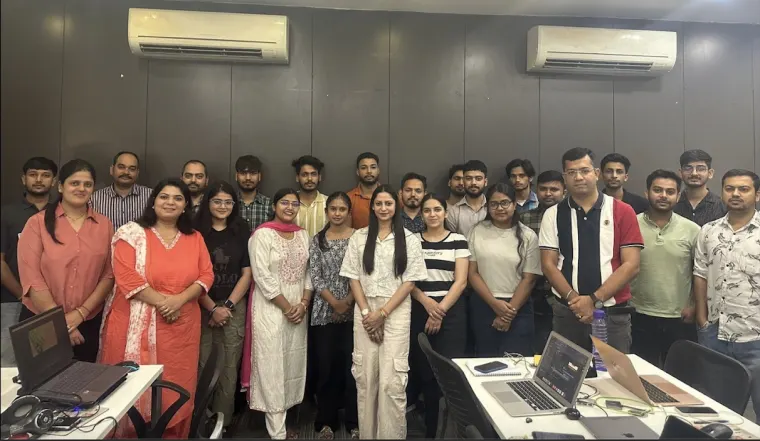
Digittrix team gathered together around office workstations

Meet the Digittrix Team

The people behind our product planning, design, development and quality assurance.

Get to know Digittrix

Explore Digittrix’s published web and mobile projects and client reviews. These are cross-industry examples of our delivery work.

Related Development Services

Planning a local meeting? Explore our construction app development services in Mohali, with office details and indicative INR budgets.

Build your next stage of growth

Bring Your Office, Sites & Clients Together

Tell us how you manage projects today and where work gets held up. We’ll help define a practical first release for your construction business.

Discuss Your Construction Project