Manual records and WhatsApp updates
Saffron managed attendance and fees manually and shared school updates through WhatsApp.

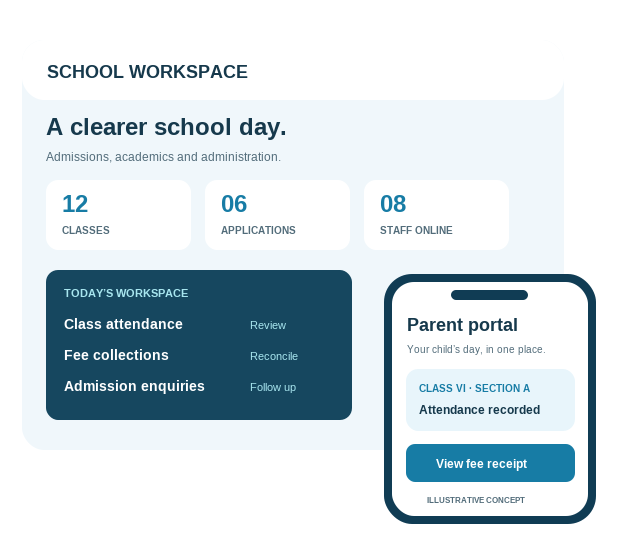
Digittrix is a school management software development company in India. We build school ERP (enterprise resource planning) systems that connect student records, office tasks and academic work. Your staff can manage admissions, fees and classroom updates through shared records instead of separate spreadsheets.
Connect admissions to enrolment, fee schedules to receipts, and classrooms to parent updates. For learning platforms, explore our education app development services. For wider business workflows, see our custom ERP and CRM development services.
For Saffron School CRM and its React Native parent app, we connected school administration with parent access to attendance, fees, assignments, notifications and holidays.
Reviewed by Harsh Abrol, Co-founder of Digittrix Infotech ·
Digittrix developed Saffron’s school CRM and a React Native parent app, connecting school administration with the information families need each day.
Saffron managed attendance and fees manually and shared school updates through WhatsApp.
Parents can now see attendance, fee information, assignments and holidays in the app, along with notifications. The CRM includes WhatsApp integration alongside its school administration modules.
Compare like-for-like proposals
Compare providers using your school’s fee rules, records and daily tasks. Explore the Saffron CRM and parent app to see what we built, then agree the migration and year-end checks your own project needs.
| Your product route | What to scope | What to verify before approval |
|---|---|---|
| Configure an existing product | Standard school workflows that fit the product’s rules. | Compare subscription, migration, support and export costs; verify the fields and reports you can change. |
| Build a custom school ERP | School-specific fees, approvals and connected parent or staff access. | Ask the team to demonstrate an admission, a concession, a partial payment and parent access using fictional student records. |
| Upgrade or migrate | Keep the modules that work and improve the tasks they do not cover. | Check student counts, opening balances and receipts before switching systems. Test year-end updates, data exports and backup recovery. |
Ask for these items in your written estimate. Agree inclusions and acceptance tests before signing; this checklist does not add features to a package or report completed project tests.
These brands feature in Digittrix’s broader portfolio. Explore our published work and client reviews to see what we delivered across different industries.












Choose the workflows that remove the most duplicate work for your school office and staff.
Admissions to enrolment. Track counsellor follow-ups and turn approved applications into student records.
Payments to receipts. Connect fee schedules, concessions, payments and receipts so the office can review each collection.
Classroom to home. Share attendance, homework, results and school notices through the right parent and teacher views.
Campus to management. Review reports across branches while each campus controls its own settings and staff access.
Choose the modules your school needs first. Connect them through shared records, with parent, teacher and office workflows planned for your academic calendar.
Swipe to explore all eight modules
Track admissions enquiries from your website, calls, walk-ins and referrals through to enrolment. Assign counsellors, schedule follow-ups and campus visits, and keep each family’s application history in one place.
Keep admissions records, guardian contacts, class assignments and academic history in one student information system. Control who can update records and track changes when students move classes or schools.
Set fee categories, instalments, concessions and due dates. Connect payments to receipts, then match gateway confirmations, bank transfers and cash collections to each student’s account.
Help teachers record attendance and review corrections. Notify guardians about absences and connect attendance devices when their APIs or exports support the integration.
Plan exams, grading and report cards around your school’s academic structure. Check teacher availability when building timetables, and let authorised staff review results before publication.
Connect families and staff through Android and iOS apps. Let parents check homework, notices, attendance and fees while teachers manage the records their roles allow.
Manage bus routes, stops, student assignments and transport fees. Add live tracking through a compatible GPS provider. Connect library loans and school resources to the relevant student records.
Manage each campus’s calendar, fees and staff permissions. Give authorised managers reports across branches while campus teams work with their own records.
Bring online enquiries, counsellor follow-ups and applications into one admissions CRM. Track prospective families through to an admission decision, within your ERP or through an agreed connection to an existing system.
Connect website enquiry forms and let staff record phone calls, walk-ins and referrals. Keep contact details, preferred class, campus and lead source together, with checks for duplicate enquiries.
Give each lead an owner, next action and follow-up date. Keep call notes and contact history visible to authorised staff, with reminders for upcoming or overdue follow-ups.
Use stages such as new enquiry, contacted, campus visit, application, admitted and closed. Record reasons for closure and keep pending decisions visible to the admissions team.
Plan school tours, counselling sessions and admission appointments. Record attendance, rescheduling and the next step so each family’s enquiry has a clear history.
Compare enquiries, applications and enrolments by source, class or campus. Review counsellor workloads and stage-level drop-offs using agreed definitions for each report.
Move approved admissions into the ERP’s student and guardian records. Link class allocation and fee setup while preserving the enquiry history and restricting access by role.
Plan the right connections: Email, SMS, WhatsApp and third-party lead sources depend on supported APIs, account access and your school’s contact preferences. We confirm integrations, messaging charges and access permissions in the project scope.
Build a new system, add parent and teacher apps, or improve your existing ERP in stages.
Map admissions, fee rules, academic records and staff responsibilities before development begins.

Build admissions, academic and administration workflows around the processes your staff actually use.

Connect parent and teacher apps to a shared web portal, so families and staff work from the same school records.

Improve your existing ERP and connect payment, messaging and learning tools through supported interfaces.

Check your data, train staff and test daily tasks before you switch to the new system.
Keep information consistent as students move from admissions into everyday school life.
Capture enquiries, assign counsellors, collect applications and record admission decisions.
Create the student record, link guardians, assign a class and configure the fee schedule.
Record attendance, share homework, collect fees and publish approved parent updates.
Approve results, review balances and promote or transfer records for the next academic year.
Give parents, teachers and office staff the tools and records they need.
Let parents check their children’s school information through verified accounts.
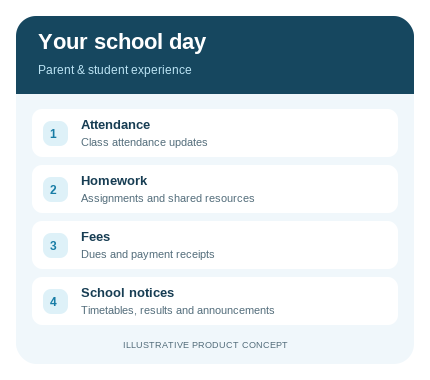
Connect classroom records and routine communication without asking teachers to update several disconnected systems.
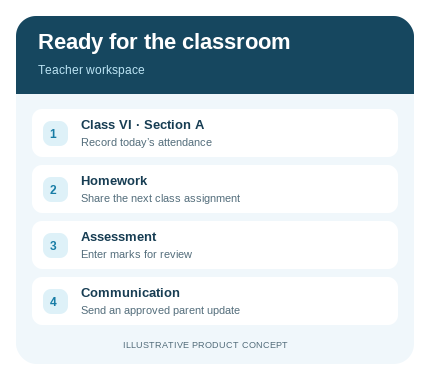
Track admissions enquiries, academic records and fee collections. Give each team clear access and approval responsibilities.
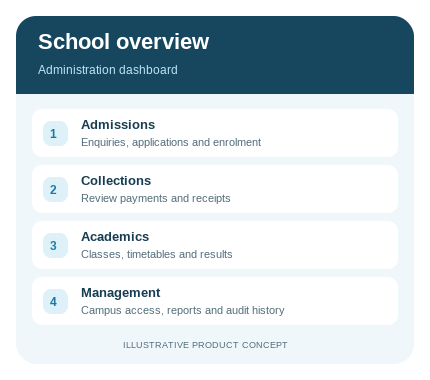
Connect staff, accounts and library tasks to your school ERP. We list the modules your school selects in the project plan.
Organise staff records, assignments, leave and access. If you need payroll, agree pay rules, approvals, exports and local calculation requirements before we build it.
Connect fee collections to agreed ledgers, expense workflows and financial exports. Decide whether to build these functions or integrate your existing accounting package.
Manage catalogues, borrowing, returns and overdue records. Link library access to student or staff accounts and include inventory workflows where required.
Define how staff check records, approve changes and restore data before launch.

Reconcile online and offline collections. Track concessions, refunds and corrections with approval history.

Review marks and attendance corrections before publishing. Keep academic-year history and exports accessible.
Separate guardian, teacher, finance and campus permissions. Verify family account links and record sensitive changes.
Test fee deadlines and result-day traffic, monitor integrations and verify backup restoration before rollout.
Keep the parts that work and improve the tasks that slow your staff down. We assess your existing system before planning changes.
Review source access, licences, database structure, integrations and the issues your staff encounter.
Add parent apps, admissions CRM, fee tools or reports with compatibility checks for the existing system.
Map student and guardian records, check fee balances and test imports in a separate test environment.
Run a pilot with selected staff. Check the results and agree backups, support and a switch-over date around your school term.
Choose connections that reduce repeated entry and keep staff and families informed. We assess the provider, access and supported interfaces before including an integration in your scope.
Connect an agreed payment gateway so collections can update fee records and receipts. Plan how staff reconcile online payments with cash or bank collections and handle refunds or failed confirmations.
Connect approved reminders and school updates to WhatsApp, SMS, email or app notifications. Agree which events trigger messages, who receives them and what provider setup and usage charges apply.
Where a device offers a supported API or export, connect its attendance records to the ERP. Map student identifiers and define how staff review duplicate, missing or corrected entries.
Connect selected fee records to your accounting tools, or class and account records to an LMS through supported interfaces. Choose the master system for each record and decide how staff review failed updates.
For an integration assessment: share the tools and device models you use, the records you want to exchange and the API documentation available. Provider subscriptions and transaction or messaging charges are separate from development.
Compare the fit with your school’s workflows, the work needed to migrate records and the cost of running the system after launch.
A subscription product can suit a school whose fee rules, academic structure and reports fit its existing features. Check data export, campus limits, support and per-student or annual charges before committing.
Custom development can suit school-specific approvals, integrations or campus rules. Plan the initial build alongside hosting, maintenance, staff training and future changes.
An upgrade can suit a system with usable records and stable core workflows. Review source-code or API access, licence terms and compatibility before adding modules or parent apps.
Before you decide: ask for a walkthrough of your actual fee, attendance and year-end workflows. Verify sample data exports and agree who will maintain the system.
Use fictional student records to compare providers. Ask each team to demonstrate an admission, a fee concession, a partial payment, parent access and promotion to the next academic year. Check how balances, receipts and attendance history carry forward. Identify who approves the year-end update, then confirm which tasks your quote includes.
Plan for one institution, a group of campuses or a subscription product serving several schools. The operating model determines how accounts, hosting and support should work.
Give authorised staff and families browser access to the records they need. Agree who manages hosting, backups, access permissions and recovery before launch.
If you plan to sell subscriptions to separate schools, define how you will keep their data separate, set up accounts, manage billing and provide support. A SaaS product needs these controls in addition to the school ERP features.
Automate reminders, approval requests, scheduled reports and year-end tasks. Decide when staff must review an exception or correct an error.
Your estimate starts with the workflows you need in the first release. Compare the scope below, then plan the development budget separately from the costs of running and maintaining the system.
| Project type | Product focus | Typical first release | What affects cost |
|---|---|---|---|
| Focused school ERP | Digitise the daily tasks your school needs most. | Selected student records, attendance, fees and an administration dashboard. | Modules, fee rules, reports, user roles and data preparation. |
| ERP with mobile apps | Connect the school office, teachers and families. | Selected ERP modules, parent and teacher apps, notifications and payment integrations. | App platforms, parent account linking, integrations and release requirements. |
| Upgrade or multi-campus rollout | Extend an existing system or coordinate several schools. | Assessment, selected enhancements, migration, campus access and consolidated reports. | Existing code quality, data volume, API access, branch rules and rollout stages. |
Use these options to plan your estimate. We confirm the included features in writing.
The written proposal defines the work included in your quote:
We list optional modules and later releases separately. Before changing the plan, we explain how each request affects cost and delivery.
Allow for the services and support your chosen system needs:
The proposal distinguishes Digittrix’s work from third-party charges and identifies who manages each service.
Tell us your student and campus counts, priority modules, current software, mobile app needs and target school term. Share sample fee rules, reports and available data exports so we can assess migration and agree a practical first release.
We agree milestone dates after reviewing your scope, data and integration access. A focused first release and a multi-campus rollout need different schedules. Each stage below has a review point before the next step.

Agree priority workflows, fee rules, reports and migration needs. Confirm the first-release scope and milestone plan.

Review screens and prototypes with school staff. Design approval and feedback turnaround help determine when development can proceed.
Build modules, apps and connections in stages, with a review after each release. Integration work depends on provider access and documentation.

Test workflows, permissions and migrated records. School staff check sample fee balances and attendance records before accepting the release.

Plan training, the final data import and the switch to your new system around the school calendar. If your project includes apps, allow time for app-store reviews.

Agree support coverage and handover responsibilities. Schedule additional modules separately from the accepted first release.
Agree what we will hand over, who will manage the live system and how staff will get help. Record these responsibilities in the project agreement.
Agree the source code and documentation you will receive, the ownership terms and the handover conditions. Name who controls hosting, domains and service accounts, and who manages backups and renewals. Third-party software keeps its own licence terms.
Plan training for office staff, teachers and administrators. Include user guides, setup notes and deployment instructions. The handover checklist should cover account access, fee-rule changes and data exports for the modules we deliver.
Agree support hours, contact channels and response expectations. Name who monitors the system, installs security updates and handles provider issues. We explain which defect fixes the support agreement covers and quote separately for additional maintenance or features.
We choose technologies to fit your school’s records, apps, integrations and support needs. The options below show tools we may use. We select the combination that fits your project.
We confirm technology choices during discovery based on school workflows, student-data access, existing integrations, hosting responsibilities and ongoing support.
We use Next.js for web interfaces and React Native, Flutter, Swift or Kotlin for mobile apps, depending on the project. We built Saffron’s parent app with React Native.

Next.js

React Native

Flutter

Swift

Kotlin
Node.js, PHP, Laravel, Python, and CodeIgniter support student records, fee processing, admission queues, academic workflows, notifications, and administration.

Node.js

PHP

Laravel

Python

CodeIgniter
We select databases to store student records, academic history and fee transactions. We also plan reporting, retention and deletion requirements.

MySQL

MongoDB

PostgreSQL

Firebase

MariaDB
We select hosting and deployment tools to run your system, monitor errors and manage updates. The choice depends on capacity, integrations and maintenance needs.

Microsoft Azure

Docker

Google Cloud

Vercel

Netlify
Stripe, Razorpay, PayPal, and Cashfree can support school fee payments, instalments, receipts, refunds, and other agreed collection workflows.

Stripe

Razorpay

PayPal

Cashfree
We combine token-based access with the sign-in methods and role permissions your school needs. We agree verification, session and device controls during planning.
JWT
Answers on school ERP, admissions CRM, mobile apps, migration, cost and ongoing support.
Digittrix designs and builds software around a school’s daily work. A custom system can connect admissions, student records, attendance, fees, exams and parent communication. We agree the modules, reports and user roles with your school before development.
A school ERP manages day-to-day operations, including student records, fees, attendance and academics. An admissions CRM tracks enquiries, counsellor follow-ups, applications and enrolment. Connecting the two lets staff turn approved applications into student records without retyping the same details.
Yes. We can capture website enquiries and let staff add leads from calls, walk-ins and referrals. Counsellors can track follow-ups, campus visits and application stages. We agree the required reports, messaging connections and contact preferences before development.
Yes, after we assess the code, database, hosting, licences and available access. We identify the modules and integrations you can keep, then compare an upgrade with a migration. The assessment helps you choose the approach that fits your school.
Yes. Parent and teacher apps can share the school ERP’s records. We define access for each role and verify guardian–student links. Your app brief sets the platforms and features, such as homework, attendance, notices, fees and results.
Yes, if your school has permission to use the data and can export it. We map fields, check duplicates and run trial imports. School staff verify student counts, fee balances and receipts. Together, we agree backups, the switch-over date and a recovery plan.
Yes. We can connect approved admissions to student records and fee schedules, then integrate a payment provider. Your school defines deposits, concessions, instalments, refunds and offline payments. We agree receipt and reconciliation checks and list gateway charges separately.
Yes, when the systems offer suitable APIs or another supported connection. Your website can send admissions enquiries to the CRM; a learning management system (LMS) can exchange selected class and learning records. We agree which system holds the master record and how staff resolve failed updates.
Yes. We can build separate calendars, fee rules and staff permissions for each branch, plus combined reports for authorised managers. We test campus access and record separation with your school before rollout.
Your modules, apps, integrations, migration needs and campus rules determine the cost. We provide a written estimate for development, testing, launch and handover. We list hosting, messaging, payment-provider charges and ongoing support separately. Share your priorities and current system for a tailored estimate.
We set milestones after reviewing the first release, data quality and integration access. The schedule covers planning, design, development, school testing and rollout. School feedback, data preparation and app-store reviews affect timing. We plan the switch around your academic calendar.
We define what parents, teachers, finance staff and administrators can view or change. The project plan covers guardian verification, campus permissions, protected connections, change logs and backup responsibilities. We agree retention settings and test access with your school.
Ask for relevant projects and a clear explanation of what the team built. Use sample records to compare admissions, fees and year-end tasks. Check migration, data exports, ownership and support terms in writing. Ask who will test recovery and maintain integrations.
Yes. We can build around your fee policies, academic structure, approval steps and campus roles. Start with the daily tasks your staff need most. We agree the first release and the checks your school will use to approve it.
A student information system (SIS) stores student and guardian details, enrolment records and academic history. A school ERP connects these records to wider tasks, such as fees, transport, staff access and reporting. Your school’s needs determine how much to include.
Yes. Our India-based team agrees communication hours, school terminology, academic calendars, currencies and integrations during planning. We also clarify hosting location, data-handling requirements and who will review local requirements for your project.
We agree source-code deliverables, ownership, hosting access, training and documentation in the contract. We also set support hours, contact channels and response expectations. The proposal separates defect fixes, maintenance and new features, and names who manages backups, updates and third-party services.
Alongside Saffron, our published education app projects include teacher access and institutional attendance. The school ERP interfaces shown on this page are illustrative product concepts.
Read about teacher availability and student-to-teacher calling in Digittrix’s published education app case study.
Read the Dudar case studyExplore the published scope of the face-scanner attendance integration, including records, administration and reporting.
Read the attendance case studyPraveen reviews our work on Plubo, a children’s mathematics app. Thomas discusses the mobile app we built for his business. Both reviews describe those projects; neither is a Saffron School CRM testimonial.
Children’s learning app
Review summary: Praveen names Plubo, his mathematics app for children, and discusses audio/visual coordination, sliding coins, UI/UX improvements and the team’s patience with repeated feedback.
Watch on YouTubeMobile app development
Review summary: Thomas describes a mobile app built for his business, including the initial consultation, how the team listened to his ideas, the design and his experience with the finished app.
Watch on YouTubeTell us about your school, existing software and daily challenges. We’ll help define a practical first release for your office, teachers and families.
Discuss Your School Project


