Camera-assisted check-in
Define capture points and enrolment. Test facial recognition where the project requires identity matching and the deployment supports it.

Custom attendance software · Schools and workplaces
Connect camera capture to attendance records your team can review. Digittrix develops custom attendance systems with live updates, identity matching and exception handling. Link confirmed records to your HRMS or school ERP, while giving staff a clear way to correct mistakes.
Built around your workflow
Integrated with your operation
Tested with your team
The service, explained
Camera-based attendance software captures an event, matches it to an enrolled person and applies your attendance rules. We build the capture, matching, staff review and system connections, with clear statuses for pending events and confirmed records.
What we build
Choose the features your team needs. We agree the scope, system connections and success criteria before development.
Define capture points and enrolment. Test facial recognition where the project requires identity matching and the deployment supports it.
Show capture time and processing status. Let staff distinguish pending matches, failed attempts and confirmed attendance.
Apply your rules for repeat captures, late arrivals, breaks and check-outs. Test leaving and returning during the same session.
Give authorised staff a queue for unmatched events. Record who changed a record, when they changed it and why.
Send approved records to supported systems. Reconcile duplicates and missed updates before attendance affects payroll or other decisions.
Provide views by class, location, shift or department. Control access to personal records and apply agreed retention rules.
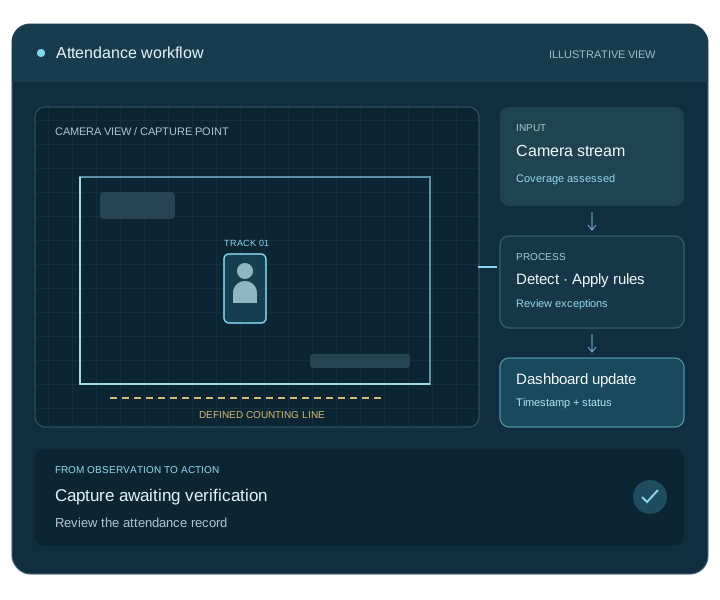
How the software works
Record an event at an agreed attendance point.
Associate it with an enrolled record and attendance rule.
Route uncertain records to an authorised reviewer.
Publish the reviewed status to the dashboard or connected system.
Connect the complete workflow
We check access, compatibility and data ownership early. Each connection needs clear rules for permissions, failed requests and recovery.
| Connection | What we connect | What we check first |
|---|---|---|
| Capture and enrolment | Cameras and enrolled-person records | Capture quality, permissions and manual alternatives |
| Schedules and policies | Shifts, classes and attendance rules | Late-arrival rules, repeat captures and correction rights |
| HRMS and ERP | Approved attendance records and reports | Field mappings, reconciliation and downstream approvals |
Test before you roll out
We agree measurable targets with your team and test representative inputs, including the difficult cases.
Test false matches and missed matches with representative users, capture angles and lighting conditions.
Check repeat captures, shifts, late arrivals, check-outs and manual corrections against expected records.
Test offline capture, pending events, administrator permissions and reconciliation with the receiving system.
Scope, cost and delivery
Start with one location and a clear operational question. We assess the footage, test a pilot and agree the development milestones with your team.
We provide a project-specific estimate and milestones after discovery. Your proposal separates development from ongoing operating costs.
Get a project estimateWe agree source-code and licence terms, deployment access, documentation, team training and support responsibilities in your proposal.
Map the workflow, inputs and system connections.
Test the core task and agree acceptance targets.
Build the application, integrations and admin tools.
Validate, deploy, train your team and start agreed support.
Your development partner
Digittrix Infotech Private Limited builds business software from Mohali, India. Explore our team, published work and client feedback as you choose your development partner.
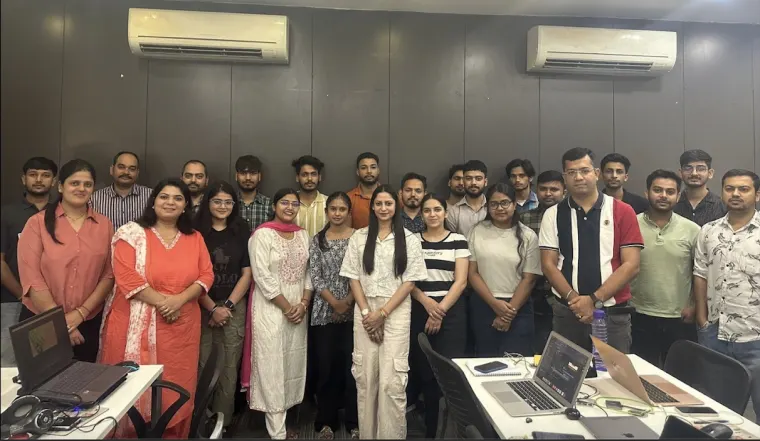
Our published account describes attendance hardware connected to a central software workflow for monitoring records and reviewing exceptions.
Read the IIT Mandi project account ↗These accounts describe the delivered projects. We assess the camera and AI requirements for your project separately.
Answers before you build
People counting measures how many people enter or occupy an area. Individual attendance matches an event to the correct enrolled person and applies your attendance policy.
Yes. We assess enrolment, capture quality, matching thresholds and permissions, then build staff review and a manual fallback into the workflow. The pilot tests performance in your environment.
We agree an update target and test it against camera capture, network availability and processing time. The interface distinguishes captured, pending and confirmed records.
We connect systems that provide suitable access. Your team approves the record format, correction process and reconciliation rules before attendance feeds downstream decisions.
It sends the event to an exception queue instead of automatically marking the person absent. Authorised staff check the record and use the agreed manual alternative.
Capture points, enrolment, schedules, identity matching, review tools and integrations shape the estimate. We also account for hosting, retention and ongoing support.
Let’s plan your project
Tell us about your locations, camera setup and current systems. We will help you define a practical development plan.
Service information updated .