Entrance and visitor activity
Count directional crossings at building entrances or sales offices. Keep physical footfall separate from appointments and sales leads.

Custom property software · Buildings and facility teams
Bring building activity into one practical view. Digittrix develops custom video analytics for entrances, shared spaces, parking and property dashboards. Help facility teams review occupancy estimates, camera status and selected events across one building or a wider portfolio.
Built around your workflow
Integrated with your operation
Tested with your team
The service, explained
AI video analytics for real estate turns suitable camera views into entrance counts, shared-space activity and parking observations. We build the dashboards, rules and supported system connections that help property teams manage daily operations.
What we build
Choose the features your team needs. We agree the scope, system connections and success criteria before development.
Count directional crossings at building entrances or sales offices. Keep physical footfall separate from appointments and sales leads.
Define the entrances and zones the system covers. Show estimated occupancy with timestamps and clear coverage information.
Compare activity in lobbies, meeting areas and amenities. Use consistent zones and time periods for facilities planning.
Assess vehicle counts and visible parking-space occupancy. Evaluate number-plate recognition separately if the project needs it.
Flag movement in selected areas or time windows. Give staff enough event context to review it and choose the next step.
Bring location-level metrics, camera status and reports together. Give users access to the properties and records they manage.
How the software works
Define entrances, shared areas and camera coverage.
Process selected people, vehicle and zone events.
Bring property-level updates into one dashboard.
Assign review and reporting to the relevant facilities team.
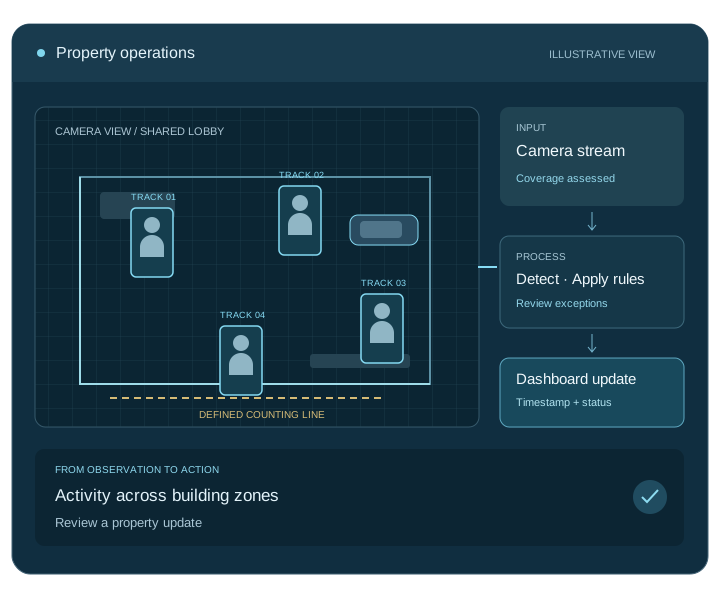
Connect the complete workflow
We check access, compatibility and data ownership early. Each connection needs clear rules for permissions, failed requests and recovery.
| Connection | What we connect | What we check first |
|---|---|---|
| Building cameras | Entrances, shared areas and parking views | Coverage, stream access and network capacity |
| Property systems | Supported facilities and building-management platforms | Available interfaces, permissions and record ownership |
| Portfolio reporting | Location dashboards, reports and alert channels | Property-level access and comparable measurements |
Test before you roll out
We agree measurable targets with your team and test representative inputs, including the difficult cases.
Check entrances, shared areas and parking views against labelled examples, including occlusion and lighting changes.
Validate zone rules and any access-system data used to interpret events before triggering an operational action.
Test location permissions, camera health, stale data indicators and whether metrics can be compared across properties.
Scope, cost and delivery
Start with one location and a clear operational question. We assess the footage, test a pilot and agree the development milestones with your team.
We provide a project-specific estimate and milestones after discovery. Your proposal separates development from ongoing operating costs.
Get a project estimateWe agree source-code and licence terms, deployment access, documentation, team training and support responsibilities in your proposal.
Map the workflow, inputs and system connections.
Test the core task and agree acceptance targets.
Build the application, integrations and admin tools.
Validate, deploy, train your team and start agreed support.
Your development partner
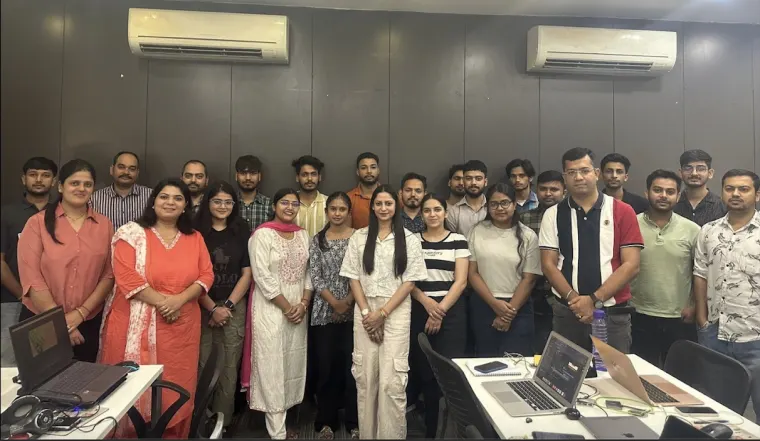
Digittrix Infotech Private Limited builds business software from Mohali, India. Explore our team, published work and client feedback as you choose your development partner.
Answers before you build
We build for property owners, developers and facility managers who need analytics for entrances, shared spaces, parking or building operations. Property-listing and sales software are separate services.
We check stream access, camera placement, image quality and network capacity. The assessment identifies which tasks your setup supports and where you need different coverage.
Yes. We develop location-level permissions, camera status, timestamps and shared reporting. We also define which metrics teams can compare fairly across properties.
We evaluate visible space occupancy or vehicle counts where coverage supports them. Number-plate recognition and access-control actions need separate requirements and testing.
We assess supported building-system interfaces and define any permitted actions. Operator overrides, limits and testing form part of the design before automatic control goes live.
Property count, camera coverage, analytics tasks, permissions and system connections determine the build. Processing, storage, hosting and support add ongoing costs.
Let’s plan your project
Tell us about your locations, camera setup and current systems. We will help you define a practical development plan.
Service information updated .