Community Summit
Sample guest · Alex
General admission · Demo ticket EVT-001
No ticket booked

These brands appear in Digittrix’s wider product portfolio. Read the published work and client reviews to understand each project. These references do not represent event-specific case studies.












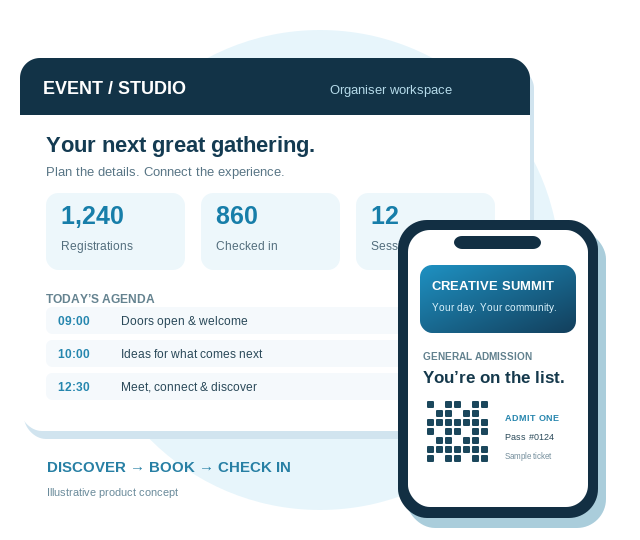
Event management website and app development brings registration, ticket sales, attendee updates and check-in into one connected platform. Attendees use the website or app; organisers manage events and bookings; gate staff validate entry.
We help event organisers, conference teams and venue operators choose the right first release. Start with a registration website, add mobile apps for repeat attendees, or build a marketplace for several organisers.
Follow a fictional guest from booking to entry. Change the ticket state and see what the organiser and gate team need to know.
This browser-only demonstration simulates a single ticket. It does not take payments, scan QR codes or represent a delivered client project. Refreshing clears its state.
Demonstration technically reviewed by Harsh Abrol, co-founder of Digittrix · . Harsh works on product planning, technical strategy and project delivery. This attribution covers the demonstration’s booking, duplicate-entry and offline-reconciliation explanations.
Sample guest · Alex
General admission · Demo ticket EVT-001
No ticket booked
Waiting for a booking
Start by simulating a paid booking, then scan the ticket twice to see duplicate handling.
Production systems need authenticated staff access, server-side payment verification, atomic admission checks and a tested sync strategy. Disconnected devices cannot instantly prevent duplicate admission across different gates.
Connect your business model to clear ticket rules, checkout flows and reporting.
Ticket sales. Offer general admission, VIP passes, early-bird pricing and group bookings.
Platform commissions. Configure booking fees and organiser commission records for a marketplace.
Organiser subscriptions. Offer recurring plans with agreed event limits and administration features.
Sponsorship & add-ons. Manage sponsor placements, exhibitor packages and optional event extras.
Choose the format closest to the events you run. We plan the website, apps and staff tools around your booking rules, audience and first launch.
Let attendees find an event, choose a ticket and pay in one place. Your team manages ticket types, capacity, early-bird prices and booking confirmations from one dashboard.
Give delegates speaker profiles, session schedules and a personal agenda. Help organisers manage registrations, share programme changes and track attendance.
Help planners coordinate enquiries, guest lists, RSVPs, vendor tasks and event-day schedules. Keep clients and the planning team aligned on the next milestone.
Plan ticket releases, entry gates, capacity and event-day updates around the way your venue operates. Support multiple ticket types and clear check-in permissions.
Give exhibitors and attendees a shared event hub for booth information, registration, meeting requests and lead capture with consent.
Connect registration, session access and live questions with your chosen streaming service. Share the same schedule updates with online and in-person attendees.
Help visitors explore venues, compare packages and request available dates. Give your team tools to manage enquiries, proposals, booking deposits and follow-ups.
Let approved organisers publish and manage events under one platform. Configure listing review, commissions, organiser access and settlement reporting.
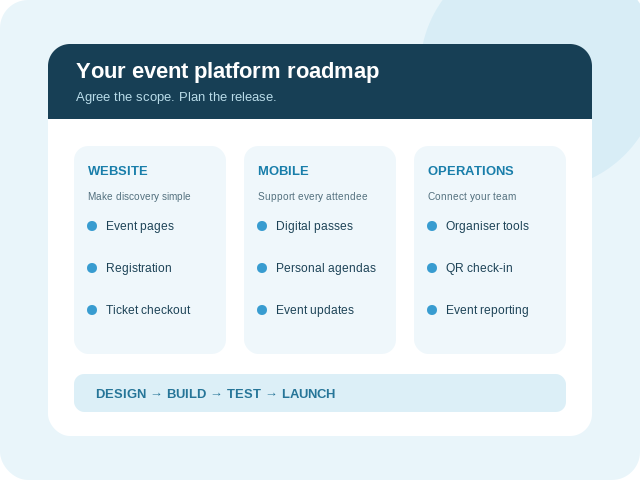
Connect your event website, attendee apps and staff tools to the same booking records. Choose the services your first release needs.
Define the attendee journey, organiser tasks and entry rules before development begins.

We build responsive event websites that help visitors find the right event, register and buy tickets. Your team manages event content and bookings in one place.

We develop Android and iOS apps for digital tickets, personal agendas and event updates. Staff tools connect to the same booking records.

We build custom event management software that connects bookings, staff tasks and external services. Organisers control access and review payments, refunds and attendance.

Test real event journeys and prepare the team for launch and ongoing operations.
Connect your audience and operations team around one event record.
Show the event, agenda, venue and ticket options. Collect the registration details your team needs.
Reserve capacity, confirm payment and send a digital pass with clear booking details.
Share reminders, session schedules and event changes with the right attendees.
Validate entry, track attendance and collect feedback after the event.
Give attendees, organisers and gate staff the tools they need, with access controls for each role.
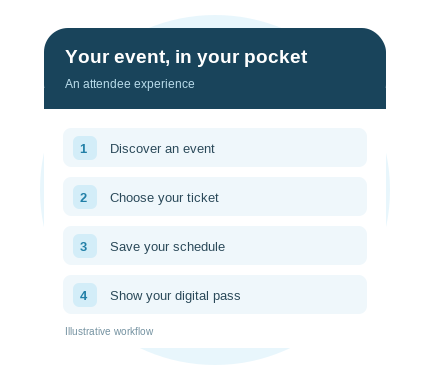
A clear journey from discovery to the entrance, with all event details in one place.
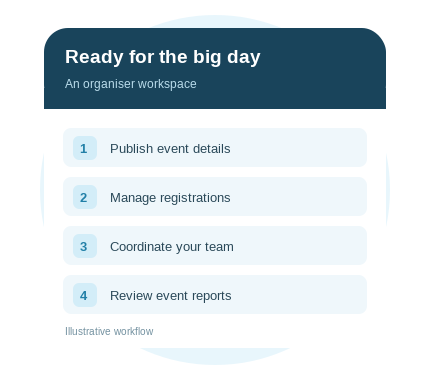
Create events, manage bookings and assign staff permissions from one organiser dashboard.
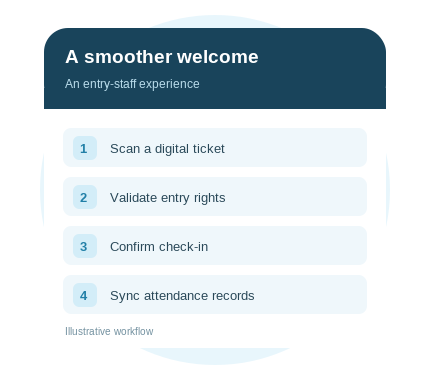
Give authorised staff a focused check-in experience with clear ticket and entry status.
Optional features: discuss attendee networking, meeting requests, badge printing, live questions and post-event surveys. We check provider and device requirements, agree privacy controls and quote these features separately.
Turn booking, payment and entry requirements into acceptance checks. The agreed scope determines which scenarios and capacity targets we test.
Test simultaneous bookings for the final ticket, expired reservations and repeated payment callbacks. Confirm that a callback retry does not create a second booking or issue another ticket.
Test whether one organiser can view another organiser’s bookings or export attendee records. Agree staff permissions, access revocation and an audit trail for sensitive changes.

Test expired tickets, repeat scans, re-entry and a lost connection. For offline scanning, agree conflict resolution and staff escalation: disconnected devices cannot instantly share entry status.

Agree a test load for booking releases and gate check-in. Review failure alerts, backup restoration, release rollback and the operating guide before handing the platform to your team.
Technical planning references: Stripe’s webhook delivery and duplicate-event guidance and Android’s offline data and synchronisation guidance. Integration choices depend on your selected providers and app architecture.
We choose technologies to fit your booking rules, integrations and expected traffic. The goal is a platform your team can operate, maintain and extend.
We agree the technology choices during discovery, after reviewing your features, data controls, integrations and maintenance needs.
Next.js, Flutter, Swift, and Kotlin support responsive web, cross-platform, and native experiences for attendees, organisers, and administrators.
 Next.js
 Flutter
 Swift
 Kotlin
Node.js, PHP, Laravel, Python, and CodeIgniter support event booking, conversations, registration queues, ticket sales, notifications, and administration.
 Node.js
 PHP
 Laravel
 Python
 CodeIgniter
We choose databases around your bookings, schedules and attendance records. We also plan reports, backups, retention periods and deletion requests.
 MySQL
 MongoDB
 PostgreSQL
 Firebase
 MariaDB
We assess cloud and deployment tools for hosting, release automation, monitoring and recovery. Expected traffic and running costs guide the choice.
 Microsoft Azure
 Docker
 Google Cloud
 Vercel
 Netlify
Stripe, Razorpay, PayPal, and Cashfree can support service payments, commissions, plans, refunds, and other agreed commercial workflows.
 Stripe
 Razorpay
 PayPal
 Cashfree
We combine token-based access with the sign-in methods and staff permissions in your scope. We also define session expiry and account recovery.
Agree the booking and entry rules before development. These examples show what the software should do and how your team can test it.
Check availability on the server and hold a place for a limited time during checkout. Save the booking and capacity change together so two requests cannot claim the final place. Decide how to handle expired holds and late payments.
Acceptance example: two customers request the last place at the same time. Only one reservation succeeds; any late payment follows the agreed reconciliation or refund process.
Verify the payment confirmation sent directly by the provider, including its booking reference, amount and currency. Record each confirmation once. Check delayed or repeated messages before issuing tickets.
Acceptance example: send the same successful payment notification twice. One booking receives one ticket; the browser’s return page alone never proves payment.
Check staff permissions and ticket validity before recording entry. Online gates must use the same current entry record. Keep a history of scans and give staff clear rules for reviewing offline entries when devices reconnect.
Acceptance example: scan one ticket at two connected gates. Only one admission succeeds. Disconnected gates cannot instantly prevent duplicate entry across devices.
These are proposed acceptance scenarios, not published production test results. Try the ticket demonstration or use the check-in test matrix and worksheet to prepare your project criteria.
Plan how your event platform exchanges data with payment, communication and business systems. Agree which system owns each record and how your team handles failed updates.
Link a confirmed payment to the correct booking, ticket issue and refund status.
Decisions before development: Choose the merchant account, supported currencies, refund rules and reconciliation owner. Provider approval and transaction fees are separate.
Send approved registration details to your CRM and trigger confirmations, reminders and event changes.
Decisions before development: Agree field mapping, consent preferences, the source of truth and failed-message retries. Keep marketing preferences separate from booking notices.
Connect event schedules, calendar reminders and access to your chosen streaming service.
Decisions before development: Define event time zones, rescheduled sessions, access rights and provider account limits. Video hosting and streaming usage belong in the operating budget.
Reconcile bookings, revenue, refunds and attendance, and import agreed records from an existing system.
Decisions before development: Agree export formats, record identifiers, duplicate handling and a trial import. Confirm which team can export attendee data and how long your team keeps records.
For existing operations, explore our CRM and business software development services. Integrations depend on the selected provider’s APIs, permissions, account availability and usage limits.
Choose a starting scope that fits your event business. We confirm cost and delivery milestones after reviewing the features, integrations and launch requirements.
USD 1,499
Indicative starting scope · tax excluded
Indicative delivery: 2–3 weeks
A focused registration and ticket-booking website with organiser administration.
We confirm feature limits, integrations and extra requirements in your project quote.
Discuss this scopeUSD 1,500–2,499
Indicative starting scope · tax excluded
Indicative delivery: 4–6 weeks
A website and Android/iOS apps that connect the attendee and staff tasks in your agreed scope.
We confirm feature limits, integrations and extra requirements in your project quote.
Discuss this scopeUSD 2,500+
Indicative starting scope · tax excluded
Indicative delivery: 6 weeks+
A first marketplace release with organiser accounts, event listings and booking tools.
We confirm feature limits, integrations and extra requirements in your project quote.
Discuss this scopePrices exclude tax and include six months of covered bug support. The website + apps range covers the agreed first release across those platforms. It is not an app upgrade fee.
Technical support for covered bugs is included with your event website or app. Package limits and extra features are quoted per project.
These acknowledgement and triage targets are counted only during support hours. They are not guaranteed repair times.
Three starting scopes to discuss during discovery. Each receives a written estimate.
Swipe or scroll sideways to compare all four columns.
| Starting scope | Best for | Features to prioritise | Main cost drivers |
|---|---|---|---|
| Event website | A single organiser launching online registrations | Event pages, registration, ticket checkout and a web admin panel | Page designs, form rules and payment integration |
| Website + mobile apps | Recurring events with attendee and entry-staff tools | Android/iOS apps, digital passes, notifications, agendas and QR check-in | App roles, check-in rules, offline handling and integrations |
| Multi-organiser platform | An event marketplace or organisation with several brands | Organiser onboarding, listing review, commissions and reporting | Permissions, settlement logic, migration and capacity targets |
The proposal confirms features, ownership, acceptance checks and support coverage. We list hosting, messaging, payment-provider charges, streaming services and app-store accounts separately.
The main variables are user roles, platforms, ticket and refund rules, integrations, data migration and the amount of custom design. A first release can focus on registrations and web administration before adding attendee apps or marketplace operations.
Separate build and running costs. Ask for separate estimates for hosting, email or SMS, payment fees, streaming, monitoring and maintenance. Name the person who owns each service account.
Work backwards from the event date. Allow for discovery, prototype approval, development, a trial data import where needed, payment and gate testing, and a rehearsal before launch.
Confirm external dependencies. Payment-provider onboarding, access to existing APIs, client approvals and app-store review can affect the schedule. The proposal records milestones, responsibilities and release acceptance criteria.
We use this brief to define deliverables and exclusions. Your agreement records repository access, source-code ownership, deployment instructions, training and support coverage.
We agree the scope, review a prototype, build and test the platform, then prepare your team for launch. You review progress at each milestone.

Map event formats, booking rules, roles and integrations into a prioritised release scope.
Review a clickable prototype of registration, ticket purchase and staff check-in before development.
We build the agreed website, apps, booking tools and integrations in stages, so you can review working features.
Review booking, payment, permissions and check-in test results against the agreed acceptance criteria.

Prepare hosting, release and rollback steps, app-store submissions and an agreed handover checklist.
Six months of covered bug support from written production handover. We quote monitoring, maintenance and event-day coverage separately.
Answers on websites, apps, ticketing, check-in, integrations and project scope.
The scope can include an event website, attendee apps for Android and iOS, an organiser dashboard and staff check-in tools. We agree the event types, registration flow, ticket rules, user roles and integrations before defining the first release.
Yes. Start with a responsive event website, registrations and an organiser dashboard. A shared backend can support Android and iOS apps later, with the same event, ticket and attendee records.
Event registration software development can cover attendee forms, ticket categories, promo codes, booking limits, payment confirmation and digital passes. We connect your chosen payment provider and agree how to handle failed payments, repeated confirmations, cancellations and refunds.
Yes. Staff can scan tickets or look up a booking, validate entry rights and record check-in. We agree offline scanning and data synchronisation separately. Disconnected gates cannot instantly detect a ticket used at another gate.
Yes. Conference platforms can focus on sessions and delegates; wedding tools on guest lists, RSVPs and vendor coordination; exhibition platforms on exhibitors, meetings and lead capture. We define the features and rules for each event format before development.
Yes. A marketplace can include organiser onboarding, event approval, separate dashboards, platform commissions and settlement reports. Access controls keep each organiser’s event and attendee records separate.
Cost depends on your platforms, user roles, booking rules, check-in tools, integrations and design requirements. Indicative prices are USD 1,499 for an event website, USD 1,500–2,499 for website + Android/iOS apps, and USD 2,500+ for a multi-organiser marketplace. Prices exclude tax and include six months of covered bug support. We confirm features, exclusions and delivery milestones in your proposal.
Indicative delivery is 2–3 weeks for an event website, 4–6 weeks for website + mobile apps, and 6 weeks+ for a multi-organiser marketplace. Timing depends on the agreed release scope, approvals and integration readiness. We set milestones for discovery, design, development, payment and check-in testing, and launch preparation. We confirm the delivery schedule in the proposal; app-store review time is external to development.
Yes, subject to the provider’s available APIs and account access. We define which system owns each record, how systems exchange updates, and how they retry and reconcile failed payments, messages or data transfers.
We define source-code ownership, repository handover, hosting access and documentation in the written agreement. Your six-month support period for covered bugs in Digittrix-delivered code starts on the production handover date we record in writing. Support runs Monday–Friday, 10am–6pm IST, excluding notified holidays. First-response targets are not repair deadlines. We quote hosting, monitoring, backups, new features, ongoing maintenance and dedicated event-day coverage separately. Covered bugs reported within the support period remain eligible for correction after expiry.
Read the six-month bug support terms →A ready-made platform may be enough for standard event listings, registrations and ticket sales. Consider custom event management software when you need unusual booking rules, several organiser roles or integrations that existing products cannot support. Compare setup time, subscription and transaction fees, data export, integration limits and ongoing maintenance before deciding.
We can include migration after we review your source system, export permissions and data quality. We agree field mappings, duplicate handling, ticket identifiers, access permissions and a cutover plan. Your team checks a trial import, record counts and booking totals before we switch to the new system.
We can assess these as optional features. For networking, agree profile visibility, meeting requests and attendee consent. Badge printing needs a selected printer, badge layout and device testing. For surveys and live questions, define moderation and reporting. We confirm each feature, integration and cost in your proposal.
The scope can include organiser-specific access, staff permissions, encrypted connections, audit records and controlled exports. We agree what attendee information your platform collects, which providers receive it, how long you keep it and who handles deletion requests. Access and recovery checks form part of the agreed acceptance criteria; a custom build does not automatically certify compliance.
Yes. We can include these features in your agreed scope. Translation covers event content, interfaces, emails and ticket documents. Currency support depends on the payment provider and merchant account. We define the event time zone, how schedules appear to attendees, and what happens when sessions or daylight-saving offsets change.
Compare costs, choose your starting platform and plan the checks that matter before launch.
Compare Digittrix’s indicative USD pricing for an event website, website with mobile apps, and multi-organiser marketplace. Understand delivery assumptions and running costs before requesting a quote.
Includes a first-year budget example and an editable budget worksheet.
Compare event development costsDecide whether to configure an existing event product, connect your current tools or build custom event management software around a distinct workflow.
Includes a refund-handoff example and an editable platform comparison worksheet.
Compare custom and ready-made optionsPlan ticket validation, duplicate scans, offline reconciliation, payment exceptions and event-day rehearsals before your first attendee arrives.
Includes a two-gate ticket example and a downloadable check-in testing worksheet.
Review the QR check-in checklistThe demonstration and check-in guide explain payment confirmation, duplicate entry and offline reconciliation, including their limitations. Use these scenarios to discuss acceptance criteria with our delivery team. For technical scope, meet co-founder Harsh Abrol.
Explore the technical checklist →Choose the closest starting point. Your selections will carry into our enquiry form, where you can add contact details and explain your requirements.
Our designers, developers and QA team plan, build and test your event platform around the tasks your customers and staff need to complete. Digittrix began operating in 2014 and became Digittrix Infotech Private Limited in 2022. Our operating office is in Sector 75, Sahibzada Ajit Singh Nagar (Mohali), Punjab, India.
Explore our published projects and client reviews to assess the team’s wider web and mobile delivery experience; these are not event-specific case studies.
For this dog-sitting marketplace, Digittrix delivered the interface design, website, Android and iOS apps, and admin panel. The client’s March 2024 review describes that delivery scope.
Relevant experience: connecting customer-facing platforms with administration. This is a pet-care project; it does not demonstrate event ticketing performance.
Read the HappyFidos delivery case study →
Read the HappyFidos client review on Clutch →Digittrix’s published project account describes connecting face-scanner attendance hardware to central software for attendance records, administration, exception review and reporting.
Relevant experience: attendance records and operational exceptions. This is a Digittrix-supplied account of an education project, not an independently reviewed event or QR-ticketing deployment.
Read the IIT Mandi attendance case study →Learn about Digittrix and the team, meet co-founders Harsh Abrol and Vandana Abrol, or contact our delivery team.
Planning an event platform locally? Explore our event management app development services in Mohali for office meetings, INR estimates and local discovery.
Organising events across Delhi, Noida or Gurugram? Explore our event management app development services for Delhi-NCR for registration workflows, INR estimates and remote delivery planning.
Service information updated . We confirm project scope, delivery milestones and support terms in your written proposal.
Tell us the events you run, who will use the platform and how registrations work today. We’ll help define the event website, mobile apps, ticketing, check-in tools and first release around your business.
Where we work: India, the United States, the United Kingdom, Canada, Australia, and New Zealand.