
Initial review
We agree the review scope and fee after discussing your platforms, available access and priorities.

We can review an app built by another agency or an in-house team. The first question is whether a new developer can reproduce the version your customers use.
Start with a store link, the issue you see and your next deadline. Then we identify who controls the source code, store listings, signing access, backend and crash reports. If access is missing, we list what needs to come from the previous team.
With agreed access, we try to build the app in a test environment, check its dependencies and reproduce a priority workflow such as sign-in or checkout. We record blockers and the device and build used for each check.
You receive a written handover inventory, findings ranked by impact, and a proposed fix and release plan. You decide which work to approve, who signs off the build and when a release can go to the stores.
An app with a working build and one reproducible crash needs a different estimate from an app with missing source code or several outdated integrations.
$1,040 before tax · illustrative monthly total
Illustrative USD calculation for one live app with a working build and one planned release. Substitute the hours and rate from your proposal and the amounts on your supplier bills.
The figures illustrate the arithmetic. Digittrix quotes your review and ongoing work after scoping. Budget separately for initial takeover work, store renewals where due, and any major upgrade.
We agree the review scope and fee after discussing your platforms, available access and priorities.
Use the findings to choose a one-off fix or a monthly support plan. The proposal sets out the work or hours included, coverage hours, response targets and release responsibilities. Major features, hosting and third-party charges are priced separately where applicable.
Before a handover call, mark each item as available, held by a supplier, or missing. An owner’s name and the last known release are enough to start.
Locate the repository, the tag or commit used for the store build, and the steps for building it. A store download alone is insufficient to produce an editable release. If the source is missing, ask the previous team where it was last built.
Identify the owner of each store listing, the iOS bundle ID, the Android package name and who can authorize releases. If your company already owns the listings, it can usually invite the incoming team with the roles it needs.
List the hosting, database, domain, payments, messaging and analytics accounts the app actually uses. Record the owner and billing contact for each. Flag anything still billed to the outgoing agency before it closes an account.
Prepare a test account, a list of supported devices and the last release notes. Include one reproducible customer issue with the app version, device and steps. Share sensitive access later through private account invitations.
Choose the work your app needs each month and agree who handles incoming issues, testing and releases.
Review crash reports and user feedback, reproduce agreed issues and retest the affected workflow after a fix.
Review OS, SDK and dependency changes, then test the affected app features on the agreed iOS and Android versions.
Prepare a test build, share release notes and coordinate submission through your organization’s developer accounts.
See what shipped, which issues remain open, how support time was spent and what decisions are needed for the next release.
The right starting point depends on what you know about the build, how many issues are open and who will own the next release.
For a live incident, tell us which workflow is blocked, when it started, which versions are affected and whether customers have a workaround. Agree the support window, who acknowledges an incident and who can authorize a release. A response target covers the first acknowledgement. A fix estimate follows diagnosis.
Compare the affected build with its replacement. Record the date range, app version, operating system and sample size so the team can tell whether the same issue is still reaching users.
Google Play’s overall thresholds are 1.09% for user-perceived crashes and 0.47% for user-perceived ANRs (app freezes). Android vitals measures affected daily active users. Google assesses app quality over 28 days and also publishes device-specific thresholds.
Check the Android vitals thresholdsApple reports the average number of crashes per session for the selected period, using analytics shared by participating users. For example, 4 crashes across 2,000 observed sessions gives a 0.2% crash rate. Compare successive iOS builds using the same period length and metric.
See how Apple defines crash rateA checkout can fail while the app stays open. For an ordering app, count distinct checkout attempts and confirmed orders for the same build and period. If 190 of 200 attempts succeed, completion is 95%. Review the ten remaining attempts alongside payment and order records.
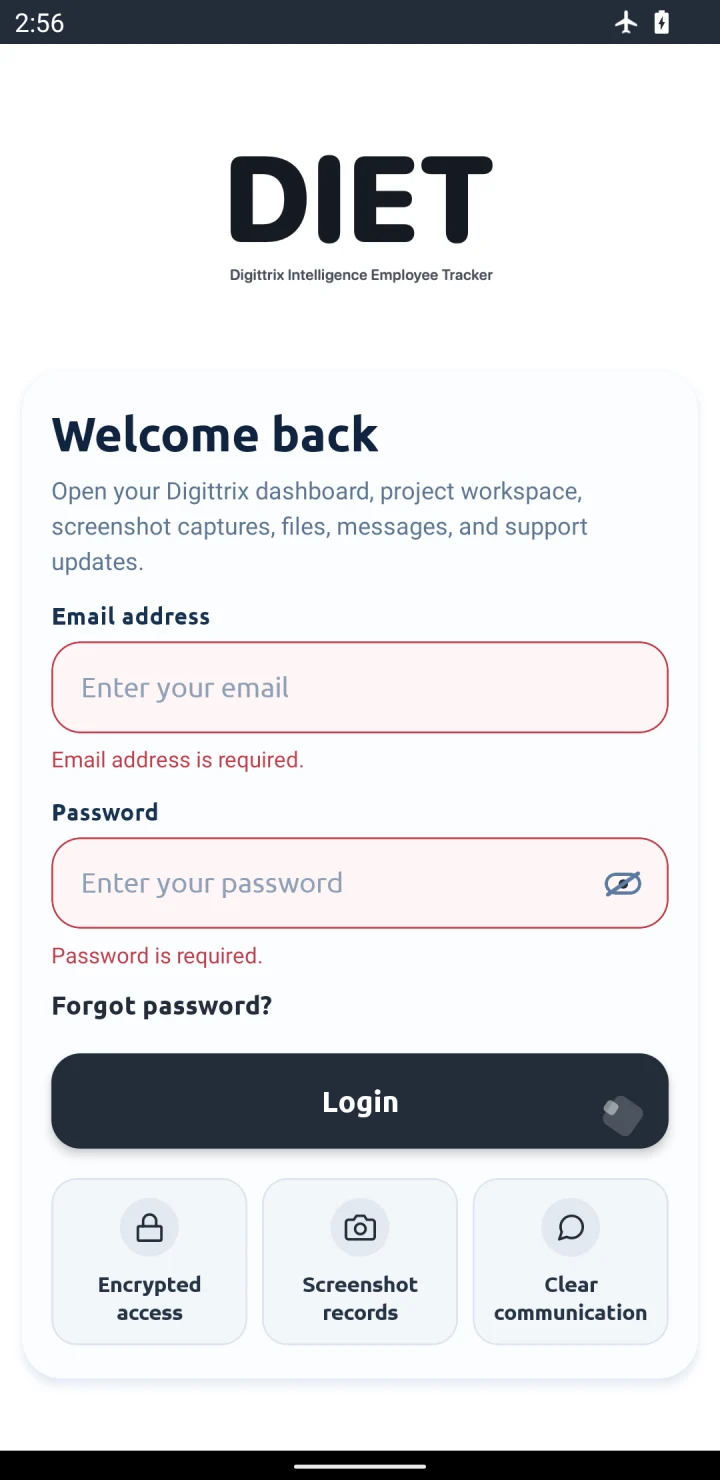
We tested DIET 1.2.5 (build 48) offline on an Android 12 emulator. Back navigation, onboarding and empty sign-in validation passed before and after clearing app data.
Read the Android test recordSend the store link, the problem and your next release date. A public link or short description is enough for the first conversation. Keep passwords and signing keys private.