People and object tracking
Detect agreed people or object types within each camera view. Define zones and crossing lines, then test how obstructions affect tracking.

Computer vision development · Retail, events and buildings
Make your camera footage useful to the people running your business. Digittrix develops custom video analytics for people counting, attendance, store activity and building operations. Connect camera events to clear dashboards, alerts and the systems your teams already use.
Built around your workflow
Integrated with your operation
Tested with your team
The service, explained
AI video analytics software analyses live or recorded footage to detect defined people, objects and events. We connect those detections to counting rules, dashboards and business workflows, so your team can review the results and take the next step.
Understand movement across your store.
Explore the use caseFrom camera capture to an attendance record.
Explore the use caseKnow how people move through your event.
Explore the use caseGive property teams a clearer operational view.
What we build
Choose the features your team needs. We agree the scope, system connections and success criteria before development.
Detect agreed people or object types within each camera view. Define zones and crossing lines, then test how obstructions affect tracking.
Turn directional entries and exits into useful counts. Show coverage, reset rules and missing data alongside occupancy estimates.
Connect camera capture to enrolled records, schedules and staff review. Keep individual attendance separate from anonymous people counting.
View updates by camera, zone or location. Show timestamps and connection status, and send agreed alerts to the people who need them.
Connect reviewed results to supported HRMS, ERP, CRM, event or property systems. Handle missed updates and retries consistently.
Compare activity over time, export reports and manage access by role. Keep estimates distinguishable from confirmed business records.
How the software works
Review footage access, camera coverage and network conditions.
Configure detection, zones and the event rules for your use case.
Surface counts, exceptions and updates in an operational dashboard.
Send approved information to the responsible team or connected system.
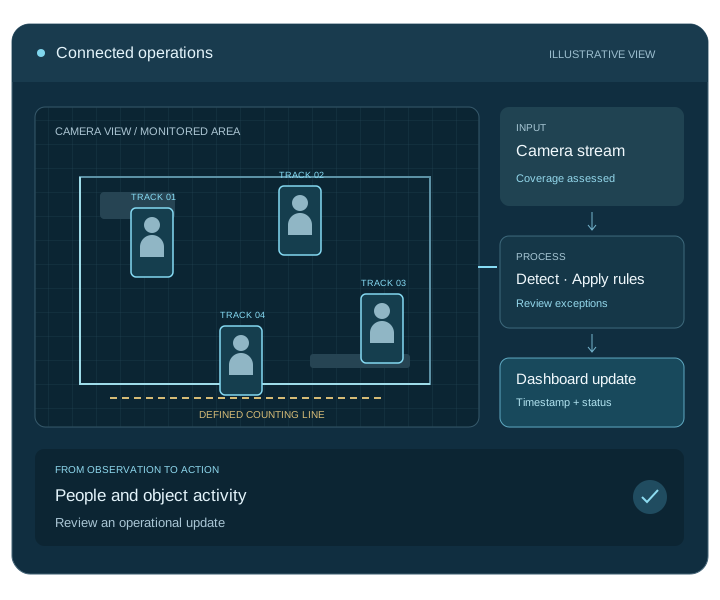
Connect the complete workflow
We check access, compatibility and data ownership early. Each connection needs clear rules for permissions, failed requests and recovery.
| Connection | What we connect | What we check first |
|---|---|---|
| Camera inputs | Compatible cameras, recorders and video streams | Stream access, image quality and camera placement |
| Processing environment | On-site, cloud or hybrid processing | Network capacity, response time and storage requirements |
| Business workflow | Dashboards, alerts and operational systems | API access, record ownership and review responsibilities |
Test before you roll out
We agree measurable targets with your team and test representative inputs, including the difficult cases.
Compare results with labelled footage from typical and difficult conditions; record missed events and false detections.
Measure capture-to-dashboard delay and check timestamps, stale feeds and reconnection behaviour.
Test alert routing, exception review and integration recovery before expanding camera or location coverage.
Scope, cost and delivery
Start with one location and a clear operational question. We assess the footage, test a pilot and agree the development milestones with your team.
We provide a project-specific estimate and milestones after discovery. Your proposal separates development from ongoing operating costs.
Get a project estimateWe agree source-code and licence terms, deployment access, documentation, team training and support responsibilities in your proposal.
Map the workflow, inputs and system connections.
Test the core task and agree acceptance targets.
Build the application, integrations and admin tools.
Validate, deploy, train your team and start agreed support.
Your development partner
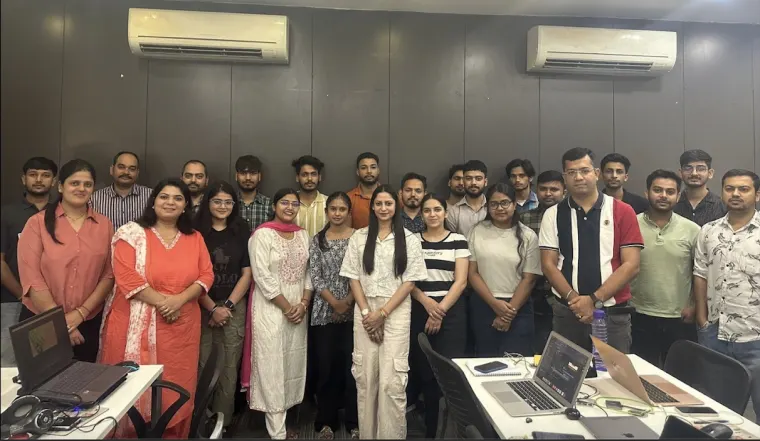
Digittrix Infotech Private Limited builds business software from Mohali, India. Explore our team, published work and client feedback as you choose your development partner.
Our published account describes movement inputs connected to an internal app and a web dashboard, with traffic views and historical reports.
Read the IKEA project account ↗Our published account describes attendance hardware connected to a central software workflow for monitoring records and reviewing exceptions.
Read the IIT Mandi project account ↗These accounts describe the delivered projects. We assess the camera and AI requirements for your project separately.
Answers before you build
We first check camera and recorder access, supported streams such as RTSP, image quality and placement. The pilot confirms which analytics your current setup can support and whether you need additional coverage or processing hardware.
Digittrix focuses on custom software and integration. We identify camera and hardware requirements during discovery and agree who will supply and install any equipment.
We design for an agreed update interval and test it with your streams, network and processing setup. Timestamps and connection status help operators recognise delayed or missing information.
We assess on-site, cloud and hybrid options against your footage access, network, processing and storage needs. We choose the architecture with you before planning the rollout.
Camera count, scene complexity, detection tasks, dashboards and integrations determine the estimate. We separate development from hardware, processing, storage and support costs in the proposal.
We compare results with labelled footage from representative conditions. We review missed events, false detections and update delays, then agree acceptance targets for each task.
Let’s plan your project
Tell us about your locations, camera setup and current systems. We will help you define a practical development plan.
Service information updated .