 +91-8727000867
 +64 22 003 5555

BEFORE
Manual records and WhatsApp updates
Saffron managed attendance and fees manually and shared school updates through WhatsApp.

DELHI-NCR SCHOOLS · CONNECTED WORKFLOWS · PARENT APPS
Updated
Connect admissions, attendance, fees and parent updates in one school management system. Digittrix develops custom school ERP software and parent apps for Delhi-NCR schools. Work with our Mohali-based team through online planning sessions, demonstrations and school-led testing.
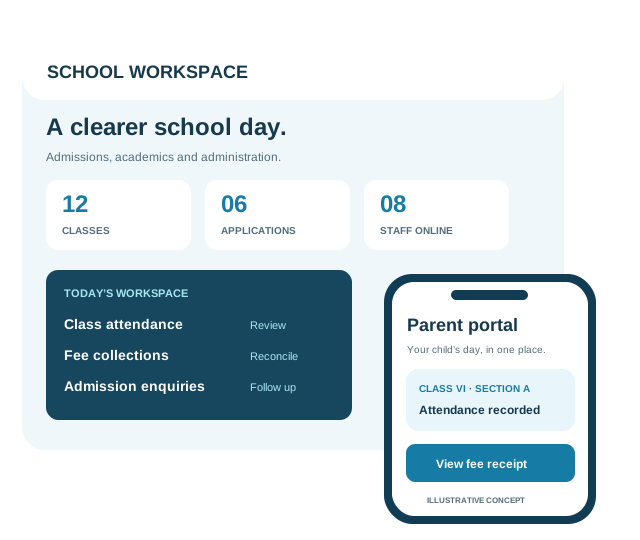
Digittrix is a school management software development company serving Delhi-NCR from its Mohali office. The ERP connects attendance, fees and academic records; the admissions CRM tracks enquiries and applications. We help you choose the first modules and decide what office staff, teachers and parents can access.
School teams in Delhi, Noida, Greater Noida, Gurugram, Ghaziabad and Faridabad can work with us through online discovery and scheduled demonstrations. For the complete module, integration and architecture options, explore our school management software development services.
OUR SCHOOL CRM & PARENT APP WORK
Digittrix built Saffron’s school CRM and React Native parent app. See how the project connected school records with the information parents need each day.
BEFORE
Saffron managed attendance and fees manually and shared school updates through WhatsApp.
WITH THE CRM & APP
Parents now check attendance, fee information, assignments and holidays in the React Native app and receive notifications. The CRM also includes WhatsApp integration.
EXPLORE THE PROJECT
Explore the CRM modules and parent app, then compare them with your school’s needs.
Read the Saffron Case Study →More education experience: Dudar teacher-calling app and IIT Mandi attendance integration. These projects show our education experience; they do not establish a client location in Delhi-NCR.
PREPARE YOUR PROJECT BRIEF
Share campus and student counts, priority tasks, sample reports and your target school term. Use fictional records or remove personal data when explaining your fee rules.
Choose the office tasks and parent app features you need first. List your current software, available exports and provider accounts so we can estimate migration and integrations.
Ask staff to check sample fee balances, guardian access, attendance corrections and notifications. Name who will approve each task before launch.
Check deliverables, ownership, staff training and support coverage alongside the INR estimate. Compare school development options and acceptance checks.
PLAN FOR EACH CAMPUS
If your school group spans Delhi, Noida or Gurugram, decide what campuses should share and what they should manage separately. Plan these rules before development.
Record the preferred campus, class and academic year at enquiry stage. Define counsellor ownership, duplicate checks and how an application moves between campuses.
Agree fee heads, concessions, holiday calendars and approval roles for each branch. Decide which reports management can consolidate and which records remain restricted to campus staff.
Choose staff and sample records for a pilot. Check opening balances, parent-child links and notification language before training additional campuses or inviting all parents.
CHOOSE WHAT FITS YOUR SCHOOL
Choose ready-made software if it meets your school’s needs. Consider custom development when your fee rules, integrations or parent app require features the product cannot support.
Check how an existing product handles admissions, fees and academic records. Compare setup work, subscriptions, integrations and data exports before choosing.
Consider a custom build for school-specific fee rules, campus permissions, existing-system connections or a branded parent app. Identify the requirements that justify the build.
Budget for planning, development, school testing and maintenance. Compare ownership, data exports and support as carefully as the feature list.
START WITH YOUR SCHOOL’S PRIORITIES
Start with the tasks your staff repeat most. Connect admissions, student records, fees and classroom updates, and define what each role can view or change.

Track enquiries, assign counsellors and plan follow-ups and visits. Turn approved applications into student records.

Keep student and guardian details, class assignments and attendance together. Control access by role and retain academic-year history.

Set fee schedules and concessions, record collections and issue receipts. Plan UPI or gateway connections and checks for payment status and balances.

Give parents and teachers access to assignments, notices, attendance, fees and holidays through connected apps and a school web portal.

Plan subjects, exams and timetables. Let teachers enter marks and authorised staff review report cards before publication.

Add transport, library, staff or payroll tools where needed. Set campus permissions and give authorised managers reports across school branches.
One school system. Clear access for every role.
PARENTS & FAMILIES
TEACHERS & STAFF
OFFICE & MANAGEMENT
Check API access and provider charges before adding WhatsApp, SMS or payments. For a cloud-based system or a SaaS product, define hosting, support and how each school’s data stays separate. Your school can choose English or Hindi interfaces. Agree who supplies and approves translations and how we will test them.
AN EXAMPLE TO PLAN TOGETHER
Use this example to plan how admissions leads will become student records and parent accounts. It describes a possible workflow, not Saffron’s delivered admissions features.
Record the enquiry source, assign a counsellor and schedule a call or campus visit. Keep the application stage and next action visible to the admissions team.
Once the school approves an application, create the student record and assign a class and academic year. Let office staff review the fee schedule and concessions.
Verify the guardian and link the account to the correct child. Give parents access to the attendance, fees, assignments and calendar features your school selects.
HOW WE WORK WITH YOUR SCHOOL
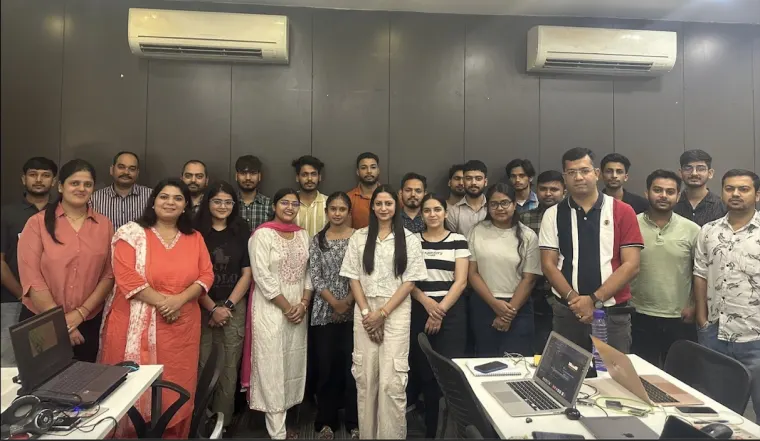
Invite admissions, finance and academic staff to the planning call. Review working screens in scheduled demonstrations and ask school staff to test each release. Our team works from Mohali and serves Delhi-NCR remotely.
PLAN AROUND YOUR ACADEMIC YEAR
Build a new ERP or improve your current system. Plan the switch around admissions, term dates and fee deadlines. Let school staff test daily tasks before launch.
Review how enquiries, attendance, fees and parent updates work today. Bring sample forms, report formats and spreadsheet templates without personal data, plus student and campus counts.
Choose the first modules and app platforms. Confirm fee rules, API access, migration checks and staff approvals before we set milestones and prepare the INR estimate.
Test imports, sample fee balances and parent access with school staff. Agree training, backups and the switch-over plan before the school approves the first release.
After launch: We agree source-code deliverables, ownership, hosting access and documentation in writing. The support plan sets hours, contact channels and response expectations. We list defect fixes, maintenance and new modules separately. Third-party providers apply their own terms.
AGREE ACCESS BEFORE DEVELOPMENT
Decide who can view, change and export school information before development starts. We agree these controls with your school and test them for your hosting setup.
Verify guardian–child links, limit teachers to assigned classes and give finance staff the access they need. Name who reviews permissions and removes accounts when staff leave.
Record who owns the data and who may access it. Agree export formats, retention rules and the process for returning records if the service ends.
Set backup frequency, storage access and retention periods. Name who restores data, test that process and agree how staff report an incident.
SCOPE FIRST. ESTIMATE IN RUPEES.
We prepare your estimate in Indian rupees (INR / ₹). Modules, apps, migration and integrations determine the cost. After reviewing these requirements, we agree the price and delivery milestones for your project.
| Planning scope | Typical first release | INR estimate & timeline |
|---|---|---|
| Focused school ERP | Selected student records, attendance, fees and an office dashboard. | Estimate: Modules, fee rules and reports determine the INR quote. Timeline: Prepare sample data, approve screens and test attendance and opening fee balances with school staff. |
| ERP with connected apps | School administration plus parent or teacher apps, assignments, notices and agreed payment integration. | Estimate: App platforms, account linking and integrations determine the INR quote. Timeline: Allow time for provider access, parent-account checks, school approvals and any app-store review. |
| Upgrade or multi-campus rollout | Existing-system assessment, priority enhancements, migration, campus access and consolidated reporting. | Estimate: Existing code, data volume and branch rules determine the INR quote. Timeline: Plan system access, trial imports, campus approvals and checks before each branch switches over. |
We list the modules, screens, integrations, migration, testing, training and documentation your quote includes.
Budget separately for hosting, backups, messaging, payment gateway charges, licences and app-store accounts where you need them.
We list applicable taxes, maintenance, support and later releases in the proposal. Before you approve a change, we explain its effect on cost and delivery.
For a useful quote, share your student and campus counts, priority modules, current system, app needs and target school term. Request a school ERP estimate in INR →
Praveen reviews our work on Plubo, a children’s mathematics app. Thomas discusses the app we built for his business. Both reviews describe those projects; neither is a Saffron School CRM testimonial.
Children’s learning app
Review summary: Praveen names Plubo, his mathematics app for children, and discusses audio/visual coordination, sliding coins, UI/UX improvements and the team’s patience with repeated feedback.
Watch on YouTubeMobile app development
Review summary: Thomas describes a mobile app built for his business, including the initial consultation, how the team listened to his ideas, the design and his experience with the finished app.
Watch on YouTubeBEFORE YOU START
Delivery approach, INR estimates, parent apps, migration and support.
Yes. We work with schools in Delhi, Noida, Greater Noida, Gurugram, Ghaziabad and Faridabad through online planning, demonstrations and rollout support. Our delivery team works from Sector 75, Mohali. We serve Delhi-NCR remotely.
We prepare an INR estimate after reviewing your modules, student and campus counts, fee rules, data migration and app needs. We list development, taxes, provider charges and support separately. Each school chooses a different combination of features, so we quote for your project rather than a fixed package.
Yes. We can route enquiries by campus, assign counsellors and track follow-ups, visits and application stages. School-approved applications can become student records with class and fee details. We agree duplicate checks and which teams may view enquiries across branches.
Yes. A parent app can show attendance, fees, assignments, notifications and holidays for verified, linked children. We built these features in Saffron School CRM and its React Native parent app. Your project brief confirms online payments, app platforms and any additional features.
We review your exports, data fields and access to the current system. Trial imports check student identifiers, guardian links, attendance history and opening fee balances. School staff approve the records before switching. We agree backups, recovery steps and rollout responsibilities in advance.
Yes, when providers offer suitable APIs and your school has the required accounts. We agree WhatsApp templates, contact preferences and usage charges. For payments, we define status checks and reconciliation. Your school approves English or Hindi translations, and we test the selected languages.
We choose the first release and set milestones after checking data, fee rules, API access and staff availability. A pilot with selected staff or one campus can lead into training and a staged launch. If you need apps, we allow for platform testing and app-store reviews.
Yes. We can give each branch its own fee schedule, calendar and staff permissions, with combined reports for authorised managers. We agree which records campuses share and how transfers work. Your team tests access and approval rules before launch.
We agree source-code deliverables, ownership, hosting access, training and documentation in writing. The support plan sets hours, contact channels and response expectations. We name who manages backups, monitoring and updates, and quote separately for additional maintenance or modules.
CONTINUE YOUR EVALUATION
PLAN YOUR NEXT ACADEMIC YEAR
Share your current workflows, priority modules and parent app requirements. We’ll help define a practical first release, responsibilities and an estimate in INR.
Serving Delhi-NCR · Delivery team in Mohali · Online discovery and project reviews
Plan Your School Software