 +91-8727000867
 +64 22 003 5555


Integrating CRM with your website centralizes customer data, improves lead management, enhances marketing and optimizes customer service for better business outcomes.
Highlights
- CRM website integration helps capture enquiries, assign lead ownership, track follow-ups, and keep customer records organized.
- The strongest setups connect forms, chat, bookings, sales pipelines, support tickets, marketing workflows, dashboards, and ERP data where needed.
- Start with clean data fields, consent handling, team ownership, automation rules, reporting KPIs, and support escalation paths before launch.

Co-Founder
Harsh Abrol 
Since 2014, Digittrix has helped companies optimise digital products for stronger conversions.
A website becomes more valuable when enquiries, forms, chats, bookings, and customer actions move directly into a structured CRM workflow. CRM website integration helps teams capture leads, assign ownership, track follow-ups, manage support history, automate reminders, and report on sales or service activity without relying on scattered email threads or spreadsheets.
Discover how data extraction fuels smarter apps. Explore the role of data extraction in mobile app development.
Centralized Customer Data
Integrating your CRM with your website centralises customer data in one location, ensuring consistency and easy access across different departments. Instead of accessing various systems, customer information is immediately available, providing a complete view of interactions and purchase histories. This centralization ensures that sales, marketing, and support teams can quickly reference accurate customer details, reducing the risk of errors and providing a more personalized experience. With a Custom CRM System, you can structure your data to meet the specific needs of your business, making it easier to track customer relationships and activities.
Enhanced Customer Insights
By integrating CRM with your website, you can gain in-depth insights into your customers' behaviours, preferences and buying patterns. This data helps businesses understand what drives customer interactions and identify their pain points. With a Custom CRM Software Development approach, your CRM can be tailored to collect specific data relevant to your business goals. These insights allow you to optimize marketing campaigns, enhance customer service and predict future purchasing behavior, ultimately contributing to better customer satisfaction and higher conversion rates.
Efficient Lead Management
CRM integration with your website allows efficient lead management by capturing enquiries in real time. Forms, chatbots, booking flows, downloads, and support requests can send lead data into your CRM so sales or support teams can assign ownership, add reminders, track status, and follow up without manual copying. A custom CRM development company can also create lead scoring, routing rules, and dashboards that match your actual sales process.
Improved Customer Service
With CRM integration, customer service teams can access complete customer profiles instantly. This includes past interactions, purchase history and previous support requests. Having all this information at their fingertips enables service representatives to assist customers more effectively, reducing response times and increasing customer satisfaction. By having a complete view of each customer, support staff can offer tailored solutions to their concerns. Integrating CRM into your website also ensures that customer requests made online are tracked and followed up promptly, creating a better experience for the customer.
Personalized Marketing Campaigns
One of the key benefits of CRM integration is the ability to personalize marketing efforts. By analyzing customer data stored in the CRM, businesses can segment customers based on various criteria, such as demographics, behavior and purchase history. With this information, businesses can design highly targeted email campaigns, promotions, and content. CRM software development allows companies to automate the personalization process, ensuring that each customer receives the most relevant offers and communications. Personalized marketing increases customer engagement, loyalty, and conversion rates, helping businesses grow their revenue more efficiently.
Real-Time Analytics
Integrating CRM with your website enables real-time tracking of customer activity, sales performance and marketing efforts. This real-time data provides businesses with a snapshot of how customers interact with the website, which products are viewed most, and which campaigns drive traffic. With CRM development services, companies can easily generate custom reports and dashboards to monitor performance across different channels. Real-time analytics help businesses make quick, data-driven decisions, allowing them to optimize marketing strategies and enhance customer engagement almost instantly.
Automated Workflows
CRM integration enables businesses to automate various processes within sales, marketing and customer service. For example, automatic email responses can be triggered when a customer fills out a form, or reminders can be sent if a customer abandons a shopping cart. Sales teams can be notified of a new lead without needing to track it manually. This automation reduces the need for manual intervention and allows employees to focus on high-priority tasks. By collaborating with a CRM development company, businesses can establish automated workflows tailored to their specific needs.
Better Collaboration Across Teams
With CRM integrated into your website, various teams within your organization can easily share information and collaborate on customer interactions. Sales, marketing, and customer service teams can all access the same customer data, making it easier to align efforts and provide a unified customer experience. For example, the marketing team can use insights from the sales team to create more targeted campaigns. This collaboration is made possible by a centralized CRM system that keeps all teams on the same page, enhancing workflow efficiency and communication across departments.
Increased Conversion Rates
Integrating CRM with your website can significantly boost conversion rates. By tracking and storing customer behavior and data in real-time, businesses can swiftly identify and capitalise on opportunities to transform leads into customers. Whether through personalized follow-up emails, targeted offers, or timely reminders, CRM systems simplify the process of nurturing leads and guiding them through the sales funnel. The development of CRM software allows for the customization of conversion strategies, ensuring that businesses can deploy tactics that are most effective for their specific target audience, resulting in improved conversion rates.
Scalability for Growth
As businesses grow, so does the complexity of managing customer relationships. Integrating a CRM with your website ensures scalability for future growth. The system can handle increasing amounts of customer data, more complex sales processes and larger marketing campaigns. A well-implemented CRM system allows businesses to add new features, customize workflows and integrate with other tools as their needs evolve. Custom CRM software development ensures that the CRM can grow alongside the business, providing continuous value without the need for a system overhaul as your company expands.
Improved Customer Retention
CRM integration helps businesses improve customer retention by keeping communication history, service notes, follow-up reminders, support tickets, renewals, and satisfaction signals in one place. Teams can identify customers who need attention, trigger planned follow-ups, and create retention workflows that match business objectives without depending on memory or scattered records.
Enhanced Data Security
With increasing concerns about data privacy and security, integrating your CRM with your website creates a secure environment for storing sensitive customer information. Most modern CRM systems offer robust security features such as encryption, user access control and secure cloud storage, ensuring that customer data remains protected. Custom CRM software development allows businesses to implement additional security measures tailored to their needs. CRM integration also ensures compliance with regulations such as GDPR, helping businesses avoid potential fines and reputational damage from data breaches.
Cost Efficiency
Integrating CRM with your website helps reduce repeated manual work by automating lead capture, marketing triggers, support assignments, reminders, and reporting. Custom CRM development can streamline workflows so teams spend less time copying data and more time handling qualified enquiries, customer support, sales follow-ups, and management decisions.
Enhanced Customer Experience
A CRM system integrated with your website allows businesses to provide a more personalized and consistent customer experience. Since all customer data is stored in one location, support teams can quickly access information and deliver solutions that are specifically tailored to each individual. Whether it's recommending products based on past purchases or offering customized support based on customer history, CRM integration enables businesses to meet customers’ expectations more effectively. By delivering personalized interactions, businesses can enhance customer loyalty, improve satisfaction and foster long-term relationships with their client base.
2026 CRM Website Integration Checklist
CRM integration should connect website actions with real sales, support, and reporting workflows. Before implementation, decide which website events should create CRM records, who owns each lead, which automations are helpful, and how management will review results.
Quick answer: CRM website integration helps businesses capture website leads, sync form and chat data, assign enquiries, automate follow-ups, track customer history, manage support requests, segment marketing lists, connect ERP data, and report on sales or service performance from one workflow.
Integration areas to plan first
- Lead capture: enquiry forms, quote forms, booking requests, chat messages, downloads, trial forms, newsletter signups, and campaign landing pages.
- CRM fields: customer name, phone, email, source page, service interest, budget, location, consent, lead stage, owner, notes, and follow-up date.
- Automation: acknowledgement emails, lead assignment, sales reminders, WhatsApp alerts, support tickets, quote follow-ups, and lost-lead recovery.
- Operations: ERP connection, invoice status, order history, service tickets, customer documents, dashboard reports, and role-based access.
- KPIs: response time, lead source quality, conversion stage, follow-up completion, ticket resolution time, campaign source, sales value, and customer retention signals.
GEO and AI-search clarity
For stronger search and AI visibility, this page should clearly explain CRM website integration benefits, website lead capture, CRM automation, customer support workflows, ERP CRM connection, data fields, reporting, implementation steps, FAQs, and vendor selection.
For deeper planning, compare ERP/CRM development, custom CRM development, CRM automation, and web development.
Final Words
Integrating a CRM system with your website is a smart investment for businesses seeking to improve efficiency, streamline operations and provide better customer experiences. From centralized customer data and improved lead management to real-time analytics and enhanced customer support, the benefits are clear. Whether you're a small business looking to grow or an established company aiming to enhance customer retention, integrating CRM with your website can help you achieve your goals. By working with a trusted CRM development company, you can ensure that your system is customized to your specific needs and grows with your business. With a well-integrated CRM system, you'll be well-positioned to manage customer relationships more effectively and drive business success.
Integrate CRM with Your Website with Digittrix
In today’s fast-moving digital world, connecting your website to a CRM system plays a key role in enhancing how you handle leads, manage customers and make business decisions. CRM integration helps businesses capture visitor data directly from the website, track interactions in real-time and maintain organized communication with customers, leading to improved service, faster responses and increased efficiency.
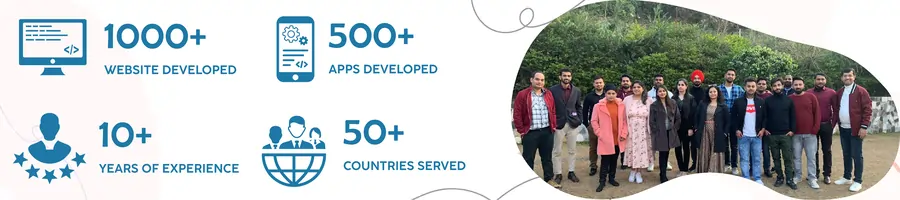
At Digittrix, we help businesses build CRM systems that seamlessly integrate with their websites. With experience since 2014 and a skilled team of developers, we offer solutions supporting sales, customer service and data management—all on one platform.
If you're planning to connect your website with a CRM system and want expert advice to begin the process, talk to our technical managers today. Call us at +91 8727000867 to discuss your business needs.
Have questions or need more details? Write to us at hello@digittrix.com. Digittrix can help you plan CRM website integration, lead routing, automation, reporting, support workflows, and ERP CRM development for 2026.
 FAQ's
FAQ's