 +91-8727000867
 +64 22 003 5555


Highlights
- 85% of grocery stores report fewer stockouts after POS and inventory integration.
- 70% reduction in manual errors is observed with automated sales and inventory updates.
- 60% faster order processing achieved by integrating POS with grocery apps.

Co-Founder
Vandana Abrol 
An enthusiastic developer and skilled business management expert with over a decade of experience in the field
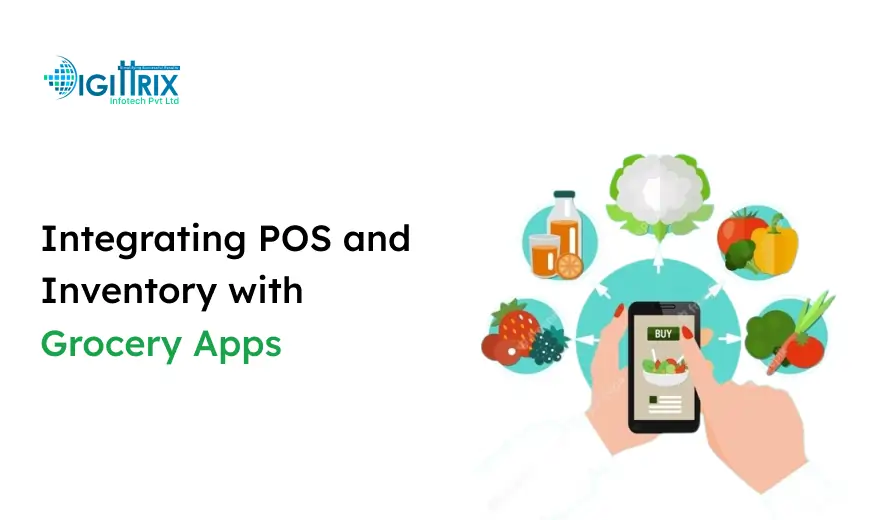
As technology changes how consumers shop and how businesses run their operations, the grocery industry is undergoing a remarkable transformation. Grocery stores now rely heavily on mobile applications to reach customers directly, streamline order processing, and improve inventory control. However, more than a working app is needed to achieve operational efficiency. Integrating POS (Point of Sale) and inventory systems with grocery apps.
Grocery stores can synchronize sales, automatically update inventory, and provide customers with real-time product availability information by integrating POS and inventory. For grocery app development companies, where competition is fierce and customer expectations for reliability and convenience are rapidly rising, this integration is especially crucial. Businesses risk stock mismatches, delayed order processing, and unhappy customers if they don't integrate properly. This article offers a thorough examination of integration's advantages and disadvantages, as well as practical strategies for successful implementation.
Want to start a grocery platform? Check Digittrix's guide to building an online grocery site for step-by-step insights!
Understanding POS and Inventory Integration
POS systems, which record purchases, process payments, and capture sales, are the foundation of retail transactions. Inventory management, on the other hand, involves tracking deliveries, purchase orders, product movements, and stock levels. When integrated with a grocery, these systems create a cohesive framework that links backend operations with the customer-facing interface app.
Grocery apps can track sales in real time, display precise stock levels, and send automated alerts for low-stock items, thanks to integration. For instance, when a customer uses the app to order a bag of rice, the system automatically updates inventory and prevents another customer from ordering the same out-of-stock item. This synchronization reduces human error, prevents overselling, and increases customer confidence.
Companies that develop on-demand grocery apps stand to gain the most from this kind of integration because customer satisfaction depends on quick order fulfillment and real-time updates. Additionally, store managers can make well-informed decisions about pricing and stock replenishment thanks to the helpful reports that integrated systems generate on product performance.
Why Integration is Essential for Grocery Apps
The demand for digital grocery solutions is growing rapidly, driven by busy lifestyles and the convenience of online shopping. Consumers now expect apps to provide up-to-date stock information, accurate delivery estimates, and a seamless ordering experience. By integrating POS and inventory systems, grocery apps can meet these expectations and improve overall operational efficiency.
Real-Time Stock Updates
Integrated systems ensure that customers see only the products that are currently available. This eliminates situations in which an order is canceled because an item is out of stock, a common issue for apps without integration. Real-time updates also enable businesses to respond promptly to shifting demand patterns, such as spikes in orders for essential products during the holiday season.
Accurate Order Fulfillment
Automation reduces manual errors in order processing. Each sale recorded through the POS immediately updates inventory levels, ensuring the app reflects accurate stock counts. This accuracy is essential for custom grocery app development, where unique store workflows and product variations must be supported without compromising precision.
Data-Driven Insights
Integration provides detailed analytics on product performance, sales trends, and customer buying behavior. Managers can identify which items sell quickly and which are slow-moving, helping optimize stock levels and prevent wastage.
Operational Efficiency
Integrated systems reduce manual interventions, such as stock counts, billing reconciliations, and order tracking. Employees can focus on improving customer service rather than on repetitive administrative tasks.
The combination of these advantages ensures that grocery apps can deliver a high-quality experience while meeting the store's operational needs, making integration essential investment.
Challenges in POS and Inventory Integration
Despite its benefits, integrating POS and inventory systems with grocery apps presents several challenges. Addressing these challenges early in the development process is crucial to ensuring smooth operations.
1. Compatibility of Systems
Not all POS systems integrate easily with mobile applications. Older systems may lack APIs or offer limited data export options, making integration difficult. Businesses need to evaluate whether their existing POS can support real-time communication with a grocery app or if upgrading to a modern system is necessary.
2. Data Synchronization
Maintaining real-time synchronization among sales, inventory, and the app is critical. Any delay can cause overselling, customer dissatisfaction, and operational confusion. For example, if the app does not update stock immediately after a purchase, another customer might place an order for the same product, resulting in fulfillment issues.
3. Complex Product Catalogs
Grocery stores often manage thousands of products with multiple variants, such as sizes, flavors, and brands. Integrating such a vast catalog requires careful mapping of product codes, categories, and attributes to ensure the app accurately reflects the store’s inventory.
4. Multi-Outlet Operations
Businesses with multiple stores must consolidate inventory and sales data into a centralized system. This adds complexity because stock availability, sales trends, and replenishment needs must be accurately reflected across all outlets.
5. Security Concerns
POS and inventory systems handle sensitive financial and customer data. Integration introduces potential security risks, requiring encryption, secure data transfer protocols, and regular audits to prevent data breaches.
Overcoming these challenges requires careful planning, technical expertise, and a clear understanding of business needs, particularly in the grocery mobile app development.
Steps to Integrate POS and Inventory with Grocery Apps
Step 1: Evaluate Existing Systems
Begin by assessing the current POS and inventory setup. Identify available APIs, data structures, and integration capabilities. This step ensures compatibility and prevents potential issues during implementation.
Step 2: Select Suitable Technology
The technology stack for the grocery app should support high-speed data processing and real-time updates. Cloud-based solutions are particularly effective because they enable centralized data management and easy scalability across multiple stores or large product catalogs.
Step 3: Implement API Connections
Modern POS systems typically provide APIs for fetching inventory data, updating stock after sales, and generating invoices. Developers must implement these APIs carefully, mapping products, prices, and stock counts accurately to avoid discrepancies.
Step 4: Test for Accuracy
Complete testing is essential to ensure that orders, stock updates, and transactions are accurate. Testing should include high-volume scenarios, product variations, and multi-store operations to identify potential synchronization issues before launch.
Step 5: Add Reporting Tools
Reporting tools enable managers to track product performance, monitor sales trends, and plan inventory replenishment. Analytics dashboards deliver actionable insights to improve operations and identify opportunities for cost savings or revenue growth.
Step 6: Simplify User Experience
Even with complex backend integration, the app interface should remain intuitive and easy to navigate. Users should be able to search for products, view stock availability, add items to the cart, and complete transactions with ease. An optimized user interface enhances customer satisfaction and retention.
By following these steps, businesses investing in grocery delivery app development can ensure that their apps operate efficiently, reducing errors and improving service quality.
 Want a Smarter Grocery App Backend?
A grocery app is only as strong as its backend. Digittrix helps you integrate POS and inventory systems that ensure real-time stock accuracy, faster order processing, and smoother deliveries.
Get POS & Inventory Integration →Cloud-Based Solutions and Their Role
Cloud technology is a key enabler for integrating POS and inventory systems. By storing data in the cloud, businesses can enjoy multiple advantages:
- Accessibility: Managers and staff can access real-time inventory and sales data from any location, enabling remote management and monitoring.
- Cost Efficiency: Cloud hosting eliminates the need for extensive on-premises servers, reducing capital expenditure.
- Automatic Updates: Cloud solutions enable automatic software updates, ensuring that the app and POS system remain compatible without manual intervention.
- Scalability: Adding new stores, products, or app features is easier with cloud-based infrastructure, allowing businesses to expand operations seamlessly.
For Instant Grocery App development, cloud-based integration ensures that multiple orders are processed efficiently, inventory is updated in real time, and customers receive accurate product information at all times.
Best Practices for Integration
Successful integration requires careful planning, attention to detail, and adherence to industry best practices.
- Choose Compatible POS Software: Select systems that support modern APIs, real-time updates, and multi-store operations.
- Automate Inventory Updates: Manual updates introduce errors and delays. Automation ensures accurate stock counts and order fulfillment.
- Monitor App Performance: Track data flow between the app, POS, and inventory to detect bottlenecks or lags that could affect customer experience.
- Secure Transactions: Use encryption, secure protocols, and regular audits to protect sensitive financial and customer data.
- Train Staff: Employees must understand how the integrated system works to prevent errors in order processing, stock updates, and customer support.
Following these practices ensures that custom grocery app development delivers a high-quality, reliable solution.
Enhancing Grocery Delivery Services with Integration
Delivery-based grocery apps depend heavily on accurate inventory data and efficient order management. Integrating POS and inventory systems supports faster, more reliable delivery by:
- Preventing overselling through real-time stock updates.
- Providing delivery personnel with accurate order details reduces errors during fulfillment.
- Allowing managers to track high-demand products and optimize inventory for delivery routes.
For businesses pursuing on-demand grocery app development, integration ensures that service speed does not compromise accuracy. Customers receive the right products at the right time, enhancing trust and loyalty.
Customization Options in Grocery Apps
Every grocery business has unique operational requirements. Customizing the app ensures it aligns with store processes and improves operational efficiency:
- Barcode Scanning: Simplifies stock management and reduces inventory errors tracking.
- Automatic Reorder Triggers: Alerts managers when stock is low and initiates reordering.
- Multiple Payment Gateways: Provides flexibility for customers during checkout.
- Customer Notifications: Keeps users informed about order status, promotions, and new arrivals.
Through custom grocery app development, businesses can address unique operational needs, providing a more efficient experience for both staff and customers.
 Planning POS & Inventory Integration for Your Grocery App?
Successful grocery apps rely on accurate stock updates, smooth order processing, and real-time POS synchronization. Digittrix helps businesses plan, design, and implement POS and inventory integrations that support faster deliveries and reliable customer experiences.
Cost Considerations in POS and Inventory Integration
Integrating these systems can be a significant investment, but understanding the cost factors helps plan for the budget:
- POS System Type: Cloud-based systems are usually subscription-based, while traditional POS may require upfront hardware investment.
- App Complexity: Apps with multiple modules, such as delivery tracking and inventory reporting, require more development time.
- Number of Products: Larger inventories require more complex integration logic.
- Security Measures: Ensuring data protection may involve additional costs for encryption and secure hosting.
- Maintenance and Updates: Post-launch maintenance is essential to keep the system running efficiently.
Balancing these factors ensures that the integration remains cost-effective and provides long-term operational benefits.
Future of Grocery Apps with POS Integration
The future of grocery apps is closely tied to technology that enables faster, more accurate, and more convenient shopping experiences. Some emerging trends include:
- Predictive Inventory Management: Apps using historical data to predict stock needs.
- Dynamic Pricing: Real-time price adjustments based on stock levels and demand.
- Integrated Analytics: Comprehensive dashboards showing sales, inventory, and customer behavior.
- Multi-Outlet Synchronization: Consolidating data from multiple stores into a single platform.
Businesses investing in grocery mobile app development with POS and inventory integration will be better positioned to meet future market needs demands.
Key Benefits of Integrated Systems
- Operational Efficiency: Reduces manual work and errors in stock management.
- Customer Satisfaction: Accurate inventory and faster delivery enhance the user experience.
- Data Accuracy: Automated updates reduce discrepancies in stock and sales data.
- Sales Optimization: Understanding which products sell quickly helps plan promotions and restocking.
- Cost Savings: Minimizing stock waste and optimizing operations reduces expenses.
These benefits make integrated POS and inventory systems essential for modern grocery businesses.
Steps to Choose a Development Partner
Choosing the right development team for grocery app development or grocery delivery app development is critical. Here’s what businesses should consider:
- Experience in Grocery Apps: Look for developers familiar with grocery operations and integration requirements.
- Technical Expertise: Ensure the team has experience with APIs, cloud systems, and mobile apps development.
- Post-Launch Support: A reliable team provides maintenance, updates, and troubleshooting.
- Customization Capability: The team should adapt solutions to the business’s unique requirements.
- Cost Transparency: Ensure clear pricing for development, integration, and maintenance.
Selecting the right partner ensures smoother implementation and long-term success.
Case Example: Successful Integration
Consider a mid-sized grocery chain that implemented POS and inventory integration through its mobile app. Before integration, customers often received notifications about out-of-stock items, and manual reconciliation caused delays. After integration:
- Inventory updates were automated.
- Orders reflected real-time stock levels.
- Sales reports provided insights into product trends.
- Delivery time reduced due to accurate order management.
This case demonstrates how on-demand grocery app development benefits both the business and its customers.
Curious about building a grocery app? Check Digittrix's grocery app cost guide to plan smartly!
Final Words
Integrating POS and inventory systems with grocery apps is no longer optional; it is essential for businesses seeking to compete in the digital market. Accurate inventory management, faster order processing, and data-driven decision-making are critical to growth. By following best practices, selecting the right technology, and partnering with experienced developers, businesses can build efficient, reliable, and customer-friendly grocery apps.
The growth of digital grocery solutions continues to create new opportunities. Investing in Instant Grocery App development or custom grocery app development enables businesses to improve operations, meet customer expectations, and remain competitive. With proper integration, grocery apps can deliver accurate inventory, faster deliveries, and improved customer experiences, setting the stage for sustained growth in the evolving market.
Integrate POS and Inventory with Your Grocery App with Digittrix
Indian customers increasingly prefer ordering groceries through mobile apps rather than visiting local stores. To create an app like Instacart or BigBasket, it is essential to have a system that not only manages product browsing, payments, and order updates but also integrates POS and inventory management to ensure accurate stock tracking and smooth operations.
With experience since 2014 in mobile app development, Digittrix has a skilled team that deeply understands the Indian grocery market. We provide grocery delivery app development with POS and inventory integration to help local stores, startups, and expanding businesses manage sales and inventory efficiently.
Our solutions include real-time inventory updates, automated stock management, multiple payment options, and order tracking. This ensures that your customers see accurate product availability, complete their purchases without delay, and receive timely deliveries, all while simplifying your backend operations.
Ready to integrate POS and inventory into your grocery app? Contact us at +91 8727000867 or at digittrix@gmail.com to discuss your project and create a grocery app that meets both your business and customer needs.

 FAQ's
FAQ's