 +91-8727000867
 +64 22 003 5555


Highlights
- Firms that contacted a lead within an hour were nearly 7x more likely to qualify it.
- Only 37% of companies replied to a web lead within one hour, and 23% never replied.
- Among firms that did reply, the average response time to a new lead was 42 hours.

Co-Founder
Harsh Abrol 
Since 2014, Digittrix has helped companies optimise digital products for stronger conversions.
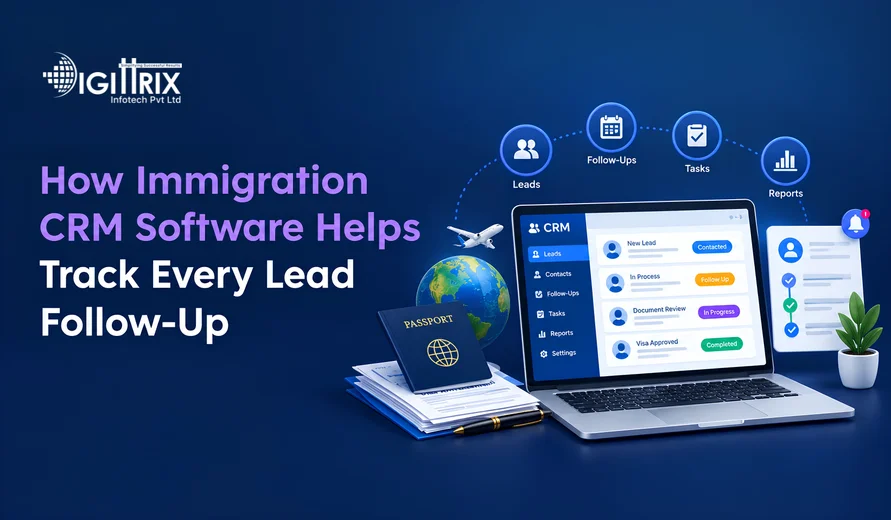
Short answer: Immigration CRM software, which serves as immigration case tracking software for consultancies, keeps every enquiry in a single record and assigns each record a next action, an owner and a due date. When a person calls, fills out a form or sends a WhatsApp message, the system logs the contact, creates a follow-up task and sends reminders until the task is completed. No enquiry depends on memory, a notebook or a shared spreadsheet. For consultancies that handle study permits, work visas and permanent residence cases, that record often determines whether a lead becomes a client or goes to a competitor.
This article explains what follow-up tracking means, which features of immigration consultancy software support it, how a lead moves through the system, which exceptions require a plan, and what to measure once the system is running.
Want to simplify immigration processes? Read Digittrix's Immigration CRM Automation guide to manage applications, automate tasks, and improve client communication!
Why Immigration Leads Slip Through the Cracks
Immigration inquiries rarely arrive in a neat line. One person fills out a website form about a Canadian study permit. Another sends a WhatsApp message at night asking about an Australian skilled visa. A third calls after seeing a social media ad. Each person needs a different answer, and most need several conversations before they decide.
Without a central system, these leads sit in phone contacts, email threads, paper notes and spreadsheets. Three problems follow:
- Nobody knows who spoke to the lead last or what was promised.
- Follow-up dates sit in personal calendars that other staff cannot see.
- When a counsellor leaves or goes on leave, their open leads stall.
Immigration decisions also depend on dates: intake deadlines, passport validity, and language test score expiration. A lead who waits a week for a reply may miss an intake and sign with another consultancy. A central immigration lead management system keeps every enquiry visible to the whole team, and immigration case tracking software adds the case stage and the next deadline to each record.
 Simplify Immigration Lead Tracking With a Custom CRM
Struggling to manage immigration enquiries and follow-ups? Talk to Digittrix experts about automated reminders, lead assignment, case tracking, communication history, and CRM integrations.
What Immigration Case Tracking Software Tracks in Every Follow-Up
Tracking a follow-up is more than saving a phone number. A proper record answers five questions at any time:
- Who is the lead?
- Where did the lead come from?
- What was said last?
- Who owns the next step?
- When is that step due?
If the system can display all five answers for every lead, the team has complete follow-up tracking. If even one answer is missing, that lead is at risk.
Core Features of Immigration Case Tracking Software
Lead Capture in an Immigration Lead Tracking System
The CRM consolidates inquiries from web forms, landing pages, WhatsApp, email, calls, and walk-ins into a single list. Each lead includes a source tag, such as Instagram ad, referral, or seminar. Staff can see where the lead came from, and the system can flag duplicates by phone number or email to prevent two counselors from contacting the same person.
Automatic Task Creation
When a lead is created, the system adds a first-contact task and assigns it automatically, for example, by destination country, language, or round-robin order. The counselor does not need to remember to set a reminder because the task already exists.
Reminders and Escalations Through Immigration CRM Automation
Every task has a due date and time. The CRM notifies the owner via email, app alert, or SMS. If the task remains open past its due time, the system alerts a team lead. This catches a stalled lead the same day instead of at the end of the month..
Communication Timeline
Calls, emails, messages, and meeting notes appear on a single timeline on the lead's profile. Anyone who opens the record can read the full history in a minute and continue the conversation without asking the lead to repeat details.
Pipeline Stages
Stages show where a lead stands, for example, New Enquiry, Contacted, Eligibility Check, Consultation Booked, Documents Pending, Retained, and Lost. A stage change can create a new task. For instance, moving a lead to Documents Pending can create a task to review the document list after three days.
Eligibility and Document Notes
Most immigration CRMs let staff record passport validity, language test scores, education, and work history on the lead's profile. These details determine the next follow-up. A lead whose test score expires soon needs a call sooner than a lead with a fresh score.
Follow-Up Gaps and the Feature That Closes Each One
| Common gap | What goes wrong | CRM feature that closes it |
|---|---|---|
| Lead not contacted on day one | A competitor replies first | Auto-assignment and a first-contact task |
| Promised callback forgotten | The lead loses trust | Dated task with a reminder |
| Two staff contact the same lead | The lead hears mixed advice | Duplicate detection and a single owner |
| Counsellor on leave | Open leads stall | Bulk reassignment of tasks |
| No record of the last conversation | The lead repeats every answer | Communication timeline |
| Lead goes silent | Nobody checks again | Cadence rules and win-back tasks |
 7-Day Risk Free Start
Start Your 7-Day Free Trial With Proven Experts
If this article sparked a project idea, start with a dedicated expert for 7 days at no risk. Continue at just $10/Hour if the collaboration is the right fit for your business.

Dedicated Expert Access
Work directly with a specialist aligned to your project goals and timeline.

Direct Chat with Your Team
Collaborate in real-time and get instant support.

Screenshots & Reports
Receive regular reports to track progress transparently.

No Contracts
No commitments. Cancel anytime, no hassle.

Limited Slots Available This Week!
Kickstart Your Project With Zero Risk And Total Confidence.


& Growing Brands
How a Lead Moves Through Immigration Case Tracking Software, Step by Step
- An inquiry arrives via a form, call, or message and is logged with a source tag.
- The system checks for a duplicate and then assigns an owner.
- A first-contact task is created with a short deadline, such as two working hours.
- The counsellor calls, records the outcome, and sets the next date.
- If the lead books a consultation, the stage changes, and the system sends a reminder to both the counsellor and the lead.
- After the consultation, a task appears to send the fee quote and the list of documents.
- If the lead goes quiet, the cadence sends reminders on set days and then marks the lead as Cold if nothing happens.
- If the lead signs, the record moves into immigration client management software for case handling, with the full history attached.
A Sample Follow-Up Cadence
A cadence is a fixed plan for repeated contact, and an immigration lead tracking system turns it into scheduled tasks. The intervals below are examples, not rules. Set a plan your team can actually keep.
| Day | Action | Channel |
|---|---|---|
| Day 0 | First call within two working hours, then a short summary message | Phone, WhatsApp |
| Day 1 | Send the document list for the eligibility check | |
| Day 3 | Follow-up call if there is no reply | Phone |
| Day 7 | Share a short guide for the lead's chosen country | |
| Day 14 | Final check-in, then mark Cold if there is no response | Phone, message |
Immigration CRM automation turns each row into a task. The counselor sees only what is due today, keeping the daily list short and clear.
Who Sees What in Immigration Client Management Software
A good CRM shows each role a different view of the same data.
-
Counsellor: own leads, today's tasks and overdue items.
-
Team lead: all team tasks, the overdue list, and reassignment controls.
-
Owner or admin: reports by source, counsellor and stage, plus control over access.
This split keeps counsellors focused on action while managers monitor for gaps.
Exceptions the CRM Must Handle
Real leads do not follow a clean path. Plan for these cases before going live.
| Scenario | Minimum workflow |
|---|---|
| Lead asks to be called later | Counsellor sets a dated task; the stage stays the same; a reminder fires on that date |
| Phone is unreachable | Three attempts logged on different days, then an email or message, then the lead is marked Cold |
| Lead asks about two countries | One record with two interests tagged, owner assigned by country knowledge |
| Lead returns after months | Old record reopens with its history, a new task is created, no duplicate is made |
| Lead asks to stop contact | Consent flag set, automated messages stop, record kept with the reason |
| Counsellor leaves the company | Open leads and tasks reassigned in bulk, history stays intact |
| Lead misses the consultation | No-show tag added, reschedule task created within 24 hours |
Integrations Worth Setting Up First
Connect only what your team uses every day:
- Website and landing page forms
- WhatsApp Business
- Phone or call-logging system
- Email and calendar
- Payment or e-signature tools, once the lead becomes a client
Each connection eliminates manual data entry, where follow-up data often goes missing. Teams planning immigration CRM software development should list these connections in the first requirements document, because immigration case tracking software is only as accurate as the data it receives.
Simplify Immigration Lead Tracking With a Custom CRM
Struggling to manage immigration enquiries and follow-ups? Talk to Digittrix experts about automated reminders, lead assignment, case tracking, communication history, and CRM integrations.
Privacy and Data Handling
Immigration leads share passport details, financial records, and family information. The CRM should limit access by role, track who viewed or changed each record, and store consent for calls and messages. Check the rules that apply to you, such as India's Digital Personal Data Protection Act, 2023, or the GDPR if you serve clients in Europe, with a legal adviser. The OWASP guidance and your cloud provider's security documentation are useful references for the technical side.
| Metric | What it shows |
|---|---|
| First response time | How quickly new leads get a reply |
| Overdue task count | Where follow-ups are slipping |
| Lead-to-consultation rate | How many enquiries reach a meeting |
| Consultation-to-retainer rate | How many meetings become clients |
| Lead source performance | Which channels bring serious clients |
| Leads with no next action | Records at risk of being forgotten |
Use your own figures as the baseline. Compare this month to last month rather than to another company's numbers.
Planning an immigration CRM? Explore Digittrix's Immigration CRM Development Cost guide to understand the scope, integrations, and first-year budget!
Checklist Before You Choose a CRM or Plan Immigration CRM Software Development
- Every lead source feeds into the system.
- Duplicates are flagged by phone number and email.
- Every lead has an owner and a next action.
- Overdue tasks alert a team lead.
- The timeline holds calls, emails, and messages.
- Pipeline stages match your real process.
- Access is role-based, and every change is logged.
- Tasks can be reassigned in bulk.
- Reports are available by counsellor, source, and stage.
- Staff can use it on a mobile phone.
Common Mistakes to Avoid
- Too many stages. Staff skip updates when the pipeline is long.
- Reminders without owners. A task nobody owns is a task nobody does.
- Logging calls without outcomes. "Called lead" says little. Write what was agreed and the next date.
- Importing old spreadsheets without cleaning them. Duplicates carry over and confuse the team.
- No weekly review. Overdue tasks pile up when nobody checks them.

 FAQ's
FAQ's