 +91-8727000867
 +64 22 003 5555

Keep discovery and ordering coherent
Categories, product information, cart totals and checkout choices need a consistent information model so customers can understand what they are ordering.

Sample-data product demonstration · customer + operations
A connected grocery ordering and fulfilment journey you can inspect
Quick answer: This first-party demonstration shows how customer ordering and grocery operations can connect across catalogue, cart, checkout selection, tracking, stores, inventory, delivery and administration. It uses illustrative sample data and is not presented as a named-client implementation or performance result.
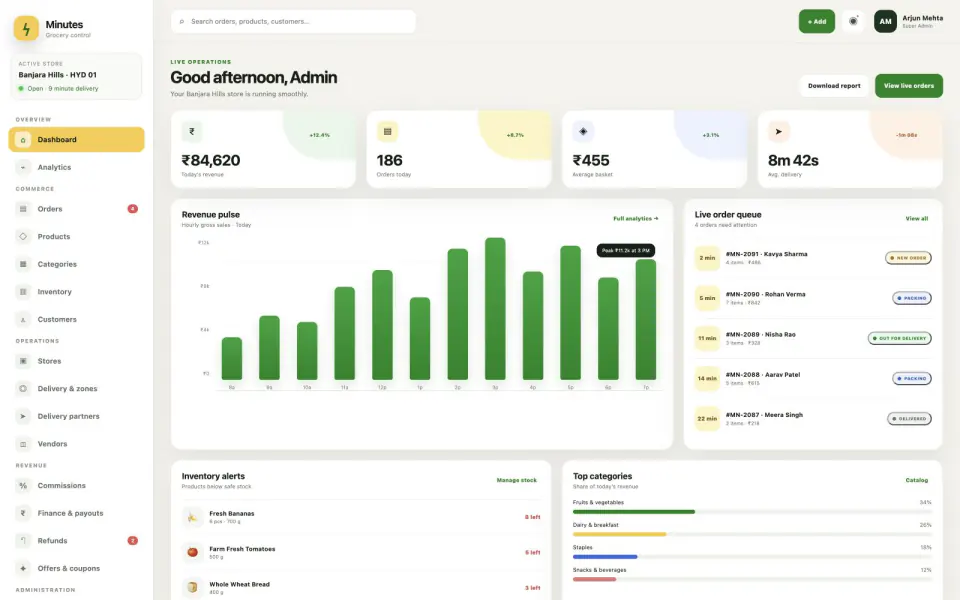
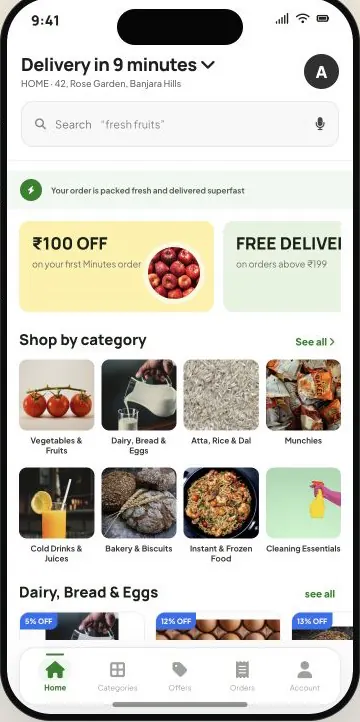
Nine product screens · customer and operations views
These screenshots document the sample customer and operations interfaces already published by Digittrix. Open any screen at full size. Displayed names, orders, amounts, stores and delivery records are illustrative sample data.
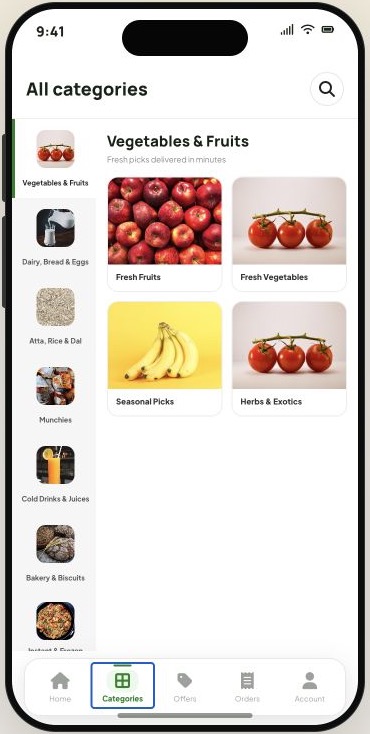
The customer view organises products into browsable grocery categories for faster discovery.
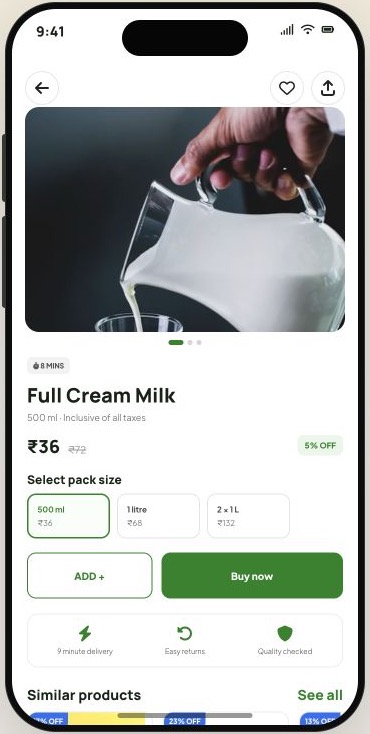
A product page presents item details, price and the primary action needed to start an order.
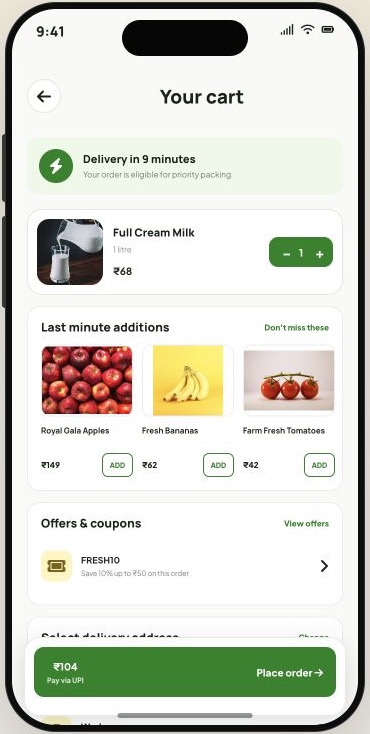
The cart brings quantities, pricing and the next checkout step into one customer-facing view.
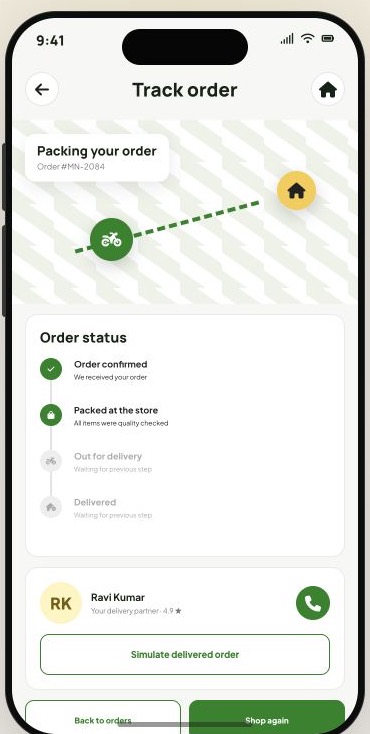
Order progress and delivery context give the customer a place to follow fulfilment after checkout.
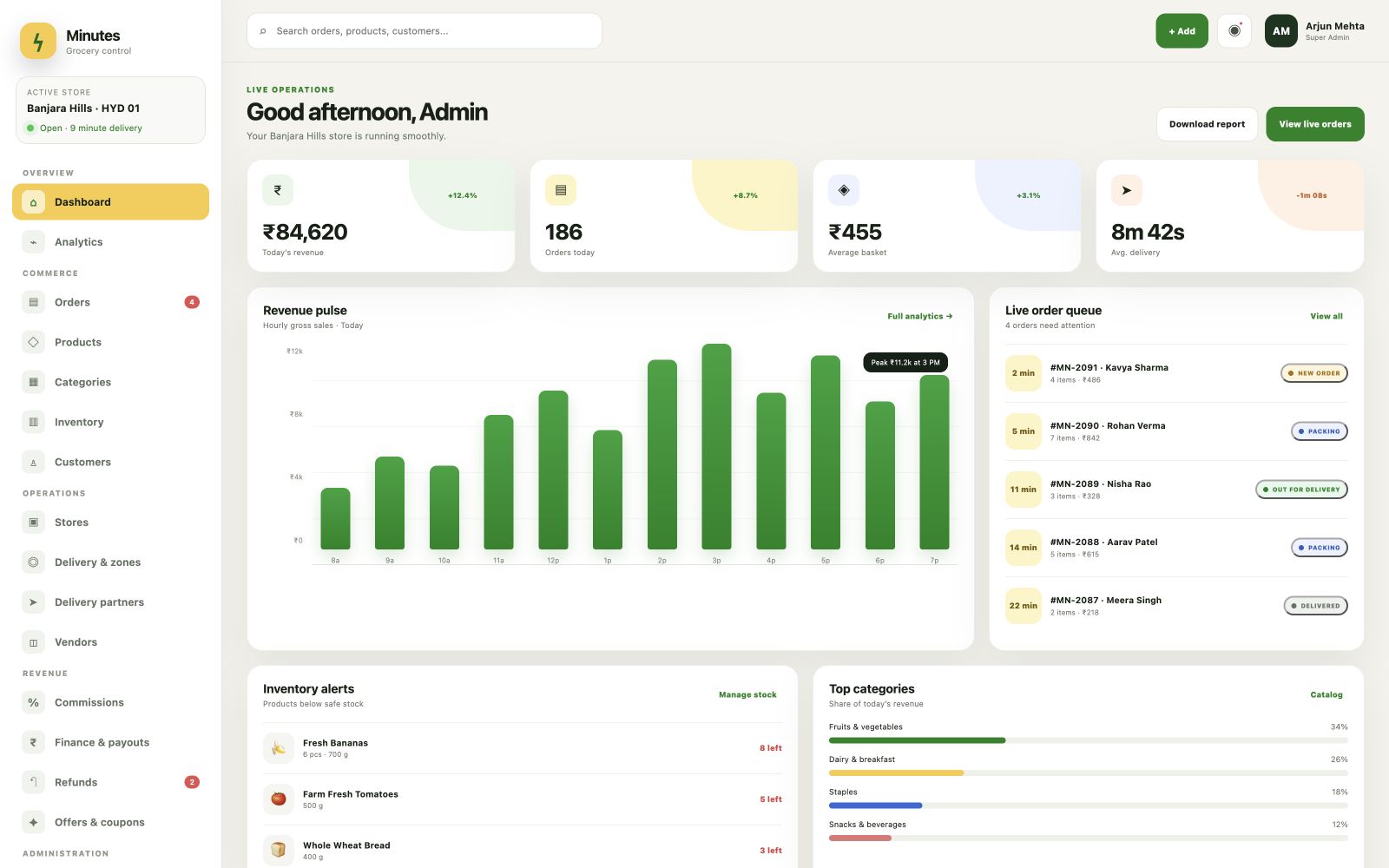
The dashboard summarises sample order, revenue, store and delivery information for authorised operations users.
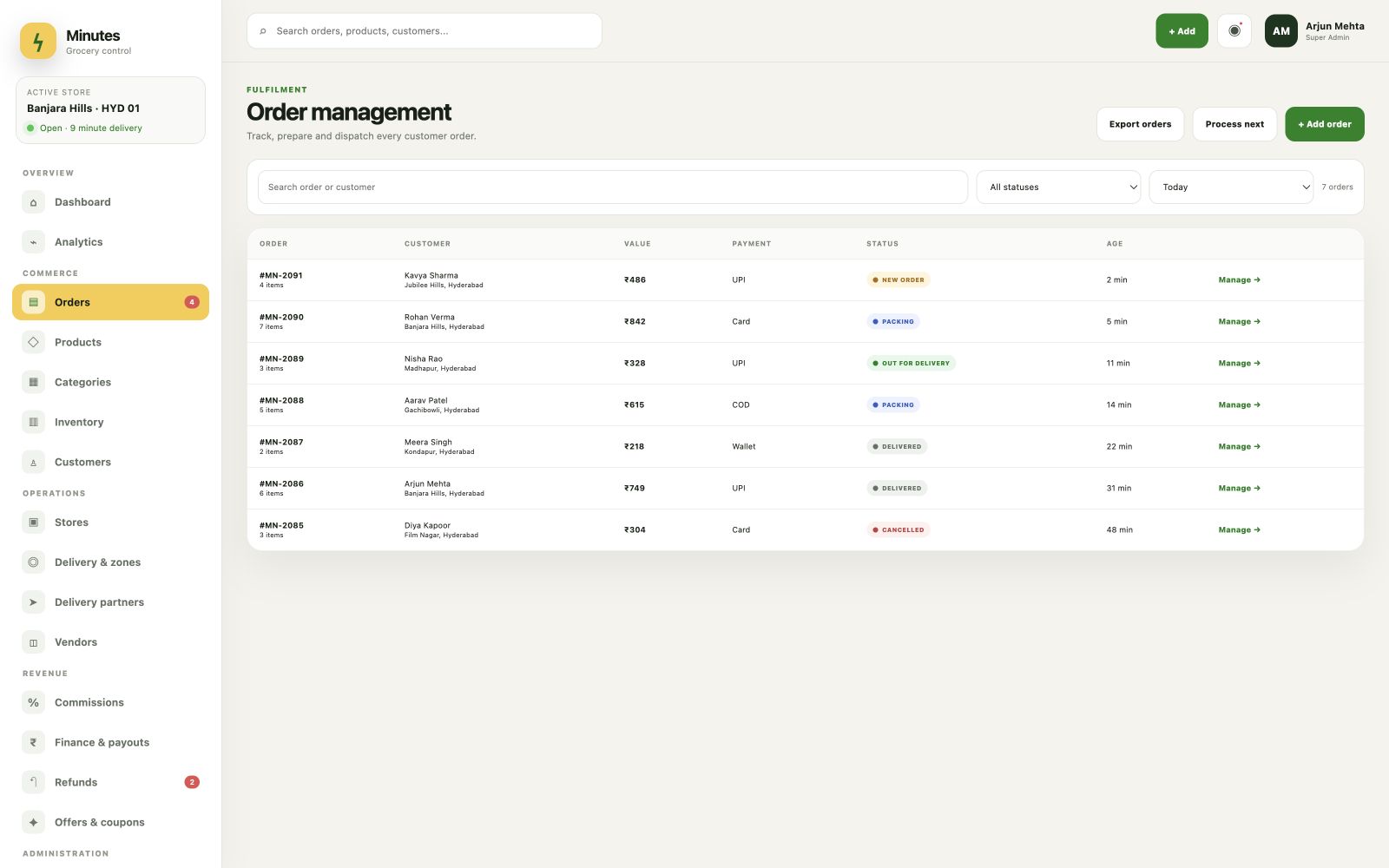
A structured order list demonstrates how staff can locate and review transactions and their current states.
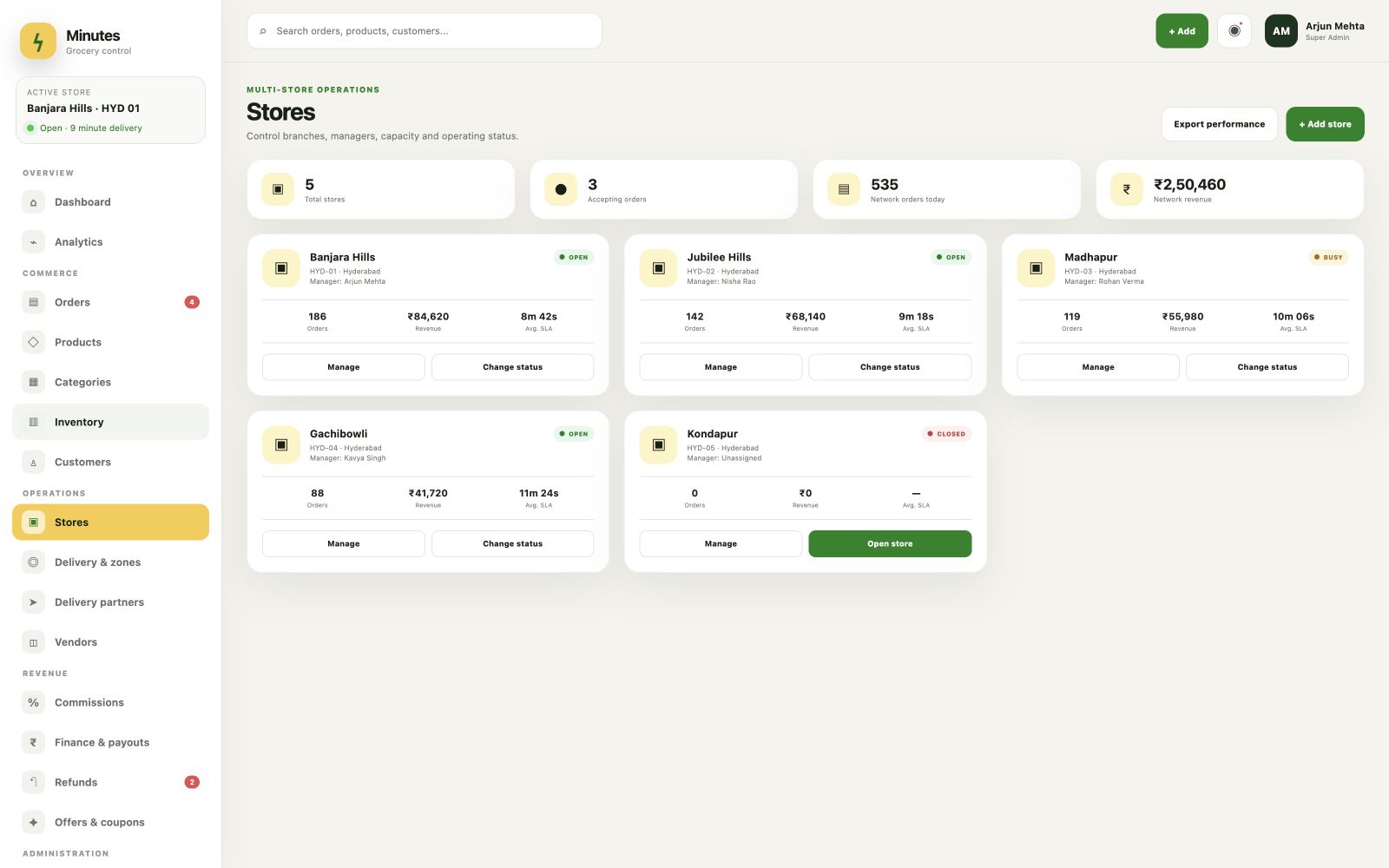
The store view illustrates administration for multiple grocery locations or marketplace participants.
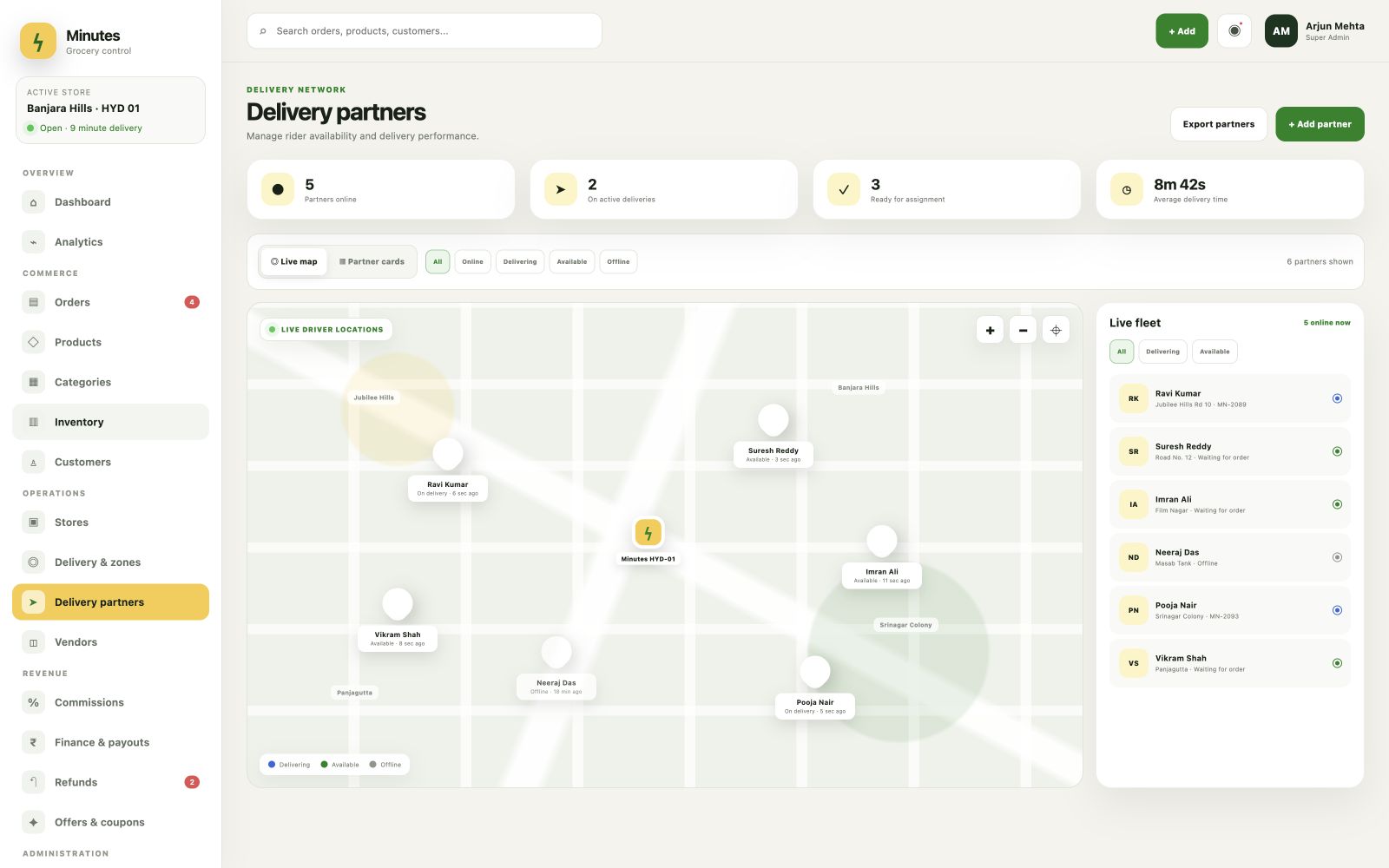
A delivery-operations view demonstrates how authorised teams can inspect driver availability and current activity.
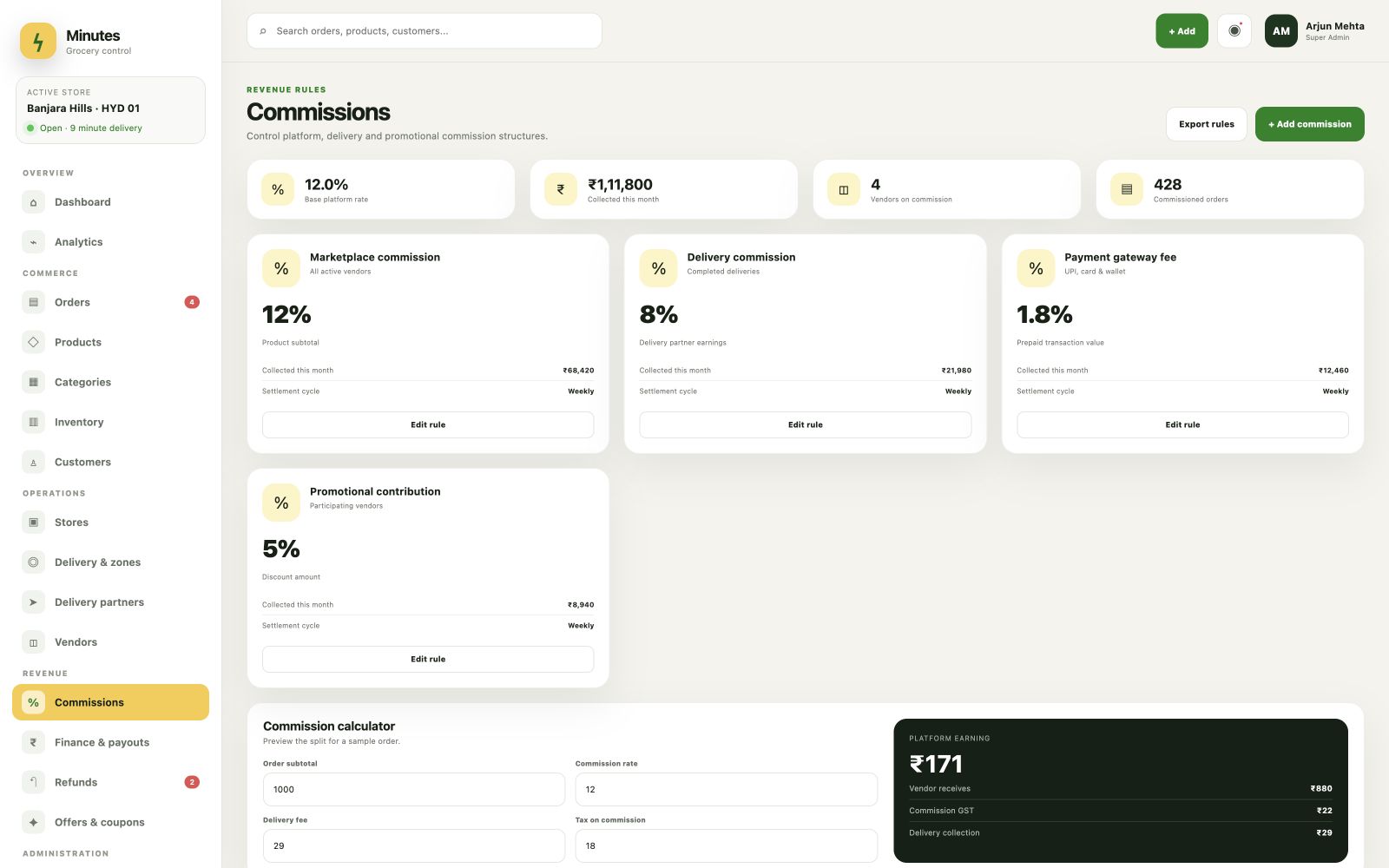
The commission screen demonstrates a possible marketplace control; displayed values are sample data, not financial results.
The product-planning challenge
A grocery app is more than a product catalogue. Customer choices need to remain understandable as an order moves through pricing, fulfilment, store assignment, delivery and administration. This demonstration makes those connected surfaces visible without claiming a live client deployment.
Categories, product information, cart totals and checkout choices need a consistent information model so customers can understand what they are ordering.
Orders can move between store, picker, driver and support roles, so status and responsibility should be clear at each stage.
Single-store, multi-store and marketplace products can look similar to customers while requiring different inventory, routing, permissions and commercial controls.
Demonstration scope
The published prototypes illustrate a reusable conversation about scope. They help a grocery business identify which customer journeys and operational controls belong in its first release before a written estimate is prepared.
Category, search and product screens demonstrate a mobile-first path from discovery to item selection.
Cart, coupon, address and payment-selection states demonstrate the information customers review before an order is submitted.
Tracking and account states illustrate how customers can follow an order and return to prior activity.
Dashboard, order, store, delivery, commission and staff views demonstrate possible administration boundaries.
Product workflow
The sequence describes the visible product states. It does not claim live inventory synchronisation, payment settlement, dispatch automation or a production integration.
Browse categories, search the sample catalogue and inspect an item.
Add products, adjust quantities and review the cart, coupon and delivery information.
Use the sample tracking experience to view order progress and delivery context.
Use the administration prototype to inspect orders, inventory, stores, delivery activity and marketplace controls.
What the demonstration establishes
The screens provide concrete interface evidence for a scope discussion. They do not establish client adoption, revenue, order volume, conversion, delivery speed or other production results.
Product discovery, cart review, checkout selection and tracking are visible as related stages rather than isolated mockups.
Orders, stores, drivers, staff and commissions appear as distinct administration concerns that can be accepted or removed during scoping.
Interactive browser prototypes let evaluators inspect navigation and screen states without implying that live payments, notifications or orders are being processed.
Teams can point to specific demonstrated workflows when describing what should be included, changed or excluded from a written proposal.
Evidence note
This publication is based on Digittrix’s own grocery customer and operations demonstrations. It uses illustrative sample data and is not a named-client case study, customer testimonial, live production system, app-store listing or independently verified implementation.
The screenshots and prototypes demonstrate interface states only. They do not verify live payment processing, inventory or POS synchronisation, mapping, SMS, WhatsApp, dispatch automation, commission settlement, security certification, hosting scale, delivery speed, conversion, revenue, retention or other business outcomes. A real project’s features, integrations, platforms, data migration, timeline and support are confirmed in a written scope.
Source trail
Each source below is published by Digittrix or a third-party portfolio host. The prototype and walkthrough links demonstrate sample interfaces; none is presented as client verification or evidence of production outcomes.
First-party browser prototype using sample data; it does not place live orders or process payments.
First-party browser prototype using sample data; administration actions and records are simulated.
First-party video and screen publication for the demonstrated grocery product.
Third-party-hosted portfolio record attributed to Digittrix. It does not identify a client or verify production results.
Build with context
Use the demonstration to identify the customer, store, picker, driver and admin workflows you need, then compare Digittrix’s published pricing, integrations, delivery assumptions and support terms.