 +91-8727000867
 +64 22 003 5555

Keep the outlet visible
A restaurant name alone is not enough when the brand has several branches. The public interface keeps the selected branch visible and provides a way to review the alternatives before browsing.

Food ordering · Customer, restaurant and delivery tools
From choosing a restaurant to the teams behind each order
The project: Digittrix built YummyCloud’s customer website, Android and iOS apps, restaurant and admin panels, rider app and dispatch backend. The public website brings several restaurant brands into one ordering experience, with branch selection, menus, offers and scheduling controls.
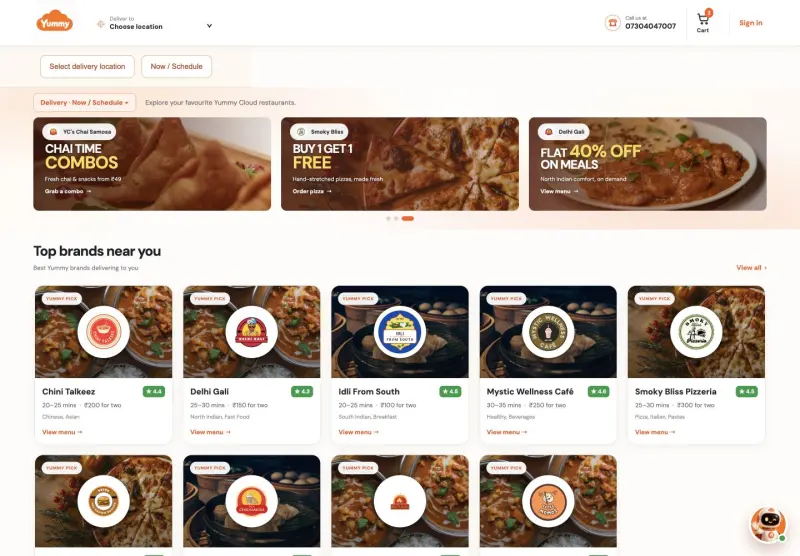
Actual website screenshots · 25 October 2026
These screenshots come from the public YummyCloud website on desktop and at phone width. They show restaurant discovery, branch choices and menu browsing. Prices, offers and availability belong to the captured interface and may change. Select any image to open the full-size screenshot.
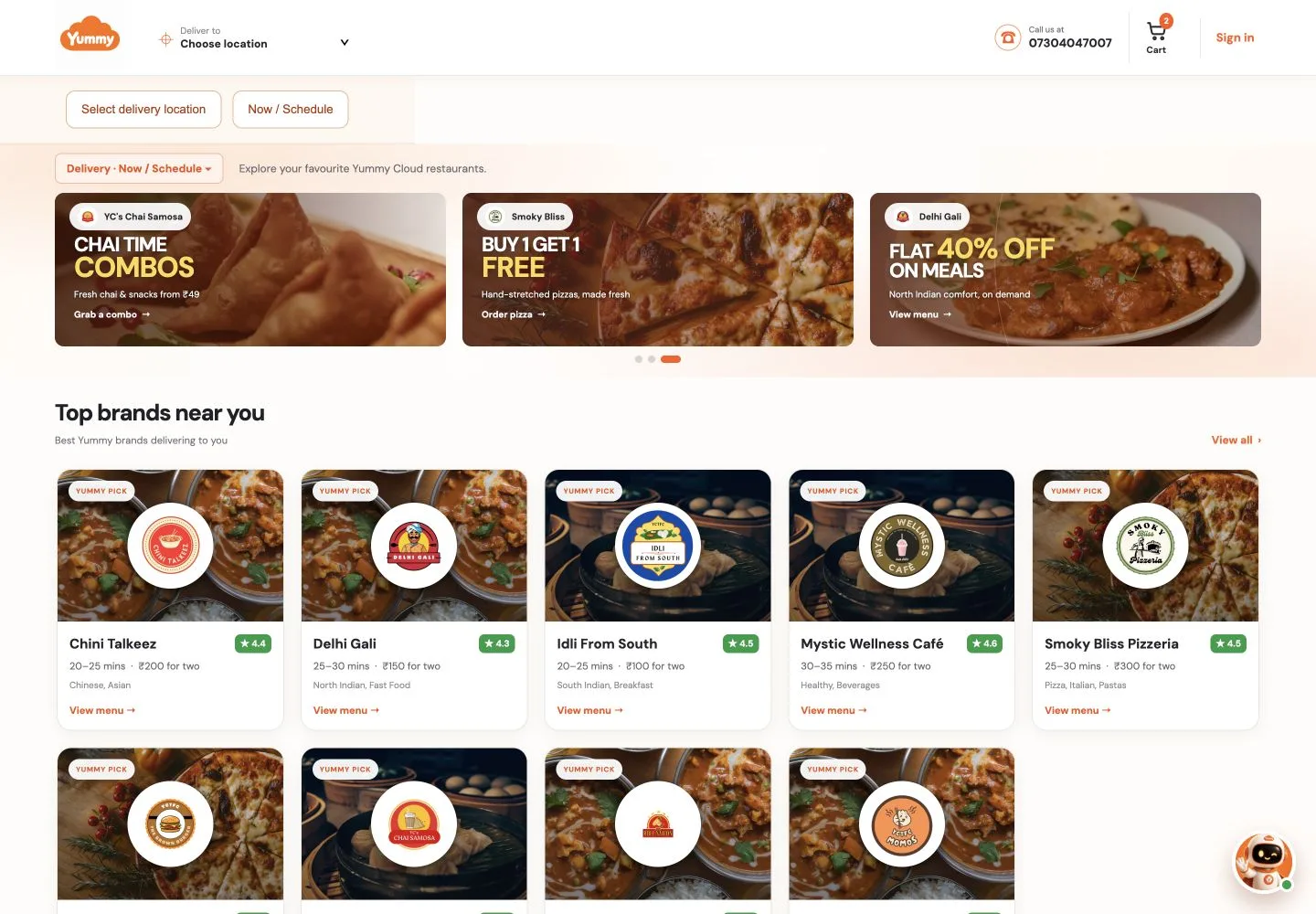
Restaurant cards let customers explore different cuisines from one starting point. Featured offers sit above the brand list, giving visitors another route into a menu.
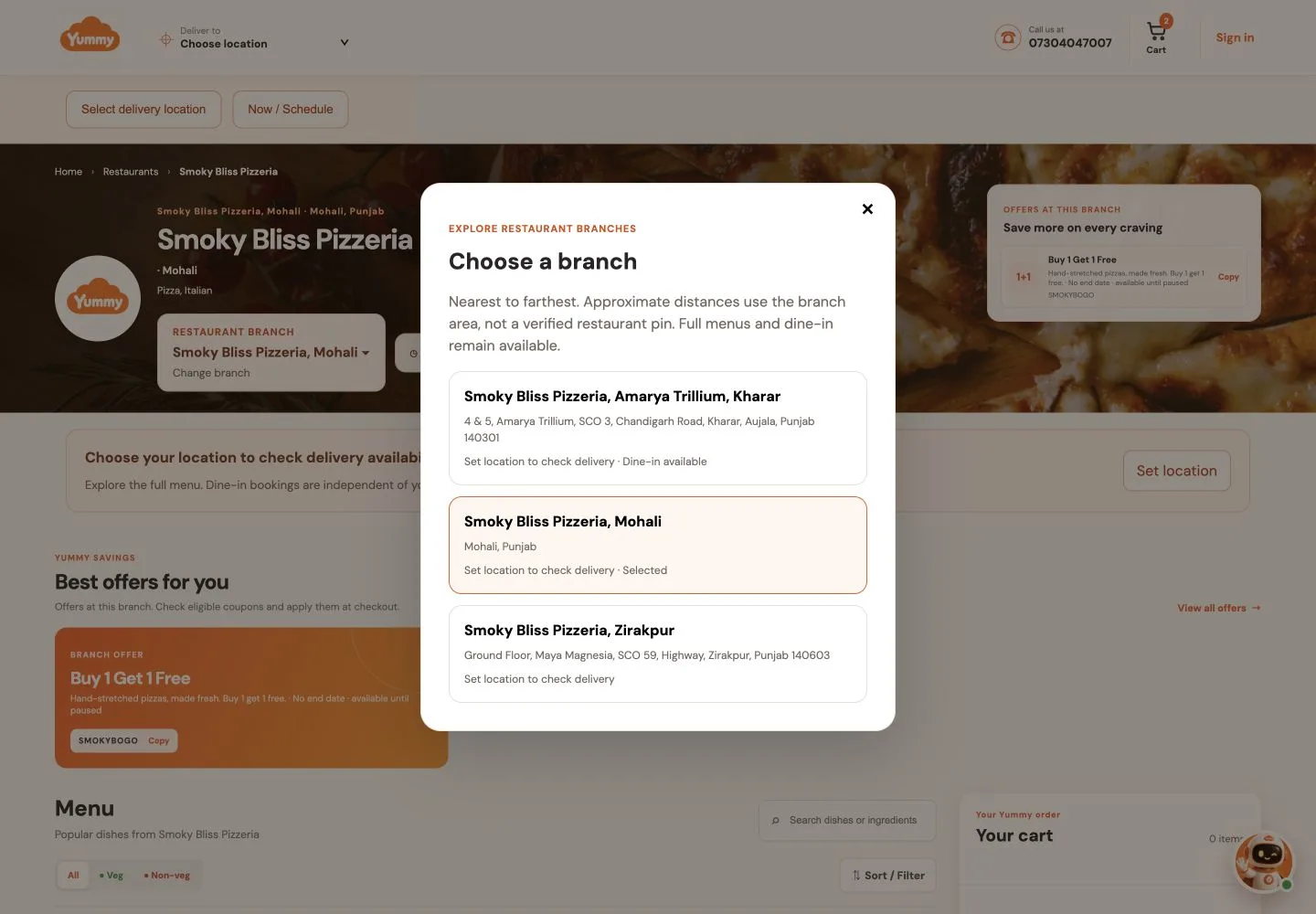
The branch selector names the outlet and its address. This capture lists Kharar, Mohali and Zirakpur and asks the visitor to set a location before checking delivery availability.
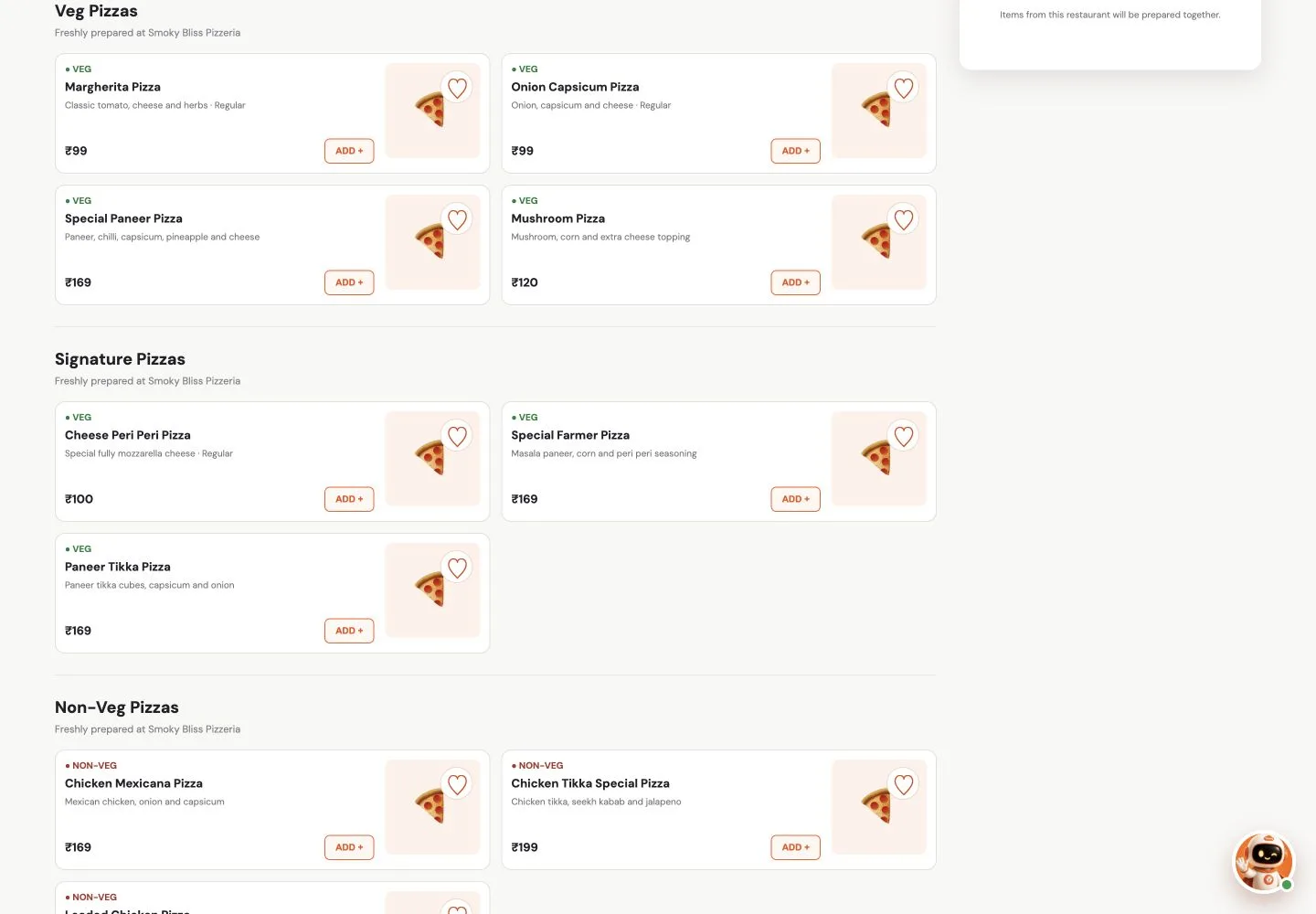
Menu sections group dishes into categories. Each item shows its name, a short description, dietary label and price, alongside favourite and add controls.
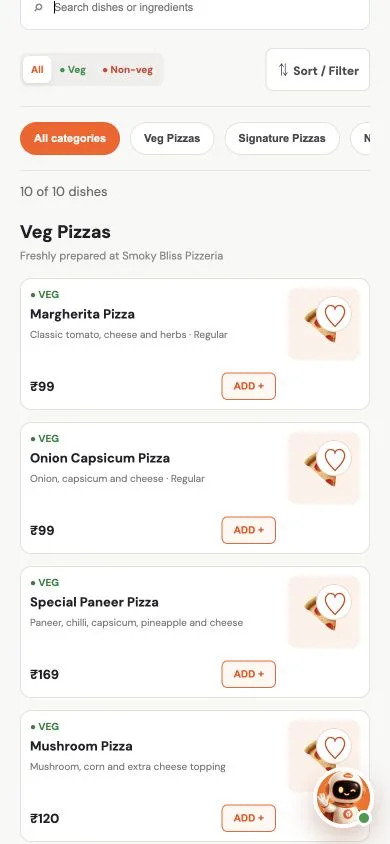
The responsive website stacks dish cards beneath search, dietary filters and category choices. This is a mobile-browser screenshot, rather than a screen from the native Android or iOS app.
Product context
A customer sees the menu. A restaurant prepares the order. A rider handles delivery, while an operations team manages the platform. YummyCloud’s build covered the customer-facing product and the tools for these teams.
A restaurant name alone is not enough when the brand has several branches. The public interface keeps the selected branch visible and provides a way to review the alternatives before browsing.
Dish categories, dietary labels and search help customers narrow their choices. On a phone, the same information needs to remain readable without squeezing the menu into a desktop layout.
The development scope extended beyond the website to restaurant and admin panels, a rider app and dispatch backend. These are separate parts of the full platform Digittrix delivered.
What Digittrix built
Our team delivered the following components. The screenshots document the public customer website; the full build scope also includes the apps and private staff tools described here.
A browser-based entry point for restaurant discovery and ordering. Visitors can explore brands, select a branch, browse dishes, view offers and use the menu’s search and dietary filters. The layout adapts from desktop cards to a stacked mobile view.
Native-platform customer apps were part of Digittrix’s delivery, alongside the website. They give the project a mobile-app presence as well as a browser channel. The screenshots in this case study are from the website and do not stand in for native-app screens.
Digittrix built the restaurant-facing and administration panels as part of the same engagement. Their role in the product is to serve staff and platform operations. Private screens and individual staff records are not included in this public walkthrough.
The delivery-side scope included both a rider app and the backend used for dispatch. These components form the delivery side of the platform, complementing the customer and restaurant tools. This case study does not infer a particular tracking provider or dispatch algorithm from the customer website.
Product workflow
The public interface gives a useful view of the early ordering decisions. These steps describe what a visitor can inspect without signing in or placing an order.
Choose a restaurant card or a featured offer. The restaurant page provides the brand name, cuisine and selected outlet.
Open the branch selector to see the available locations. Delivery availability depends on the location check, while the menu can still be explored.
Use search, categories and vegetarian or non-vegetarian filters. Compare dish descriptions and displayed prices before using the add controls.
The restaurant page presents order-now and schedule-for-later controls and a cart area. A completed checkout or delivery is outside this public screenshot walkthrough.
Planning takeaways
YummyCloud is a useful reference when deciding what your own first release needs. The right scope depends on how your outlets take orders and fulfil them.
Bring a list of outlets, their menus and delivery areas to discovery. Decide what should change when a customer switches branches and which details should remain consistent across the brand.
Use your own dish names, modifiers and dietary information in the design review. A menu that looks clear with five items may need stronger search and categories when the catalogue grows.
Include the restaurant, operations and delivery teams in the scope discussion. Their responsibilities help define the panels and handovers needed behind the customer-facing product.
Evidence note
Digittrix confirms its development responsibility for the customer website, Android and iOS apps, restaurant and admin panels, rider app and dispatch backend. The public screenshots were captured on 25 October 2026 and document the website as it appeared that day.
The walkthrough covers browsing and visible controls. We did not place an order, complete payment or inspect private staff accounts for this publication. Business results, development pricing and delivery-volume figures are not included.
Source trail
The project scope comes from Digittrix’s confirmation of its work. The linked public pages provide the customer-interface examples shown above.
Restaurant discovery and featured offers. Public desktop screenshot captured on 25 October 2026.
Smoky Bliss menu, branch selector, dietary filters, offers, scheduling controls and cart interface. Desktop and mobile-browser captures from 25 October 2026.
Digittrix confirmed responsibility for the website, Android/iOS apps, restaurant/admin panels, rider app and dispatch backend on 25 October 2026.
Build with context
Bring your menu, outlet locations and delivery workflow. We can use these details to define the customer experience, staff tools and first-release scope for your business.