 +91-8727000867
 +64 22 003 5555


Highlights
- 78% of users may prefer wellness plans personalised to their goals and routines.
- 72% of users may value smart tracking for timely sleep and exercise suggestions.
- 81% of users may expect stronger privacy controls for personal wellness data.

Co-Founder
Harsh Abrol 
Since 2014, Digittrix has helped companies optimise digital products for stronger conversions.
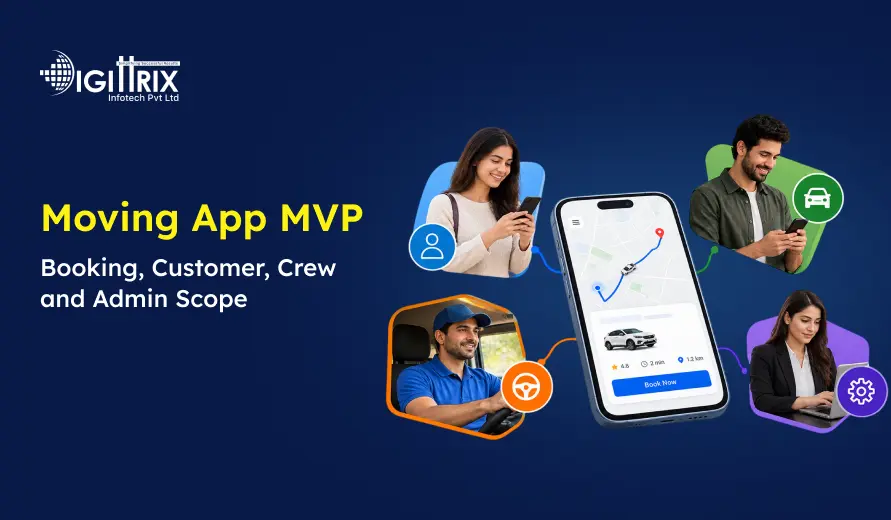
A moving business needs more than a simple booking form. Customers want to request a quote, select moving services, confirm a booking, check updates, and communicate with the team. At the same time, moving companies need to manage crews, vehicles, inventory, quotations, payments, and job updates from one place. A Moving App MVP brings these basic operations into one connected system and gives a business a practical starting point for digital services.
For a moving company planning a new app, the first release should focus on the main moving workflow instead of trying to include every possible feature. Customer booking, crew management, admin controls, quotation, inventory, payments, and move updates can form the foundation of the product.
Planning a location-based moving app? Check Digittrix's guide to building a location-based app for packers and movers for key insights!
What Is a Moving App MVP?
A Moving App MVP is the first working version of a moving application that includes the main features needed to manage a move from enquiry to completion. MVP means Minimum Viable Product. The goal is to launch a useful version, test the workflow, and add more features as the business understands what customers and staff actually need.
For a packers and movers business, the MVP can connect three main workspaces:
- Customer
- Crew and drivers
- Admin and estimators
The customer can request a moving service and confirm a booking. The crew can view assigned jobs and update progress. The admin team can manage enquiries, quotations, schedules, vehicles, payments, and reports.
This approach keeps the first release focused and makes it easier to test the complete moving process.
Why Start With a Moving App MVP?
Building every feature at the beginning can increase development time and make the product harder to manage. A Moving App MVP allows a business to start with the most important operations.
The first version can focus on:
- Quote requests
- Customer registration
- Move details
- Service selection
- Booking confirmation
- Crew assignment
- Vehicle allocation
- Inventory records
- Payment records
- Move status updates
- Admin management
Once these features work together, additional functions can be added based on actual business needs.
For example, a company may later add storage management, marketplace functions, advanced dispatch, accounting integrations, or AI-assisted survey features. These features do not need to be part of the first release unless they are essential to the business model.
 7-Day Risk Free Start
Start Your 7-Day Free Trial With Proven Experts
If this article sparked a project idea, start with a dedicated expert for 7 days at no risk. Continue at just $10/Hour if the collaboration is the right fit for your business.

Dedicated Expert Access
Work directly with a specialist aligned to your project goals and timeline.

Direct Chat with Your Team
Collaborate in real-time and get instant support.

Screenshots & Reports
Receive regular reports to track progress transparently.

No Contracts
No commitments. Cancel anytime, no hassle.

Limited Slots Available This Week!
Kickstart Your Project With Zero Risk And Total Confidence.


& Growing Brands
Customer App Scope for a Moving App MVP
The customer side is the main entry point for people looking for moving services. The experience should make it easy to provide information, request a quote, confirm a booking, and follow the move.
1. Customer Registration and Login
Customers can create an account using basic contact information. Login allows them to access their bookings, documents, invoices, and move updates.
The account can also maintain previous booking information so customers can easily refer to their moving history.
2. Move Details
The customer should be able to enter important information about the move, such as:
- Pickup address
- Delivery address
- Moving date
- Type of move
- Access information
- Initial item details
- Special requirements
These details give the moving company the information needed to understand the job before preparing a quotation.
3. Quote Request
The customer can submit a quote request through the app. Depending on the business process, the request can include an item list, access details, survey requirements, and selected services.
The admin or estimator can review this information and prepare the quotation.
4. Quote Review and Confirmation
Customers should be able to review the quotation before confirming the move. The screen can show selected services, price details, optional services, and other important booking information.
The customer can then accept the quote and proceed with the booking.
5. Booking Management
Once a booking is confirmed, the customer can see the scheduled date, contact details, payment information, and booking status.
A clear booking section helps customers know what has been confirmed and what happens next.
6. Move Status Updates
A Moving App should give customers useful updates during the moving process. They can see important milestones such as pickup, loading, transit, and delivery.
This gives customers a simple way to follow the progress of their move without repeatedly contacting the office.
7. Documents and Invoices
Customers may need access to booking documents, invoices, and other records related to their move. Keeping these records inside the account makes them easier to find later.
 Build an AI-Powered Wellness App for Smarter Digital Wellness
Looking to create an AI-powered wellness app? Talk to Digittrix experts today.
Crew and Driver Scope
The crew workspace is important because the moving team handles the actual job. The app should provide the information they need before and during the move.
1. Assigned Jobs
Crew members can see the jobs assigned to them along with addresses, customer contact details, scheduled dates, and relevant instructions.
This helps the team understand their daily work without depending only on phone calls or separate messages.
2. Crew Instructions
The admin team can share job-specific instructions with the crew. These may include access notes, inventory information, special handling requirements, and other details recorded during the booking process.
3. Route and Location Information
The crew can use route information to reach pickup and delivery locations. Location-related features should be designed around the actual permissions and operating requirements of the business.
4. Inventory Checks
Moving jobs often involve several items. The crew can use the app to review item records, capture condition photos, and record relevant information.
This creates a record connected to the correct job.
5. Pickup and Delivery Updates
The crew can update important job milestones, including pickup, loading, transit, and delivery.
The customer and admin team can then receive the latest available status.
6. Customer Acknowledgement
The crew can record customer acknowledgements and notes during the move. These records can help the office team maintain a clear history of the job.
Admin Panel Scope
The admin panel connects the customer and crew sides of the application. It gives the moving company a central place to manage daily operations.
1. Lead and Enquiry Management
The admin team can receive customer enquiries and review important details such as contact information, addresses, preferred moving dates, and requested services.
This helps the team move an enquiry into the quotation and booking process.
2. Survey and Quotation Management
The admin or estimator can review move details, inventory, access conditions, and selected services before preparing a quotation.
A quotation workflow can also keep track of changes between an initial estimate and a confirmed price.
3. Crew Scheduling
The admin team can view crew availability and assign teams to moving jobs. This is an important part of the Moving App MVP because bookings need to match available people and vehicles.
4. Vehicle Allocation
The system can connect vehicles with scheduled jobs. Admin users can review vehicle availability and make changes when a job requires a different vehicle or crew.
5. Service Areas and Availability
The admin panel can manage service areas, availability, and pricing rules according to the company's operating model.
These settings can help prevent bookings that cannot be handled by the business.
6. Payment Records
The admin team can manage payment records related to deposits, balances, refunds, and invoices.
Payment integrations can be added based on the target market and business requirements.
7. Reports
Reports can help the business review bookings, revenue, quote acceptance, job activity, and support requirements.
The exact reports should be decided according to the information the company needs for daily and financial operations.
Important Features for a Moving App MVP
An Updating Software MVP does not need hundreds of features. It needs the right features connected properly.
Some of the main features include:
|
Feature |
Purpose |
|
Customer registration |
Create and manage customer accounts |
|
Move details |
Capture pickup, delivery and service information |
|
Quote request |
Allow customers to request an estimate |
|
Quotation |
Prepare and manage moving quotes |
|
Booking |
Confirm scheduled moving jobs |
|
Crew assignment |
Allocate teams to jobs |
|
Vehicle allocation |
Assign suitable vehicles |
|
Inventory |
Record items and condition details |
|
Payments |
Track deposits and payment records |
|
Notifications |
Share booking and move updates |
|
Admin dashboard |
Manage operations from one place |
|
Reports |
Review business and job information |
The exact scope can change depending on whether the business operates as a single moving company, a marketplace, a storage provider, or a corporate relocation service.
Packers and Movers App Development for Different Business Models
Not every moving business works in the same way. This is why the application structure should match the business model.
A single moving company may need customer bookings, quotations, crew scheduling, vehicles, payments, and job tracking.
A marketplace may need provider registration, quote comparison, commissions, payouts, and support workflows.
A storage business may need inventory records, storage locations, access instructions, and release requests.
A corporate relocation business may need shared accounts, approval workflows, employee communication, asset lists, and consolidated billing.
Understanding the business model before development helps keep the first release focused.
How On Demand Movers App Development Can Work
For businesses offering services when customers request them, on demand movers app development can focus on quick booking and operational assignment.
A typical workflow can look like this:
- Customer enters pickup and delivery details.
- Customer selects the required service.
- The system receives the quote request.
- Admin reviews the request and pricing.
- Customer confirms the quote.
- Crew and vehicle are assigned.
- Crew receives job details.
- Pickup and delivery progress is updated.
- Customer receives status updates.
- Payment and invoice records are completed.
The workflow can later be expanded with more service areas, advanced dispatch, storage, or other functions.
Develop an AI-Powered Wellness App That Fits Your Vision
Ready to plan your wellness platform? Speak with Digittrix experts today.
Movers and Packers App Development Features to Consider Later
After the first release is tested, businesses can consider additional features.
Storage Management
Businesses that also provide storage can connect item records with storage locations, release instructions, and related charges.
Advanced Dispatch
Dispatch teams can receive a shared view of jobs, crews, vehicles, and schedules. This can help them handle changes during busy periods.
CRM and ERP Integration
A CRM can connect leads, customer records, follow-ups, and jobs. ERP or accounting integrations can connect operational and financial records.
Payment Integrations
Depending on the market, the app can connect payment providers such as Stripe, Razorpay, PayPal, or Cashfree.
Notifications
Push notifications, SMS, email, or WhatsApp can be used for quote, booking, and move-related updates where the required communication setup is available.
Inventory and Storage Integration
Inventory records can be extended with barcode or QR workflows and connected with existing storage systems where suitable integrations are available.
UI and UX for a Moving App
A moving app handles several steps, so the interface should keep information easy to understand.
The customer journey can be divided into simple stages:
Plan the Move → Request a Quote → Review the Quote → Confirm Booking → Follow the Move → Complete Delivery
Each stage should show the information that the user needs at that point.
The crew interface should also remain simple. Crew members need quick access to assigned jobs, addresses, instructions, inventory, and status updates.
The admin dashboard can contain more detailed controls because office staff need access to quotations, scheduling, vehicles, payments, reports, and exceptions.
Technology for Packers and Movers App Development
The technology stack depends on the required platforms, integrations, devices, and operating model.
A moving application can include:
- Mobile apps
- Responsive web interfaces
- Backend APIs
- Database
- Cloud hosting
- Payment services
- Maps and location services
- Notification services
Possible technologies can include React, Flutter, Swift, Kotlin, Node.js, PHP, Laravel, Python, MySQL, MongoDB, PostgreSQL, or Firebase.
The final technology choice should be made after the project scope, platform requirements, integrations, and ownership requirements are clearly defined.
Cost of a Moving App MVP
The cost of an Updating Software MVP depends on the number of platforms, features, integrations, user roles, design requirements, and business rules.
A basic booking MVP can have a smaller scope, while a customer, crew, and admin platform requires more workflows and backend functions.
The current Digittrix page lists a booking MVP at USD 1,499 and a customer, crew, and admin platform at USD 1,500–2,499. Projects involving AI or complex integrations are listed from USD 2,500. The final price depends on the agreed scope and project requirements.
Businesses should compare development proposals based on included features, platforms, integrations, testing, launch support, migration, and ownership rather than looking only at the starting price.
How to Build a Moving App MVP
A clear development process helps reduce confusion during the project.
Step 1: Define the Business Model
Decide whether the application is for a single moving company, marketplace, storage business, or another relocation service.
Step 2: Define User Roles
List the functions required by customers, crews, drivers, estimators, dispatchers, and admins.
Step 3: Plan the Main Workflow
Map the journey from enquiry and quotation to booking, crew assignment, pickup, delivery, and invoice.
Step 4: Design the App
Create the main customer, crew, and admin screens before development begins.
Step 5: Develop the MVP
Build the agreed features and connect the customer, crew, and admin workflows through the backend.
Step 6: Test Real Moving Scenarios
Test situations such as changed quotes, unavailable crews, double bookings, payment delays, poor connectivity, cancellations, and revised inventory.
Step 7: Launch and Improve
Launch the first version, collect real usage information, and decide which features should be added in later releases.
Looking for the right moving solution? Check Digittrix's guide to top packers and movers app development companies for startups in 2026!
Final Words
A successful moving application starts with a focused first release that addresses the core needs of customers, crews, and administrators. From quote requests and bookings to crew scheduling, vehicle allocation, inventory, payments, and move tracking, each feature should support a clear business workflow.
Starting with an MVP also allows moving businesses to test real user requirements before investing in advanced capabilities. Once the core system is validated, features such as storage management, advanced dispatch, CRM integrations, automated notifications, and additional payment options can be introduced based on business needs.
The right development approach should balance functionality, scalability, user experience, integrations, and long-term ownership. With a clearly defined scope and practical development plan, a moving business can build a digital platform that supports daily operations while leaving room for future growth.
Make the Right Choice for Your Moving App MVP
Selecting the right development approach involves more than comparing feature lists or development prices. Moving businesses need to consider booking workflows, customer records, quotations, crew scheduling, vehicle allocation, inventory, payments, reporting, integrations, and data ownership before choosing a software solution.
At Digittrix, we help moving businesses plan and develop digital solutions based on their operational requirements. Our team can work on customer booking, quotation management, crew and driver workflows, inventory, dispatch, payment records, admin dashboards, reporting, integrations, and other functions required for a moving platform.
If you are comparing packers and movers app development companies, software options, or custom development and need a technology partner to discuss your requirements, Digittrix is ready to help.
Contact Digittrix today at +91 8727000867 or email digittrix@gmail.com to discuss your moving app development requirements.

 FAQ's
FAQ's