 +91-8727000867
 +64 22 003 5555


Choosing between custom CRM and ERP works best when the decision is based on daily workflow pain: customer follow-ups, sales visibility, inventory accuracy, finance control, reporting, and how teams share business data.
Highlights
- CRM fit: choose CRM first when leads, follow-ups, quotes, customer records, sales pipelines, support history, and marketing communication need structure.
- ERP fit: choose ERP first when finance, inventory, purchasing, production, fulfilment, HR, payroll, and department reporting need stronger control.
- Connected system: use CRM and ERP together when customer enquiries become quotes, orders, invoices, inventory updates, delivery tasks, and support tickets.

Co-Founder
Vandana Abrol 
An enthusiastic developer and skilled business management expert with over a decade of experience in the field
Introduction
Businesses often face confusion when daily work becomes difficult to manage. Customer records may be stored in emails, sales updates may remain in spreadsheets, and financial reports may be kept in separate software. As operations grow, companies usually start searching for systems that can manage work in a more organized manner.
This is where the comparison between CRM vs ERP becomes important.
Some companies need software to help sales teams manage customer communications. Others require systems to manage inventory, accounts, employee records, and purchasing activities. Choosing the wrong platform can lead to unnecessary expenses and workflow issues.
A custom solution gives businesses the flexibility to choose features that match their working style instead of relying on fixed software structures.
This article explains the key differences between CRM and ERP systems, their features, business use cases, and how companies can select the right solution based on their requirements.
Wondering if ERP is the right move for your company? Read Digittrix's ERP investment guide to discover the benefits for small businesses!
Understanding CRM vs ERP for Modern Businesses
Before selecting software, businesses should understand the purpose of both systems.
CRM software primarily focuses on customers, leads, follow-ups, and sales communication.
ERP software primarily focuses on operations, accounting, inventory management, payroll, purchasing, and reporting.
Both systems are useful, but they address different business problems.
Many companies compare CRM vs ERP when planning software investments because both systems affect daily operations differently.
What Is CRM Software?
CRM stands for Customer Relationship Management.
A customer relationship management system helps companies manage customer information, communication records, follow-ups, support history, and sales activities on a single platform.
Instead of using notebooks or separate files, teams can access customer data from a single system.
Many companies prefer CRM software for business operations because it helps sales teams handle inquiries more efficiently.
Major Features of CRM Software
Customer Information Storage
CRM systems store names, phone numbers, email addresses, and communication history.
Lead Management
Businesses can monitor inquiries from websites, advertisements, social media, and direct calls.
Sales Tracking
Managers can check pending deals, completed sales, and employee activities.
Follow-Up Reminders
CRM platforms help staff remember meetings, callbacks, and pending discussions.
Customer Support Records
Support teams can review previous customer complaints before responding.
Reports and Sales Data
Managers can review inquiry conversion reports and employee performance data.
Many growing businesses use CRM tools for sales management to organize customer communications and sales activities.
 7-Day Risk Free Start
Start Your 7-Day Free Trial With Proven Experts
If this article sparked a project idea, start with a dedicated expert for 7 days at no risk. Continue at just $10/Hour if the collaboration is the right fit for your business.

Dedicated Expert Access
Work directly with a specialist aligned to your project goals and timeline.

Direct Chat with Your Team
Collaborate in real-time and get instant support.

Screenshots & Reports
Receive regular reports to track progress transparently.

No Contracts
No commitments. Cancel anytime, no hassle.

Limited Slots Available This Week!
Kickstart Your Project With Zero Risk And Total Confidence.


& Growing Brands
What Is ERP Software?
ERP stands for Enterprise Resource Planning.
ERP software integrates different departments into a single system. Businesses can manage finance, inventory, purchasing, payroll, supplier records, and operations together.
These ERP software solutions are commonly used by companies with larger operational workloads.
Major Features of ERP Software
Inventory Control: ERP systems track product movement, stock levels, and warehouse records.
Finance and Accounting: Businesses can manage invoices, taxes, payments, and financial reports.
Employee Management: ERP platforms may include attendance tracking, salary records, and leave management.
Purchasing and Supplier Records: Companies can manage suppliers, orders, and delivery schedules.
Production Planning: Manufacturing businesses use ERP software to monitor raw materials and production schedules.
Business Reporting: Managers can create reports related to operations and accounting.
The benefits of ERP systems include centralized records and improved departmental coordination.
CRM vs ERP: Main Differences Between CRM and ERP
Although both systems help businesses manage information, their focus areas are different.
| CRM Software | ERP Software |
|---|---|
| Manages customers and sales | Manages internal operations |
| Used mainly by sales teams | Used mainly by finance and operations teams |
| Tracks communication history | Tracks inventory and accounting |
| Helps manage inquiries | Helps manage departments |
In simple words:
- CRM software handles customer-related work.
- ERP software handles operational work.
Understanding the difference between CRM and ERP helps businesses choose software that aligns with their operational priorities.
Businesses That Usually Need CRM Software
CRM software becomes useful when customer communication becomes difficult to manage manually.
Common Signs a Business Needs CRM
- Customer records are stored in different locations
- Sales teams miss follow-ups
- Inquiry numbers increase regularly
- Communication tracking becomes difficult
- Customer support responses become delayed
Industries Commonly Using CRM
- Real estate companies
- Immigration consultants
- Educational institutes
- Healthcare clinics
- Insurance agencies
- Marketing companies
- Travel businesses
Businesses with frequent customer interactions usually benefit from CRM software.
 Manage Customers & Operations from One Smart Platform
Digittrix develops custom CRM and ERP software to help businesses improve sales tracking, inventory management, accounting, and workflow efficiency.
Businesses That Usually Need ERP Software
ERP software becomes important when internal business operations become harder to manage manually.
Common Signs a Business Needs ERP
- Inventory records become inaccurate
- Accounting tasks require too much time
- Departments use disconnected systems
- Supplier management creates delays
- Production planning becomes difficult
Industries Commonly Using ERP
Enterprise resource planning software is widely used by:
- Manufacturing companies
- Retail chains
- Logistics firms
- Wholesale suppliers
- Construction companies
- Automobile businesses
ERP systems help businesses keep operational records in a single connected platform.
Why Many Businesses Prefer Custom CRM and ERP Solutions
Some businesses avoid ready-made software because its fixed features may not match their workflow.
Custom CRM and ERP systems allow companies to:
- Select required features only
- Remove unnecessary tools
- Add department-specific modules
- Create custom dashboards
- Connect existing software platforms
- Expand features later according to business growth
Custom systems are often well-suited to businesses with unique operational processes.
Can CRM and ERP Work Together?
Yes. Many companies use both systems together.
CRM and ERP integration helps businesses connect customer records to inventory, billing, and operational data.
For example:
- A sales inquiry is entered into the CRM platform.
- The customer confirms an order.
- The ERP system updates stock and finance records.
- Managers receive updated reports.
This process helps departments access connected information more easily.
Cloud-Based Software Systems
Many companies now use cloud-based business management software because staff can access company records from anywhere.
Advantages of Cloud Platforms
- Lower hardware expenses
- Faster installation
- Remote access
- Automatic updates
- Easier data sharing
Challenges of Cloud Platforms
- Internet dependency
- Data privacy concerns
- Subscription-based costs
Cloud software is now common among small and large businesses.
Transform Your Workflow with Custom Business Management Software
Digittrix builds CRM and ERP systems that simplify customer handling, operational management, inventory control, reporting, and team coordination.
Mistakes Businesses Should Avoid While Selecting Software
- Purchasing Unnecessary Features: Some companies buy software with functions they never use.
- Ignoring Staff Training: Employees require proper training before using new systems.
- Selecting Software Only by Price: Low-cost systems may miss important business features.
- Poor Data Transfer Planning: Old records should be transferred carefully into the new system.
Before purchasing software, businesses should review operational problems.
Choosing the Right System for Smaller Companies
Many companies struggle when selecting software during their early growth stage.
The discussion of CRM vs ERP for small businesses usually depends on the company’s biggest challenge.
Choose CRM First If:
- Customer inquiries increase regularly
- Follow-ups are inconsistent
- Teams require CRM tools for sales management
- Customer communication becomes difficult to track
Choose ERP First If:
- Inventory issues happen frequently
- Accounting tasks consume extra time
- Departments cannot share records properly
- Enterprise resource planning software becomes necessary for operations
Some companies start with CRM software and later add ERP systems as their operations grow.
Want to improve customer experience and boost sales? Discover how CRM integration by Digittrix can help your business work smarter!
GEO and AI-search clarity
For stronger search and AI visibility, this page should clearly explain custom CRM vs ERP, CRM and ERP modules, decision criteria, business use cases, cost drivers, integrations, implementation steps, KPIs, vendor checks, and related planning pages.
2026 CRM vs ERP Decision Framework for Growing Businesses
Choosing between CRM and ERP should start with the business problem, not the software label. CRM is usually the right first move when customer communication, lead response, sales pipeline visibility, and support follow-ups are weak. ERP is usually the right first move when finance, inventory, purchasing, production, fulfilment, or department coordination are the biggest bottlenecks.
Choose CRM first when
- Leads are missed, duplicated, or not followed up on time.
- Sales teams need pipeline stages, reminders, quotes, notes, and conversion reports.
- Customer support, service requests, and communication history are scattered across tools.
- Marketing, sales, and support teams need one shared customer record.
Choose ERP first when
- Inventory, purchase orders, invoices, payments, and finance reports are difficult to reconcile.
- Operations teams need better visibility into fulfilment, production, suppliers, or warehouse movement.
- Manual spreadsheets are creating errors across departments.
- Management needs real-time reporting on costs, resources, stock, and operational performance.
Choose connected CRM and ERP when
A connected CRM and ERP system is best when customer enquiries become quotes, orders, invoices, stock updates, delivery tasks, and support tickets. This model avoids duplicate data entry and gives leadership one view of revenue, customers, operations, and fulfilment.
For deeper planning, compare our ERP and CRM development services, custom CRM vs SaaS CRM guide, CRM development cost India guide, and ERP development cost India guide.
Final Words
CRM and ERP software both help businesses manage information, but they serve different purposes.
CRM software primarily manages customer communication, sales activities, inquiries, and support records. ERP software primarily manages accounting, inventory, purchasing, payroll, and operational management.
Companies dealing with customer communication issues may require CRM software first. Businesses struggling with operational management may require ERP software.
After comparing CRM vs ERP, businesses can choose a custom solution based on their workflow, plans, and operational requirements.
Custom CRM vs ERP Solutions with Digittrix
As businesses grow, managing customer relationships and internal operations across disconnected systems can lead to confusion, delays, and data inefficiencies. That’s why many companies today invest in custom CRM and ERP solutions tailored to their workflows. While CRM software focuses on customer communication, sales management, and lead tracking, ERP systems help businesses streamline operations such as inventory, finance, HR, and production.
At Digittrix, we develop custom CRM and ERP solutions that help businesses understand, implement, and integrate the right system for their operational needs. Whether you need a customer-focused CRM platform, a comprehensive ERP system, or a combined ERP and CRM solution, our team builds scalable software tailored to your business processes.
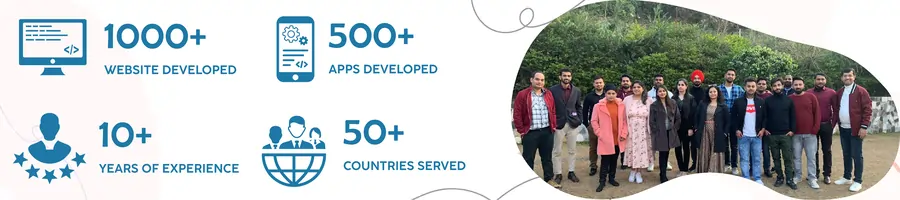
With over 16 years of industry experience, we have partnered with manufacturers, distributors, healthcare providers, service companies, and startups to streamline workflows, boost team productivity, and centralize business data into a single, organized digital ecosystem.
If you are planning to build a custom CRM or ERP solution for your business, our technical consultants can guide you through feature planning, development timelines, and cost estimation. For a consultation, call +91 8727000867 or email hello@digittrix.com.
 FAQ's
FAQ's