 +91-8727000867
 +64 22 003 5555


A practical guide to planning a grocery delivery app MVP, covering customer, store, driver, and admin features required for the first release.
Highlights
- Complete ordering journey: Release One should let customers browse, search, add items, pay, and track an order without unnecessary screens.
- Operational control: Store teams need reliable product, inventory, substitution, order-acceptance, and preparation workflows before advanced growth features.
- Delivery accountability: Driver status updates, proof of delivery, customer notifications, and admin exception handling should work as one connected process.

Co-Founder
Harsh Abrol 
Since 2014, Digittrix has helped companies optimise digital products for stronger conversions.
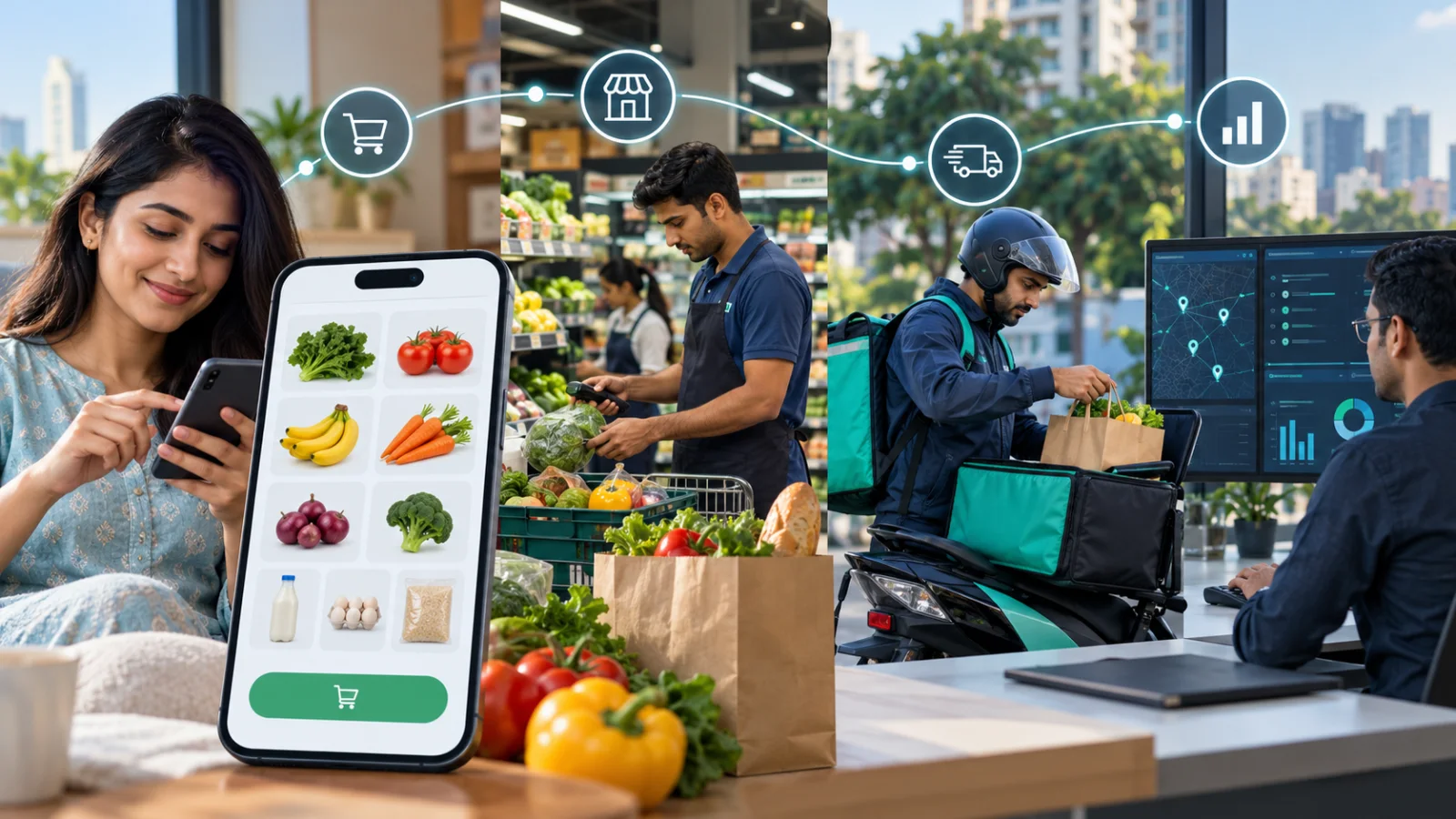
Launching a grocery delivery platform does not mean you need to build every feature at once. A better way is to start with a focused MVP that covers the complete ordering journey and keeps the first release easy to manage.
The goal of Release One is simple. Customers should be able to order groceries, stores should be able to prepare those orders, drivers should be able to deliver them, and the business should be able to manage everything from one place.
For any business planning grocery delivery app development, defining the MVP scope early is important. It helps avoid unnecessary features, controls the development cost, and allows the product to reach the market faster.
What Should a Grocery Delivery MVP Include?
A grocery delivery MVP usually has four main parts:
- Customer app
- Store or vendor panel
- Driver app
- Admin dashboard
Each part has a different role, but all of them must work together smoothly. The customer places the order, the store prepares it, the driver delivers it, and the admin team monitors the full process.
This structure gives your on demand grocery app development project a strong base. Once the basic workflow is working well, you can add advanced features based on real customer feedback and business needs.
Customer App Features
The customer app is where users browse products and place grocery orders. In the first release, the shopping experience should be simple, fast, and easy to understand.
Important customer app features include:
- User registration and login
- Location selection
- Product categories
- Product search
- Product details
- Cart management
- Address management
- Checkout
- Online payment and cash on delivery options
- Order confirmation
- Order status updates
- Previous orders
- Reorder option
- Push notifications
Customers should be able to find products quickly, add them to the cart, choose an address, make payment, and track the order without confusion.
At the MVP stage, avoid adding too many extra screens. Features like loyalty programs, subscriptions, personalized recommendations, wallet systems, and advanced offers can be added after the core shopping journey is tested.
Store or Vendor Panel Features
The store panel connects grocery stores with customer orders. It helps vendors manage products, update availability, and process incoming orders.
Basic store panel features include:
- Product creation
- Product images
- Product descriptions
- Product pricing
- Category management
- Stock updates
- Product availability controls
- Incoming order management
- Accept or reject order option
- Order preparation updates
- Handover status for delivery
When a customer places an order, the store should receive clear order details. Store staff should be able to accept the order, prepare the items, and update the order status when it is ready for pickup.
If you are working with a grocery delivery app development company, discuss the store workflow clearly during the planning stage. A single grocery store, a supermarket chain, and a multi-store marketplace may all need different vendor controls.
For Release One, the focus should be on helping stores receive, prepare, and hand over orders properly. Advanced inventory automation can be planned for later.
Driver App Features
The driver app handles the delivery side of the platform. Once an order is ready, the driver needs clear pickup and drop-off details.
Useful driver app features for the MVP include:
- Driver registration
- Driver profile
- Availability status
- Assigned orders
- Pickup location
- Customer delivery address
- Navigation support
- Accept or reject delivery option
- Pickup status update
- Out for delivery update
- Delivery confirmation
- Proof of delivery through OTP or confirmation button
Drivers should know where to collect the order, where to deliver it, and what status to update at each step
The first release does not need a complex fleet management system. It only needs a reliable connection between the store, driver, customer, and admin team.
Admin Dashboard Features
The admin dashboard gives the business control over the whole grocery delivery platform. It should help the team manage users, stores, drivers, orders, payments, and reports from one place.
Important admin dashboard features include:
- Customer management
- Store management
- Driver management
- Product management
- Order monitoring
- Payment tracking
- Delivery status tracking
- Store approval or deactivation
- Driver approval or deactivation
- Basic reports
- Platform settings
- Support management
Basic reports can show total orders, completed deliveries, cancelled orders, sales, and other useful data. These reports help the business understand how the MVP is performing after launch.
Admin controls are also important for support. If an order has an issue, the support team should be able to check customer, store, driver, and order details quickly.
Payment and Checkout
Payment is a key part of grocery app development services because the order journey is not complete without checkout.
For the first release, the app can include common payment options such as:
- Online payment
- Cash on delivery
The right payment options depend on your target market and business model. Some markets prefer online payments, while others still rely heavily on cash on delivery.
The checkout process should be simple. Customers should be able to review the cart, select an address, apply basic delivery charges if needed, choose a payment method, and place the order.
Order Status Flow
A clear order status flow keeps everyone informed. Customers, stores, drivers, and admins should all understand what is happening with each order.
A simple order flow can look like this:
-
Order placed
-
Order accepted
-
Preparing
-
Ready for pickup
-
Picked up
-
Out for delivery
-
Delivered
-
Cancelled, if needed
Customers should receive updates at important stages. Stores should know which orders need preparation. Drivers should receive delivery details only when the order is ready, depending on the business workflow.
A well-planned order status system also makes the admin dashboard easier to manage.
Product Categories and Search
A grocery app may include hundreds or thousands of products. That is why product organization should be part of the MVP.
Common product categories include:
-
Fruits and vegetables
-
Dairy products
-
Beverages
-
Snacks
-
Household items
-
Personal care
-
Packaged foods
-
Bakery items
-
Frozen foods
Search is also important. Customers should not have to browse every category to find one item. Basic filters such as category, price, and availability can be added if they are useful for the launch market.
For online grocery app development, businesses should also plan how product data will be maintained. Prices, stock levels, images, and descriptions may need regular updates.
Custom Grocery App Development
Every grocery business works differently. Some businesses manage their own store and delivery team. Others connect many grocery stores with independent delivery partners.
This is where custom grocery delivery app development becomes useful. The app can be planned around the actual business model instead of forcing every company into the same process.
For example:
-
A single-store grocery business may need one store panel.
-
A supermarket chain may need multiple store locations.
-
A marketplace may need separate vendor accounts.
-
A business with its own fleet may need custom driver assignment rules.
The MVP should include only the custom features needed for the first launch. Extra complexity can be added later when the business has real usage data.
Quick Commerce Features
Quick commerce app development is different from standard grocery delivery because customers expect very fast delivery.
If fast delivery is the main promise, the MVP may need extra features such as:
-
Delivery zone management
-
Store-level inventory visibility
-
Fast driver assignment
-
Rider availability tracking
-
Local fulfillment control
-
Short delivery time slots
If your business is starting with scheduled or standard delivery, these features can be added later.
The right MVP scope depends on the delivery promise you want to make to customers.
Multi Vendor Grocery App Features
A multi vendor grocery app connects customers with multiple grocery stores. This model needs more controls than a single-store app.
Basic multi vendor grocery app development features may include:
-
Vendor registration
-
Store approval
-
Separate vendor accounts
-
Store-specific product catalogs
-
Store-wise pricing
-
Inventory controls
-
Vendor order management
-
Vendor-level reports
-
Commission settings
For Release One, keep the marketplace simple. Each vendor can manage products and orders, while the admin team manages vendor access and platform-level operations.
Advanced vendor analytics, automated settlements, promotional tools, and complex commission systems can be added after the marketplace starts receiving regular orders.
Grocery Delivery App Development Cost
Grocery delivery app development cost depends on several factors, including:
-
Number of apps and panels
-
Customer app features
-
Store panel features
-
Driver app features
-
Admin dashboard features
-
UI/UX design requirements
-
Technology stack
-
Third-party integrations
-
Payment gateway
-
Maps and navigation
-
Push notifications
-
SMS services
-
Cloud hosting
-
Development team size
A four-sided platform with customer, store, driver, and admin interfaces will naturally cost more than a simple shopping app.
The best way to manage the budget is to separate must-have features from future features. Basic ordering, payments, store management, driver assignment, notifications, and order tracking should come first. AI recommendations, advanced loyalty programs, subscriptions, and complex analytics can come later.
Features You Can Add After Launch
Not every useful feature needs to be part of Release One. Adding too much too early can make the MVP expensive and difficult to manage.
Features that can be planned for later include:
-
AI-based product recommendations
-
Loyalty programs
-
Wallet system
-
Subscription plans
-
Voice search
-
Advanced discount engines
-
Demand forecasting
-
Detailed analytics
-
Automated inventory sync
-
Advanced vendor settlements
-
Marketing automation
These features are valuable, but they are not always required to test the basic grocery ordering model.
The first version should answer one main question: can customers place orders, stores prepare them, drivers deliver them, and admins manage the process smoothly?
Final MVP Feature Checklist
Here is a simple Release One structure:
Customer App: Registration, login, product browsing, search, cart, checkout, payment, addresses, notifications, order tracking, and reorder option.
Store Panel: Product management, pricing, stock updates, availability, incoming orders, order acceptance, preparation updates, and fulfillment status.
Driver App: Availability, assigned deliveries, pickup details, navigation, delivery status updates, and delivery confirmation.
Admin Dashboard: User management, store management, driver management, order monitoring, payment tracking, support, platform settings, and basic reports.
This gives the grocery delivery platform a complete working cycle without adding unnecessary complexity at launch.
Release-One Decisions That Protect the MVP
A grocery MVP is successful when the four operating roles can complete one real order reliably. Before adding loyalty, subscriptions, AI recommendations, or rapid-delivery promises, the product team should test the failure cases that affect customers and store staff every day.
- Out-of-stock item: decide whether the store can suggest a substitute, change quantity, remove the item, or request customer approval.
- Payment captured but order rejected: define refund status, customer messaging, admin visibility, and support ownership.
- Driver unavailable: allow reassignment without losing the order timeline, pickup notes, or customer updates.
- Partial delivery: record missing or damaged items, evidence, refund decisions, and resolution history.
- Store or network offline: prevent duplicate actions and reconcile order status when connectivity returns.
These acceptance scenarios are more useful for Release One than a long feature list because they reveal whether customer, store, driver, and admin workflows are genuinely connected.
Final words
A successful grocery delivery MVP is not about adding the maximum number of features. It is about making the essential workflow work properly from start to finish.
Customers should be able to shop easily. Stores should be able to process orders. Drivers should receive clear delivery instructions. Admins should have enough control to manage the platform.
For businesses planning grocery delivery app development, defining these four sides before development begins makes the project easier to build, launch, and improve. Once the MVP starts generating real data, the business can decide which features should be added next.
Starting with a focused MVP helps reduce risk, control cost, and build a grocery delivery platform that can grow with actual customer demand.
Build Smarter Grocery Delivery MVP Solutions with Digittrix
Building a grocery delivery product starts with identifying the functions needed to complete the core ordering and delivery process. A first release can focus on essential features such as customer registration, product browsing, search, cart management, checkout, payments, store order management, driver assignment, delivery tracking, notifications, and an admin dashboard. Advanced options such as AI-powered recommendations, loyalty programs, subscription models, sophisticated analytics, and automation can be considered for future releases based on business requirements and user demand.
At Digittrix, we help businesses plan and develop grocery platforms around their product goals and operational requirements. Our team can work on MVP planning, grocery delivery app development, customer applications, store panels, driver apps, admin dashboards, payment integrations, product catalogs, order management, notifications, and other functions required for a grocery delivery platform.
Whether you are planning on demand grocery app development, online grocery app development, or a marketplace-based solution, the MVP can be structured according to your business model. Businesses can also consider custom grocery app development when they need specific workflows for stores, delivery operations, inventory, or customer ordering.
If you are planning to build a grocery delivery MVP and need a technology partner to define the right Release One features and development scope, Digittrix is ready to discuss your project requirements.
Contact Digittrix today at +91 8727000867 or email digittrix@gmail.com to discuss your grocery app development services and project requirements.

 FAQ's
FAQ's