 +91-8727000867
 +64 22 003 5555


Highlights
- 80% of core grocery MVP workflows rely on four key user roles.
- A focused MVP can cover 70% of essential ordering tasks early.
- Testing can catch 90% of common workflow issues before launch.

Co-Founder
Vandana Abrol 
An enthusiastic developer and skilled business management expert with over a decade of experience in the field
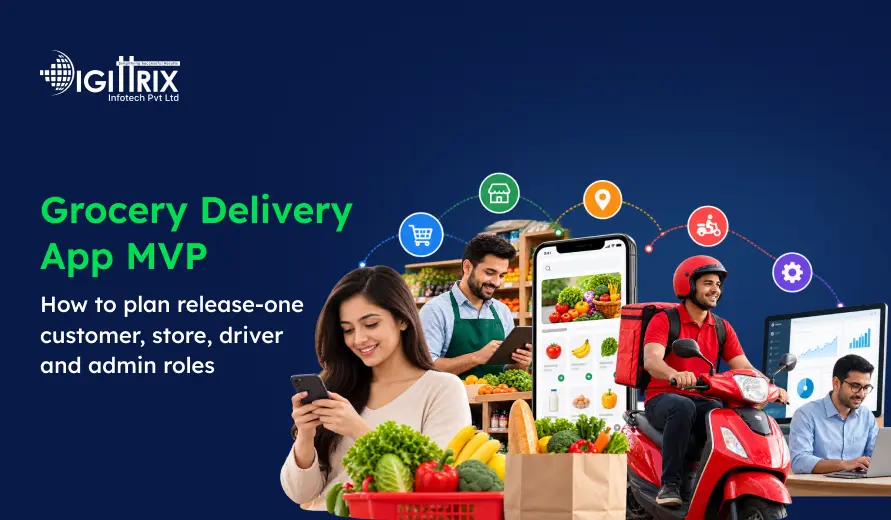
Launching a grocery delivery platform isn't just about building an app where customers can order groceries. Behind every successful delivery is a connected system involving customers, stores, drivers, and administrators. Each user needs different tools, and getting those roles right is one of the most important parts of MVP planning.
This is where grocery app development plays an important role. Instead of trying to build every feature at once, businesses can start with the functions that are actually needed to run the platform. The first release should make it possible for customers to find products and place orders, stores to prepare those orders, drivers to deliver them, and administrators to manage the overall operation.
A focused MVP gives businesses an opportunity to launch sooner, understand how customers use the platform, identify operational problems, and decide which features should be added in future versions.
Looking to improve grocery operations? Check Digittrix's POS & Inventory Integration insights to build a smarter grocery app!
What Is a Grocery Delivery App MVP?
A grocery delivery app MVP is the first working version of a grocery ordering and delivery platform. It includes the essential functionality needed to take an order from the customer all the way through store fulfillment and final delivery.
The purpose of an MVP is not to provide every feature that could possibly be added to a grocery platform. Instead, it should solve the main customer problem and allow the business to test its concept in the real market.
For example, features such as AI-based recommendations, loyalty programs, subscription shopping, predictive inventory, voice ordering, and advanced analytics can be considered after the basic ordering process has been proven.
A release-one MVP will generally need:
- Customer registration and login
- Product categories and search
- Product details
- Cart management
- Checkout and payment
- Store management
- Order processing
- Driver assignment
- Delivery updates
- Admin management
- Notifications
- Basic reporting
Keeping the initial scope focused can make grocery app development easier to manage while giving the business a solid foundation for future expansion.
 Build Your Grocery Delivery App MVP with the Right Features
Planning a grocery delivery MVP? Talk to Digittrix experts about customer, store, driver, and admin app development.
Why Role-Based Planning Matters
A grocery delivery platform has several users, and each one interacts with the system differently.
Customers want to find groceries quickly and place an order without unnecessary steps. Stores need to manage their products and prepare incoming orders. Drivers need clear pickup and delivery information. Administrators need an overall view of what is happening across the platform.
If these responsibilities are not clearly defined at the beginning, the application can become complicated and difficult to manage.
Role-based planning helps define:
- What each user can access
- Which screens each user needs
- What actions they can perform
- Which notifications they receive
- How information moves between different users
- What permissions are required
This is particularly useful when working with a grocery delivery app development team because a clearly defined scope makes the development process easier to plan.
1. Customer Role: Create a Simple Shopping Experience
The customer application is where most users will interact with the platform. It should make finding products, placing orders, and checking delivery status as simple as possible.
The first release does not need dozens of screens. A clean and straightforward shopping journey is more valuable than a large number of unnecessary features.
Customer Registration and Login
Customers should be able to create an account using basic details such as:
- Name
- Mobile number
- Email address
- Password or OTP
The login process should be quick and easy. If OTP-based authentication is suitable for the target market, it can make the sign-in experience more convenient.
Location and Address Management
Since groceries need to be delivered to a specific location, address management is an essential part of the application.
Customers should be able to:
- Detect their current location.
- Add an address manually.
- Save multiple addresses
- Edit existing addresses
- Add delivery instructions
Accurate address information also helps stores and drivers complete orders with fewer delivery issues.
Product Browsing and Search
Customers should be able to browse products through familiar categories such as fruits, vegetables, dairy, beverages, snacks, household items, and personal care.
A basic search feature should allow users to find products without scrolling through the entire catalog.
Each product can include:
- Product name
- Product image
- Price
- Unit or quantity
- Availability
- Short description
These features are especially important in online grocery app development, where customers expect to find products quickly and complete purchases with minimal effort.
Cart and Checkout
Once customers select their products, they should be able to review and modify their cart before placing the order.
The checkout screen should clearly show:
- Products selected
- Quantity
- Product prices
- Delivery charges
- Taxes
- Discounts, if applicable
- Total amount
- Delivery address
- Payment method
The simpler this process is, the easier it becomes for customers to complete their purchases.
Order Tracking
After placing an order, customers should be able to see what is happening with it.
A simple status flow can be:
Order Placed → Store Confirmed → Preparing → Out for Delivery → Delivered
For the MVP, basic status updates may be enough. Real-time driver tracking can be introduced when the business needs more advanced delivery visibility.
2. Store Role: Manage Products and Orders
The store side of the platform is just as important as the customer application. If stores cannot efficiently manage products and orders, even a well-designed customer app will struggle to deliver a good experience.
For businesses planning multi-vendor grocery app development, store management becomes even more important because several stores may be operating on the same platform.
Store Registration and Approval
Store owners should be able to submit their business information through the platform.
The registration process may include:
- Store name
- Business address
- Contact details
- Store category
- Operating hours
- Required business documents
The administrator can review this information before approving the store.
Product Management
Store owners should be able to manage their own product catalog.
They can:
- Add products
- Upload images
- Edit product details
- Change prices
- Update quantities
- Mark products as unavailable
- Remove products
This gives stores more control and reduces the need for administrators to make routine product changes.
Order Management
When a customer places an order, the store should receive an alert.
The store can then review the order, accept or reject it, prepare the requested products, and mark the order as ready for pickup.
A simple workflow can be:
New Order → Accepted → Preparing → Ready for Pickup.
This information can then be passed to the driver side of the platform.
Store Dashboard
The store dashboard can provide a quick overview of:
- New orders
- Orders being prepared
- Completed orders
- Cancelled orders
- Product availability
- Basic sales information
There is no need to overload the first version with complicated reporting. The initial focus should be on helping stores process orders efficiently.
3. Driver Role: Make Delivery Straightforward
Drivers have a different responsibility from customers and stores. Their application should therefore be simple and focused on completing deliveries.
A driver should not have to navigate through unnecessary screens while working.
Driver Registration
Drivers can register and provide the information required by the business.
Depending on the operational model, this may include:
- Name
- Phone number
- Address
- Vehicle information
- Identification details
The admin team can review and approve driver accounts.
Delivery Assignment
Once an order is ready for pickup, it can be assigned to an available driver.
The driver should be able to see:
- Order number
- Store location
- Customer location
- Delivery instructions
- Order details
- Delivery status
Clear information at this stage can help prevent confusion and delays.
Pickup and Delivery Updates
Drivers should be able to update the order as they complete different stages of the delivery.
For example:
Assigned → Accepted → Picked Up → Out for Delivery → Delivered
The number of actions should be kept to a minimum so drivers can update the order quickly.
Navigation
Map integration can help drivers find both the store and customer location.
For an MVP, businesses can use an existing mapping service rather than developing a complete navigation system from scratch. This can save development time and keep the initial product focused.
Proof of Delivery
Depending on the business model, the MVP can include a simple proof-of-delivery method.
This could be:
- Customer OTP
- Delivery confirmation
- Driver confirmation
- Digital acknowledgment
More advanced verification methods can be added in future releases.
4. Admin Role: Manage the Entire Platform
The administrator needs a broader view of the platform than any other user. The admin panel acts as the central point for managing customers, stores, drivers, orders, and payments.
User Management
Administrators should be able to view and manage customer accounts.
Basic functionality can include:
- View users
- Activate or deactivate accounts.
- Review account information
- Monitor basic activity
Store Management
The admin should be able to review new store applications and approve or reject them.
They should also be able to:
- Activate or deactivate stores.
- Review store information
- Monitor store activity
- Manage store status
Driver Management
The admin can manage driver accounts and monitor delivery operations.
Basic functionality can include:
- Driver approval
- Driver status
- Delivery assignment
- Driver activity
- Delivery history
Order Management
Administrators should have a complete view of orders across the platform.
They can monitor:
- New orders
- Active orders
- Completed orders
- Cancelled orders
- Payment status
- Delivery status
This becomes particularly useful when an order gets delayed, or something goes wrong during fulfillment.
Payment and Commission Management
If the platform operates as a marketplace, the admin may also need to manage commissions and transaction records.
The first release should establish a reliable payment process between customers, stores, and the platform. More detailed financial reporting can be added as the business grows.
Maximize Your MVP ROI
Plan your startup MVP with the right features, budget, and metrics to validate your idea and measure potential returns.
How the Four Roles Work Together
The real value of grocery app development comes from connecting these roles into one smooth workflow.
A typical order might work like this:
Customer places order → Store receives the order → Store accepts and prepares it → Driver is assigned → Driver picks up the order → Driver delivers it → Customer receives the order → Order is completed.
The administrator should be able to monitor this entire journey.
For example, if a store rejects an order, the customer should receive an appropriate update. If a driver becomes unavailable, the admin should have the ability to reassign the delivery.
This means the MVP should not be treated as four independent applications. All four parts need to communicate properly through the backend.
Features to Leave for Future Releases
It can be tempting to add every possible feature before launching. However, doing so can make the MVP expensive, complicated, and slower to release.
Features that can be considered for later versions include:
- AI product recommendations
- Voice-based shopping
- Advanced loyalty programs
- Grocery subscriptions
- Personalized offers
- Predictive inventory management
- Advanced analytics
- Referral programs
- Customer segmentation
- Automated promotions
- Advanced demand forecasting
These features can be added once the business understands how customers and stores actually use the platform.
 7-Day Risk Free Start
Start Your 7-Day Free Trial With Proven Experts
If this article sparked a project idea, start with a dedicated expert for 7 days at no risk. Continue at just $10/Hour if the collaboration is the right fit for your business.

Dedicated Expert Access
Work directly with a specialist aligned to your project goals and timeline.

Direct Chat with Your Team
Collaborate in real-time and get instant support.

Screenshots & Reports
Receive regular reports to track progress transparently.

No Contracts
No commitments. Cancel anytime, no hassle.

Limited Slots Available This Week!
Kickstart Your Project With Zero Risk And Total Confidence.


& Growing Brands
How to Prioritize Release-One Features
A practical way to decide what belongs in the MVP is to divide features into three groups.
Must-Have Features
These features are essential for operating the platform:
- Customer registration
- Product catalog
- Product search
- Categories
- Cart
- Checkout
- Payment
- Store management
- Order management
- Driver assignment
- Delivery updates
- Admin dashboard
- Notifications
Should-Have Features
These features can improve the experience but may not be essential at launch:
- Ratings and reviews
- Favorites
- Promo codes
- Basic reports
- Additional location options
Future Features
These can be considered after the MVP has been tested:
- AI recommendations
- Loyalty programs
- Subscription shopping
- Predictive analytics
- Voice ordering
- Automated inventory management
This approach keeps on-demand grocery app development focused on the basic customer and delivery journey instead of adding features simply because they are available.
Technology and Integration Considerations
A grocery delivery platform usually requires several components working together.
Depending on the business model, grocery app development services may include:
- Customer mobile application
- Store application or web dashboard
- Driver application
- Admin dashboard
- Backend APIs
- Database
- Payment gateway
- Map integration
- Push notifications
- Cloud infrastructure
The technology stack should be selected according to the project's requirements, target platforms, expected user volume, budget, and future scalability.
Security should also be considered from the beginning. Authentication, user permissions, payment security, data protection, and secure communication between applications should be part of the initial architecture.
Planning a grocery delivery app? Check Digittrix's Grocery Delivery App MVP insights to plan your first release!
Final Words
Planning a grocery delivery MVP around clearly defined customer, store, driver, and admin roles gives businesses a practical starting point for entering the market. Instead of spending time and money building an oversized platform, the first release can focus on the features that directly support browsing, ordering, fulfillment, payments, and delivery.
A focused approach to grocery app development also makes it easier to understand customer behavior and identify which features are actually worth developing next.
The most important thing is to keep releasing practical features. Customers need a convenient shopping experience, stores need simple tools for managing products and orders, drivers need a straightforward delivery workflow, and administrators need enough control to keep the operation running smoothly.
Once these core processes are working reliably, businesses can use real customer feedback and operational data to decide what comes next. This creates a stronger foundation for scaling the platform and adding more advanced capabilities over time.
Plan Your Grocery Delivery App MVP with the Right Release-One Scope
Planning a grocery delivery MVP requires more than a customer ordering app. It involves customer, store, driver, and admin roles, along with product management, cart, checkout, payments, order processing, delivery tracking, notifications, and essential admin controls.
At Digittrix, we help businesses plan and develop grocery delivery applications based on their business model and technical requirements. Our team can work on customer apps, store panels, driver apps, admin dashboards, payment integration, order management, and delivery features.
A practical grocery app development plan focuses on the right release-one features while leaving advanced functionality for future updates. This helps businesses control development scope and launch a more focused MVP.
Planning your grocery delivery MVP? Contact Digittrix at +91 8727000867 or digittrix@gmail.com to discuss your project requirements.

 FAQ's
FAQ's