Custom ERP software development
Track purchases, stock, orders and approvals in one place. Show each department which records it owns and what to do when an order needs attention.

Delhi-NCR businesses · INR budgets · Connected operations
Updated
Keep sales and operations aligned across your branches.
Digittrix develops ERP, CRM and enterprise software for businesses across Delhi-NCR. Work with our Mohali team online to connect sales, stock, orders and finance. Plan shared records, branch access and an INR budget before development starts.
START WITH THE BUSINESS PROBLEM
Give each branch the information it needs while keeping customer and order records consistent. Work with our Mohali team online to map how an enquiry becomes an order, who approves changes and which information each branch needs.
Customer relationship management (CRM) software tracks sales and customer interactions. Enterprise resource planning (ERP) software connects internal operations.
For example, a Delhi sales team can track an enquiry in CRM while a Noida team fulfils the order in ERP. Both teams need the same customer details, order status and payment history.
Plan branch access, shared records, migration and an INR budget before choosing the first release. Explore our complete ERP and CRM development services for the wider technology and platform options.
SOFTWARE BUILT AROUND YOUR TEAM
Choose the task you want to improve first. Our Mohali team maps the records, user access and reports it needs, then explains what the first release will include.
Track purchases, stock, orders and approvals in one place. Show each department which records it owns and what to do when an order needs attention.
Capture enquiries, assign follow-ups and keep customer conversations together. Give sales and support teams a clear next action for each customer.
Give staff and customers browser-based screens for the tasks they need to complete. Control which records each role can view or change.
Connect accounting, ecommerce, payments or messaging where the provider supports it. Check API access, field mapping and error handling before agreeing the work.
Map spreadsheet columns and database fields to the new system. Check duplicates and totals, then build reports around the questions your team needs to answer.
Let staff approve requests or update records on mobile. Add AI summaries or document assistance where useful, with clear data limits and human review.
MAKE DISCOVERY PRACTICAL
We serve Delhi, Noida, Greater Noida, Gurugram, Ghaziabad and Faridabad from Mohali. For teams across these locations, start with the handovers that cause delays: assigning leads, fulfilling orders and checking branch reports.
SALES & CUSTOMER CARE
OPERATIONS & FINANCE
INDUSTRY WORKFLOWS
For pharma CRM, real estate CRM or a multi-branch ERP, start with the records and decisions specific to your business. We use those requirements to define the modules and estimate the work. Choose Hindi or English for the interface, then agree who will translate and test the content.
YOUR PROJECT DELIVERY TEAM
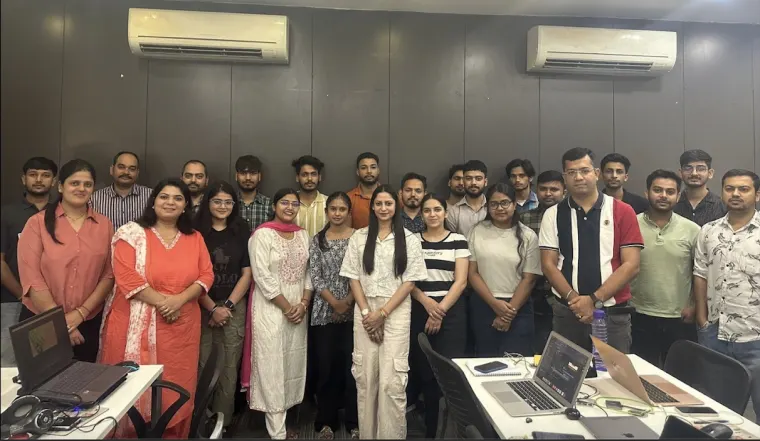
Start with an online workshop to review your process, current software and priority reports. We use shared documents and working demonstrations to review progress with your Delhi-NCR stakeholders. Our office is in Sector 75, Mohali; we do not list a separate Delhi-NCR office.
A CLEAR ERP SOFTWARE DEVELOPMENT PROCESS
Agree what counts as a qualified lead, who owns the next action and which reports you need. Use those decisions to guide design, testing and rollout.
Share a process outline, anonymised forms and your current tools. Identify delays and duplicate work. Finish discovery with a list of priority tasks and the people responsible for them.
Choose the modules, user roles and integrations for launch. Write a test for each key task and agree the INR budget, exclusions and review milestones.
Review working screens with the people who will use them. Run a trial import, reconcile records and practise common tasks. Confirm training, ownership and support before switching systems.
Share your business process, user roles, current systems, required reports and target launch window. A redacted or synthetic sample is enough for an initial discussion.
COMPARE BEFORE COMMITTING
A custom enterprise application gives you a tailored workflow; an existing product provides an established starting point. Compare fit, licensing, data access, upgrades and ongoing ownership.
Compare Odoo modules, Salesforce workflows, SugarCRM extensions and SuiteCRM capabilities against your requirements. Confirm the product edition, licences and specialist implementation skills before choosing a route.
For enterprise product or lifecycle needs, identify the exact SAP product, licensed services and integrations. Match the product to your actual requirements before planning an integration or extension.
Laravel is a framework for custom web applications; Flutter can support mobile delivery. They are development tools, not ready-made CRM or ERP products. Your team still needs to define the records, permissions and business rules.
Explore the main page’s platform comparisons and official documentation. Platform mentions do not claim vendor certification or partnership.
PUBLISHED WORK TO DISCUSS
Use these delivered Digittrix projects to discuss similar workflows. These projects illustrate our delivery experience; they do not imply that the clients operate in Delhi-NCR.
ERP + CUSTOMER OPERATIONS
Digittrix built ERP administration alongside customer and beautician apps. The work covers customer records, missed appointments, finance and business analytics.
CRM + MOBILE WORKFLOWS
Digittrix built a CRM and mobile app that connects student enquiries, college records, team tasks and offer-letter tracking.
Hear about communication, design and delivery from our mobile app and web application clients. Read a summary or watch each original review.
Mobile app development
Review summary: Thomas describes a mobile app built for his business, including the initial consultation, how the team listened to his ideas, the design and his experience with the finished app.
Watch on YouTubeWeb application development
Review summary: Anuj describes working with Digittrix to build a web application. He discusses support, feedback, timelines and choosing a technology partner for an MVP.
Watch on YouTubePLAN THE SCOPE AND THE BUDGET
Use these approximate INR budgets to plan your first release. Each package covers an agreed set of tasks, not every feature on this page. Your proposal confirms the final price, taxes, milestones and exclusions.
Essential workflows
₹1.45 lakh
Approximate INR budget
Start with the core ERP or CRM workflow your team needs for an initial release. Agree the essential records, user roles and reports before development.
Connected operations
₹1.45–₹2.41 lakh
Approximate INR budget
Plan a broader ERP or CRM scope with connected modules, workflow automation, integrations and more detailed reporting. The selected requirements determine the quote within this budget range.
AI-assisted workflows
₹2.42 lakh+
Approximate INR budget
Extend advanced ERP or CRM workflows with selected AI capabilities, such as record summaries, document assistance or reporting insights. The AI use case, data preparation and evaluation determine the final scope.
Approximate INR equivalents use ₹96.6230 per US$1, the FBIL reference rate displayed by RBI for 7 October 2026, rounded to the nearest ₹1,000. These are planning estimates, not a live exchange-rate quote. RBI reference-rate source (opens in a new tab).
Rounding gives MVP and the start of Advanced the same price; their features differ. We list hosting, licences, messaging, payment-provider fees and AI usage separately. Your proposal confirms web and mobile coverage, migration, training and support.
Compare the original USD packages and planning assumptions →
BEFORE YOU START
Remote discovery, branch workflows, INR pricing, migration and delivery responsibilities.
Need a project-specific answer?
Contact the Mohali team →
Yes. Our Mohali team serves Delhi, Noida, Greater Noida, Gurugram, Ghaziabad and Faridabad. We use online discovery sessions, shared documents and milestone reviews to plan delivery. We do not list a separate Delhi-NCR office.
Our approximate INR planning budgets are MVP at ₹1.45 lakh, Advanced at ₹1.45–₹2.41 lakh, and Advanced with AI at ₹2.42 lakh+. These match the Mohali page and are conversions of our main USD packages. The written proposal confirms the final INR quote, modules, integrations, migration, taxes and ongoing charges.
Approximate INR equivalents use ₹96.6230 per US$1, the FBIL reference rate displayed by RBI for 7 October 2026, rounded to the nearest ₹1,000. These are planning estimates, not a live exchange-rate quote. MVP and the beginning of Advanced round to the same displayed amount, but their agreed scope differs. Ask for a project-specific INR proposal before approving work.
Yes. Define which leads, orders and stock records each branch can access, who approves changes and which reports managers need across locations. Test one branch or process first, then expand after checking the records and user permissions.
Share your current tools, team roles, priority tasks and sample reports. Use anonymised records to explain how sales hands work to operations and finance. We can agree the first release, review schedule and acceptance checks online.
Review the problem before replacing a system. A focused CRM may solve missed follow-ups; an ERP change may improve stock or order tracking. If existing tools work well separately, consider connecting their records instead.
Yes. A CRM can keep missed appointments in customer history and assign follow-up tasks. MadamG shows our work on customer management, missed appointments, finance and analytics. Choose reminder channels and rescheduling rules during discovery, and include messaging charges in your budget.
We can plan field mapping, duplicate checks and trial imports. Your team reviews records and reconciles totals before the switch. For integrations, we check the provider’s API, permissions and licence terms before agreeing the connection.
Yes. Use browser-based workspaces for office tasks and mobile screens for selected approvals, field updates or customer access. Agree device support, offline tasks and app releases in your proposal. These choices determine the development work and cost.
No. We list SAP, Odoo, Salesforce, SugarCRM and SuiteCRM as options to compare with a custom build. Confirm product fit, licences and specialist implementation skills separately. A product mention does not establish a certified partnership.
This tier adds selected AI features to advanced ERP or CRM workflows. Examples include record summaries, document assistance and reporting insights. Agree the data each feature can access, how you will test its output and who reviews it. Budget separately for model-provider and infrastructure usage.
We estimate the schedule after reviewing the modules, users, integrations and records you need to migrate. Start with one priority process, then plan later releases. Your proposal sets design, development, testing and launch milestones.
Define which roles can view, change, export and approve records. Agree authentication, audit logs, backups and recovery responsibilities. Test these controls with realistic user accounts before launch and review any additional requirements for your data.
Ask providers to demonstrate how branch users will handle the same lead, order and report. Compare relevant delivered work, migration checks, access controls and support. Check how each team manages remote reviews and documents decisions.
CONTINUE YOUR EVALUATION
Connecting delegate registrations with your CRM? Explore event management software development for Delhi-NCR to plan booking records, organiser permissions and integration checks.
Compare services, review delivered projects and prepare your requirements.
START WITH ONE BUSINESS PROCESS
Tell us which teams, branches and systems need to work together. We can plan a focused first release, test the handovers and agree an INR proposal before development starts.
Office: Sector 75, Sahibzada Ajit Singh Nagar, Punjab 140307 · In-person meetings by confirmed appointment. Online discussions available.
Discuss your business system →