
Highlights
- Prioritise features based on your complete shipment workflow.
- Plan booking, tracking, driver tasks and payments around business needs.
- Test failed deliveries, access permissions and shipment updates before launch.

Co-Founder
Harsh Abrol 
Since 2014, Digittrix has helped companies optimise digital products for stronger conversions.
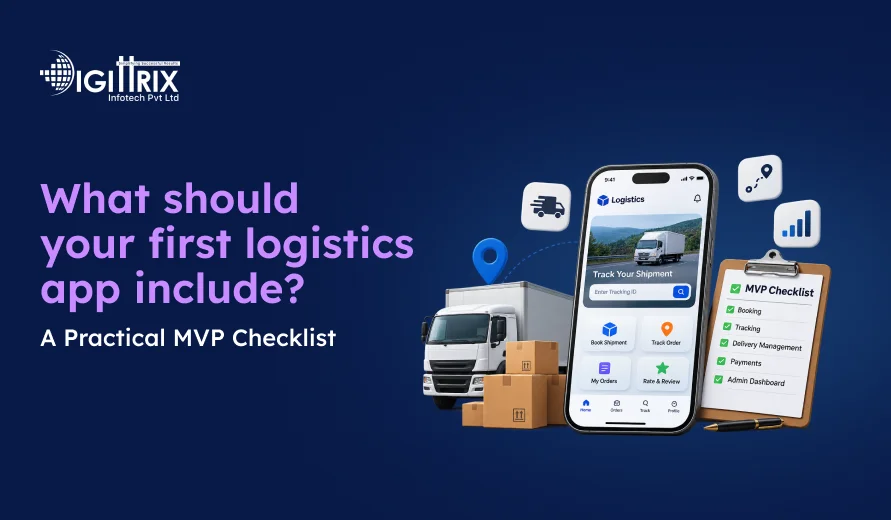
Your first logistics app should support one complete shipment workflow: creating a booking or enquiry, managing it internally, recording shipment events, informing the customer and recording the outcome. Add customer accounts, driver tools, payments and integrations where your operating model requires them. Define who updates each shipment and how staff handle failed deliveries before expanding the feature list.
The goal of a minimum viable product (MVP) is to launch with the functions your business needs to operate reliably. You can add more features as shipment volumes grow and you understand what customers and staff need.
This checklist explains how to decide what belongs in your first release and what can wait.
Looking to simplify transport bookings? Read Digittrix's Guide to Building a Transport Job Booking App to understand the key features and development process for your logistics business!
What Is a Logistics App MVP?
A logistics app MVP is the first working version of an application built around your business's essential operations. It may include shipment booking, customer information, tracking, delivery updates and an admin dashboard.
The exact requirements depend on the type of logistics business you operate. A courier company may need pickup requests and parcel tracking, while a freight business may need shipment enquiries, quotations, carrier assignments and transport records.
A feature belongs in the first release when the agreed shipment workflow cannot operate reliably without it. Billing, carrier integrations, offline updates and return handling may be launch requirements for some businesses and later additions for others.
Define Your Logistics Business Requirements
Before choosing features, identify the problems your app needs to solve. Different logistics businesses follow different processes, so the app should reflect your actual operations.
For example:
- A courier company may need parcel booking, pickup scheduling and delivery confirmation.
- A last-mile delivery business may need driver assignments, delivery windows and failed-delivery records.
- A freight business may need shipment enquiries, quotation approvals, carrier details and transport documents.
- A warehouse operation may need stock records, barcode scanning and dispatch updates.
- A distribution business may need business accounts, recurring orders and delivery records.
Write down how a shipment moves through your business, from the first booking or enquiry to its outcome. Identify the people responsible for each step and the information they need.
This gives your development team a clear starting point and helps prevent unnecessary features from entering the first release.
 Build a Logistics App Around Your Business Workflow
Planning your first logistics app? Get expert guidance on shipment booking, customer tracking, admin dashboards, driver functions, delivery notifications, payment processing, and essential system integrations.
Include Customer Accounts and Shipment Booking Where Needed
Customers should have a clear way to submit shipment details and check their requests. If your business handles repeat customers or regular bookings, customer accounts can make this process easier.
Depending on your operating model, the first version may include:
- Customer registration and login
- Pickup and delivery addresses
- Parcel or shipment details
- Service selection
- Pickup date and time
- Booking confirmation
- Shipment history
- Saved customer and business details
For business customers, you may also need company profiles, multiple delivery addresses and agreed service rates.
Keep the booking process simple. Ask only for the information needed to create and process a shipment. If your business receives enquiries before confirming a shipment, build an enquiry process rather than forcing every request through a standard booking form.
Add Shipment Tracking and Status Updates
Customers want to know whether their shipment has been booked, collected, dispatched or delivered. Your tracking interface should show clear information about shipment progress without making customers contact staff for every update.
A basic tracking feature may include:
- A unique tracking ID for each shipment
- Current shipment status
- Date and time of the latest update
- Previous shipment events
- Delivery confirmation
- Notifications when important status changes occur
Decide how tracking information will enter the logistics app system. Staff may update shipment status through an admin panel, drivers may submit updates through a mobile app, or an external carrier may provide tracking information through an integration.
Define who is responsible for each update. A tracking page is only useful when the information behind it is accurate and maintained.
If the system has not received a new update, it should show the last recorded event and its time. It should not display an estimated location as though it were confirmed.
Build an Admin Dashboard for Daily Operations
An admin dashboard gives your team one place to manage bookings, customers, shipments and delivery activities. It is an important part of logistics management software because staff need to see what is happening across daily operations.
Depending on your workflow, the dashboard may include:
- Shipment and booking management
- Customer information
- Shipment status updates
- Driver and vehicle records
- Delivery assignments
- Payment records
- Basic operational reports
- User roles and access permissions
For example, when a customer creates a pickup request, an administrator should be able to review the details, assign the next task and update the shipment's progress. The customer can then see the latest recorded status through the app or website.
The dashboard should show each staff member the information needed for their role. A dispatcher may need assigned jobs and driver availability, while an administrator may need access to payment records and reports.
Decide Whether You Need Driver Functions
Not every logistics business needs a separate driver application from the beginning. The decision depends on how drivers receive work and report delivery progress.
If drivers handle multiple deliveries each day, mobile driver functions may be necessary.
Possible features include:
- Assigned pickup and delivery jobs
- Customer address and contact details
- Navigation handoff
- Pickup and delivery status updates
- Photo or signature capture
- Failed delivery reasons
- Offline task updates, if required
For a smaller operation, staff may initially manage assignments and status updates through the admin dashboard. If drivers must submit delivery outcomes directly, include those functions in the first release.
 7-Day Risk Free Start
Start Your 7-Day Free Trial With Proven Experts
If this article sparked a project idea, start with a dedicated expert for 7 days at no risk. Continue at just $10/Hour if the collaboration is the right fit for your business.

Dedicated Expert Access
Work directly with a specialist aligned to your project goals and timeline.

Direct Chat with Your Team
Collaborate in real-time and get instant support.

Screenshots & Reports
Receive regular reports to track progress transparently.

No Contracts
No commitments. Cancel anytime, no hassle.

Limited Slots Available This Week!
Kickstart Your Project With Zero Risk And Total Confidence.


& Growing Brands
Set Up Notifications for Important Updates
Customers should receive useful information when something changes with their shipment. Notifications can reduce uncertainty and help customers prepare for pickups and deliveries.
Your app may send notifications through:
- SMS
- In-app notifications
- Push notifications
Start with the events that matter most, such as booking confirmation, pickup completion, shipment dispatch, delivery attempts and successful delivery.
Decide which events should trigger a notification and what information each message should contain. Also plan how the system will handle failed notifications so that important updates are not silently missed.
Plan Payments and Delivery Charges
If customers pay for shipments through your app, the payment process may need to be part of the first release.
Depending on your business model, you may need:
- Delivery charge calculation
- Online payment
- Payment confirmation
- Refund handling
- Business customer billing
- Payment history
- Cash collection records, where applicable
Separate the delivery charge from any cash collected from the recipient on a merchant's behalf. If your service handles cash on delivery, define how staff record collection, reconcile discrepancies and track remittance to the merchant.
Some businesses charge per shipment based on parcel size, distance or service type. Others offer negotiated rates or consolidated invoices to regular business customers.
Agree on the pricing and payment rules before development starts. The app should follow the rules your business actually uses.
Consider Integrations with Existing Business Systems
Your logistics app may need to exchange information with other software. These connections can help avoid separate and disconnected records, but they should be included in the first release only when the shipment workflow depends on them.
Common integrations include:
|
System |
Purpose |
|
Transport Management System (TMS) |
Manage transport jobs, dispatch and vehicle assignments |
|
Warehouse Management System (WMS) |
Connect stock, packing and warehouse dispatch records |
|
Payment Gateway |
Process online payments and verify transactions |
|
Mapping and Routing Services |
Support location display and route planning |
|
Carrier Services |
Receive supported shipment status updates |
|
Communication Services |
Send SMS, email and WhatsApp notifications |
A business using freight forwarding software may also need shipment enquiries, quotation management, carrier details and transport documentation.
Before connecting an external service, check its API access, supported functions, usage limits and fees. If your business can operate reliably with staff-entered updates at launch, a carrier integration may be planned for a later release.
Decide Which Features Belong in the First Release
A feature list alone does not tell you what to build first. Use the shipment workflow to decide which functions are essential and which can be handled through a simpler process at launch.
|
Capability |
Include in the first release when… |
A simpler starting approach |
|
Driver functions |
Drivers must receive jobs or record delivery outcomes directly |
Staff-managed assignments and status updates |
|
Carrier integration |
Your operation depends on external carrier events |
Staff-entered updates with a clearly defined owner |
|
Offline updates |
Drivers must record work where connectivity is unreliable |
An agreed fallback process, if operationally acceptable |
|
Business billing |
Customers use credit terms or consolidated invoices |
Per-shipment payment records |
|
Return handling |
Failed deliveries or returns are part of normal operations |
A basic exception record and staff follow-up |
The simpler approach should only be used when it is practical for your actual operation. For example, staff-entered tracking updates may work for a small courier business but may not be suitable for a high-volume operation that depends on frequent carrier events.
The important question is not whether a feature is common in logistics apps. It is whether your business can complete its shipment workflow reliably without it.
Choose Technology That Fits Your Requirements
The technology depends on the app's features, expected usage, supported devices and integrations. A logistics app development company should review these requirements before recommending a technology stack.
For example, a project may use Flutter or native Android and iOS technologies for mobile applications, a web framework for the admin dashboard, and a backend with a suitable database. Cloud hosting, monitoring and backup arrangements should also be planned according to the project's needs.
There is no single technology combination that suits every logistics business. Choose based on the expected workload, development requirements, maintenance needs and systems the app must connect with.
Plan Security Before Development and Launch
A logistics app may store customer contact details, delivery addresses, shipment records, payment information and driver location data. These details should only be available to authorised users.
Define secure sign-in, role-based access, encryption, location permissions and data retention during planning. Assign responsibility for backups and recovery, and verify these arrangements before launch.
Pay particular attention to access permissions. Hiding another customer's shipment from the screen is not enough if its information can still be accessed by changing a reference or making a direct request. Check authorisation on the server for every shipment and document request. See the OWASP Authorization Cheat Sheet.
Check Whether the App Is Ready for Launch
Before releasing the app, test the complete shipment workflow rather than checking each screen separately.
Use these practical checks:
- Can staff record a failed pickup or delivery, assign follow-up and inform the customer?
- Can a repeated submission or retried update be handled without creating duplicate records?
- Can customers and drivers access only the shipment details and documents they are permitted to see?
- If offline updates are included, can users distinguish saved, pending and successfully synchronised changes?
If offline functionality is included, define how updates are stored, synchronised and handled when two users change the same record. The interface should clearly show whether an update is saved locally, waiting to sync or successfully synchronised. The Android offline-first guidance explains key considerations for applications that need to work with changing network availability.
Test notification failures, incorrect shipment details, repeated updates and failed delivery scenarios before launch. These situations are part of daily logistics operations and should have a clear handling process.
Build a Logistics App Around Your Business Workflow
Planning your first logistics app? Get expert guidance on shipment booking, customer tracking, admin dashboards, driver functions, delivery notifications, payment processing, and essential system integrations.
Expand Your Logistics App After Launch
Once the first version is being used, review feedback from customers, drivers and administrative staff. Their experience can help you decide what to improve next.
Possible additions include:
- Advanced route planning
- More detailed delivery reports
- Automated dispatch rules
- Multiple warehouse support
- More advanced business billing
- Additional carrier and TMS integrations
- Improved driver location updates
- More advanced return and reverse logistics automation, beyond the basic exception handling required at launch
For example, a courier business may begin with shipment booking and tracking. Later, it may add driver assignment, route planning and more advanced return management as delivery volumes increase.
A delivery app should grow according to actual business requirements rather than adding features simply because they are available.
VSR Universal Express: A Logistics Website and Customer App by Digittrix
According to Digittrix's published VSR Universal Express case study, the project connects a customer website and Android app through shared login, shipment tracking and staff-managed status updates.
The workflow includes the following steps:
|
Step |
How it works |
|
Shipment creation |
A customer or administrator creates a shipment. |
|
Status update |
VSR staff or an administrator updates the shipment status. |
|
Shipment tracking |
Customers use a tracking ID through the website or app. |
|
Customer notification |
WhatsApp, SMS, email and in-app notifications communicate status changes. |
The website and app use a common customer login, allowing customers to access shipment information through either platform.
This illustrates how shipment-event tracking can support customer visibility without requiring a live GPS map. Customers can check recorded shipment events and receive updates as staff maintain the shipment status.
Read the VSR Universal Express website and mobile app case study to learn more about the project.
Planning to build a logistics app? Read Digittrix's Logistics App Development Guide to understand the key features, development process, and costs!
Plan Your Logistics App Development with Digittrix
Planning your first logistics app? Digittrix provides logistics app development services for businesses that need customer and driver apps, shipment tracking, dispatch tools, websites and custom logistics software.
Share your business workflow, user roles, required features and existing system connections with the Digittrix team to discuss a suitable development plan. Contact Digittrix to discuss your project.

 FAQ's