
If you think you’re having a medical emergency, call your local emergency number now.
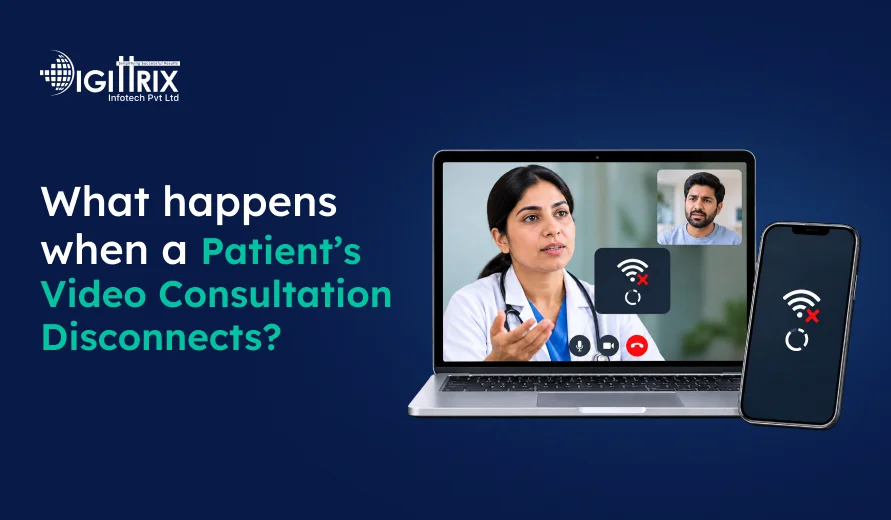
If your video consultation disconnects, your appointment may still be open. Follow your clinic’s backup instructions. If your existing appointment shows a Rejoin option, use it. If you can’t reconnect, contact the clinic before booking or paying again.
Planning to build an online pharmacy platform? Read our guide on developing a medicine delivery app like Apollo Pharmacy to understand its features, development process, and business requirements!
What Should Patients Do When a Video Consultation Disconnects?
When a video consultation disconnects, patients should first check whether the appointment is still active and whether the platform offers a reconnection option. Avoid starting a new appointment immediately, as the original session may still be available.
How to Rejoin an Online Doctor Appointment
Follow these steps to reconnect to your consultation:
- Check your internet connection and switch networks if needed.
- Reopen the consultation app or use the original appointment link.
- Look for a Rejoin, Resume, or Return to Consultation option.
- Allow camera and microphone permissions if the app asks again.
- Wait briefly for the doctor to reconnect if the session was interrupted on their side.
If the video session cannot resume, check the clinic’s instructions for a phone call, another consultation link, or rebooking. The NHS video consultation guidance explains how patients may receive care through video or telephone when arranged by their healthcare provider.
What to Do If Reconnection Fails
If the consultation does not reconnect, contact the clinic using its official phone number or support channel. Explain that the video call was interrupted and ask whether the doctor can continue, call you back, or arrange another appointment.
|
Situation |
What patients should do |
|---|---|
|
Rejoin option is available |
Return to the existing appointment and try reconnecting. |
|
Clinic offers a phone fallback |
Follow the clinic's instructions for switching to a phone consultation. |
|
No rejoin or callback is available |
Contact clinic support to confirm the next step. |
|
Medical instructions were interrupted |
Ask the clinician to clarify any incomplete advice before acting on it. |
|
Emergency symptoms occur |
Call your local emergency number immediately. |
Before a consultation, patients should save the clinic’s contact number, appointment reference, and backup instructions. This can help them respond if the call drops unexpectedly.
Why Does a Video Consultation Disconnect?
A video consultation may disconnect because of technical problems involving the internet, device, application, or platform. Common reasons include:
- Weak internet connection: Wi-Fi signal changes or mobile data interruptions can stop the video stream.
- Application problems: An outdated app, temporary error, or software crash may interrupt the session.
- Device issues: Low battery, overheating, camera or microphone permissions, or other device problems can affect the call.
- Platform interruptions: The telemedicine service may experience temporary technical issues.
- Network switching: Moving between Wi-Fi and mobile data during a consultation may interrupt the connection.
A disconnected video call does not automatically mean the consultation has been completed. The patient should confirm the appointment status with the clinic.
Does a Disconnected Call Mean the Appointment Is Complete?
No. A technical disconnection and clinical completion are two separate things.
The appointment may remain active, be marked interrupted, or be closed by the platform. However, only the clinician can determine whether enough information was gathered to complete the medical assessment.
Patients should confirm:
- Whether the consultation was completed or needs to continue.
- Whether the doctor received the information discussed before the call dropped.
- Whether any follow-up appointment is required.
- Whether further instructions will be sent through the app or another official channel.
Clinic staff may help with appointment status and technical support, while clinical questions should be directed to the treating clinician.
What Happens to Prescriptions and Medical Records?
Information from a video consultation may be saved before the connection drops, but patients should not assume everything was recorded or submitted successfully.
|
Record or item |
What patients should confirm |
|
Consultation notes |
Were the notes saved before the disconnection? |
|
Medical history or symptoms |
Did the doctor receive all the information provided? |
|
Prescription |
Was a prescription actually issued, or does the assessment need to continue? |
|
Follow-up instructions |
Were the next steps shared successfully? |
|
Appointment summary |
Is the summary available in the app or patient account? |
If information was not saved, the patient may need to provide it again. Prescribing decisions depend on the clinician's assessment, the consultation method, and applicable regulations. A doctor may need to complete the consultation or arrange an in-person assessment before issuing a prescription.
For UK-based medical professionals, the GMC guidance on remote consultations outlines professional responsibilities when providing care remotely.
Will Patients Have to Pay Again If the Call Disconnects?
A disconnected video consultation does not automatically determine whether another payment is required. Payment, refund, credit, and continuation policies depend on the clinic and telemedicine platform.
Before booking or paying for another consultation, contact the provider and ask:
- Can the interrupted appointment be continued?
- Will the doctor call back or provide another session?
- Is a new booking required?
- Will the original consultation fee be credited, refunded, or retained?
Patients should check the provider's policy rather than assume that an interrupted session requires a new payment.
What Clinics and Telemedicine Platforms Should Provide
Healthcare providers should have a clear process for handling disconnected video consultations. This helps patients understand what to do without creating uncertainty about appointment status or care instructions.
A well-planned telemedicine workflow should include:
- Clear reconnection instructions within the appointment screen.
- A backup contact method for patients and clinicians.
- A way to identify interrupted and completed sessions.
- Secure handling of consultation notes and prescription records.
- Staff procedures for callbacks, continuation, and rescheduling.
- Emergency guidance that patients can access during a remote appointment.
US healthcare providers can refer to HHS telehealth emergency planning guidance when preparing emergency plans for telehealth services.
Looking for the right telemedicine app development partner? Explore top telemedicine app development companies to watch in 2026 to compare providers and find the right team for your healthcare app project!
Final Words
A disconnected video consultation can interrupt communication, but patients can take practical steps to avoid confusion. Checking the existing appointment, following the clinic’s backup instructions, and confirming consultation and prescription status are sensible next steps.
Clinics can also reduce uncertainty by providing reconnection procedures, backup communication methods, and clear policies for interrupted appointments.
Manage Video Consultation Disconnections With Digittrix
Telemedicine platforms need clear appointment workflows, secure patient records, and practical support for interrupted video sessions. Digittrix provides telemedicine app development services for healthcare businesses looking to build or improve their digital consultation systems.
Contact the Digittrix team to discuss your telemedicine platform requirements.

Co-Founder
Harsh Abrol 
Since 2014, Digittrix has helped companies optimise digital products for stronger conversions.
Highlights
- Video call interruptions can occur due to weak internet, app errors, or device problems.
- Patients may rejoin an active consultation without booking another appointment.
- Doctors can save notes, check session status, and arrange follow-up care after disconnection.