
Website development case study
How Digittrix built Psychic Wayne’s tarot and astrology website
From a 10-minute tarot call to a yearlong astrology forecast
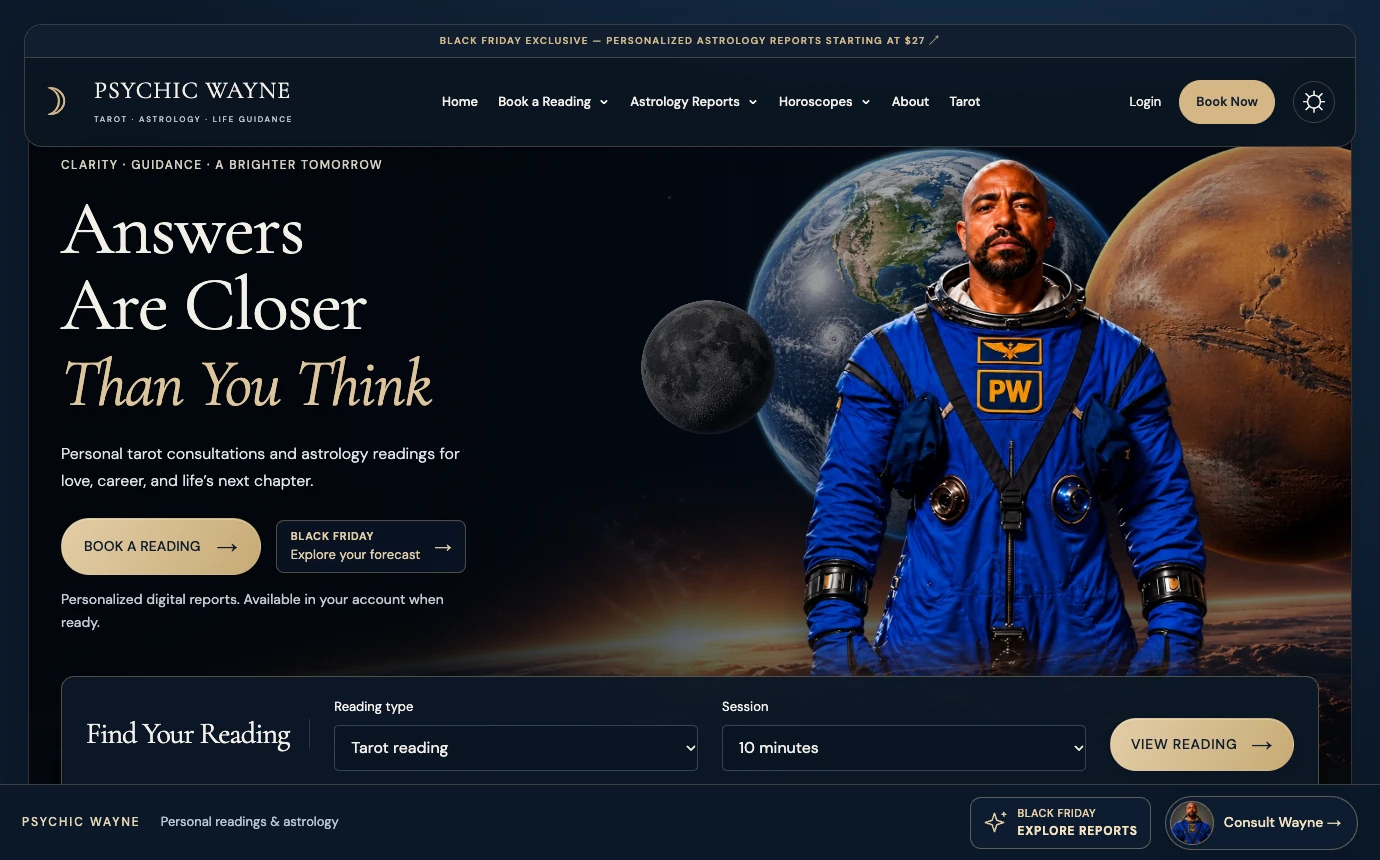
Digittrix led the astro tarot website development project for Psychic Wayne. We built his WordPress site so clients can book private tarot calls through Acuity Scheduling or buy personalized astrology reports as PDFs through WooCommerce. Visitors can also read a free horoscope for their zodiac sign.
- Client
- Psychic Wayne
- Our work
- Website design and development
- Report shop
- WooCommerce on WordPress
- Phone appointments
- Acuity Scheduling
Website screenshots
What clients see before they book or buy
The booking page lists calls by length. The shop shows what each forecast covers.
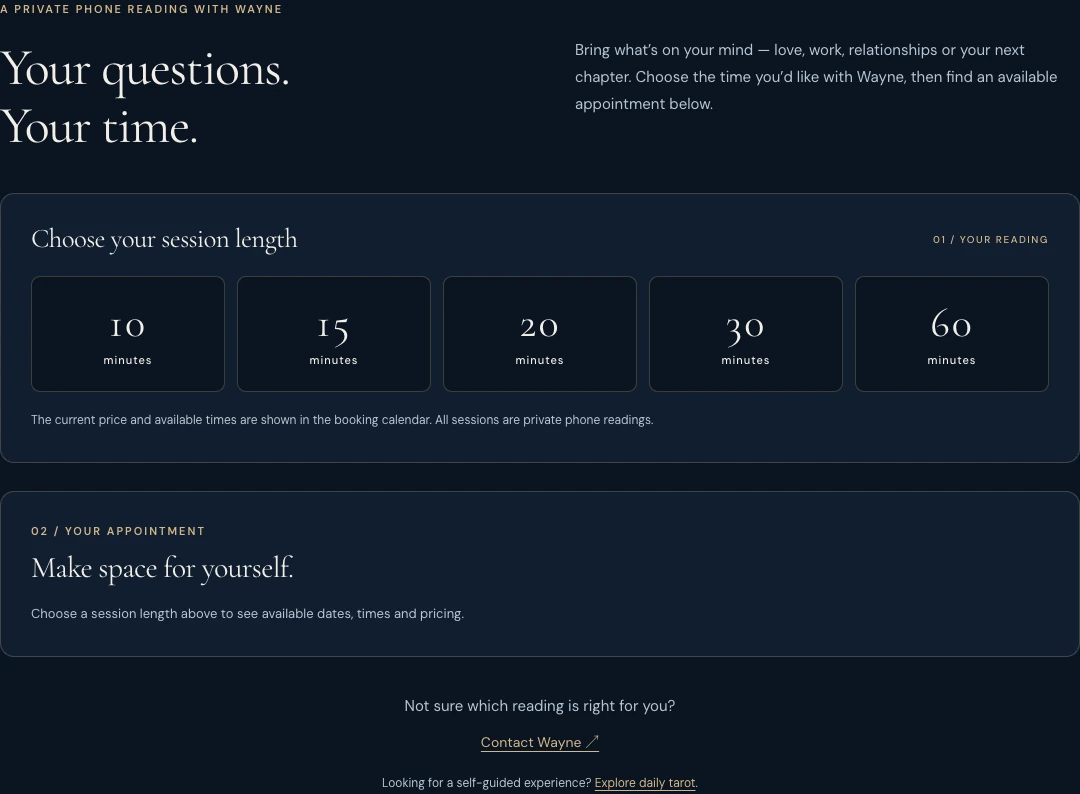
Five session lengths for a tarot call
Clients can choose 10, 15, 20, 30, or 60 minutes. Each option opens a calendar for that length of call.
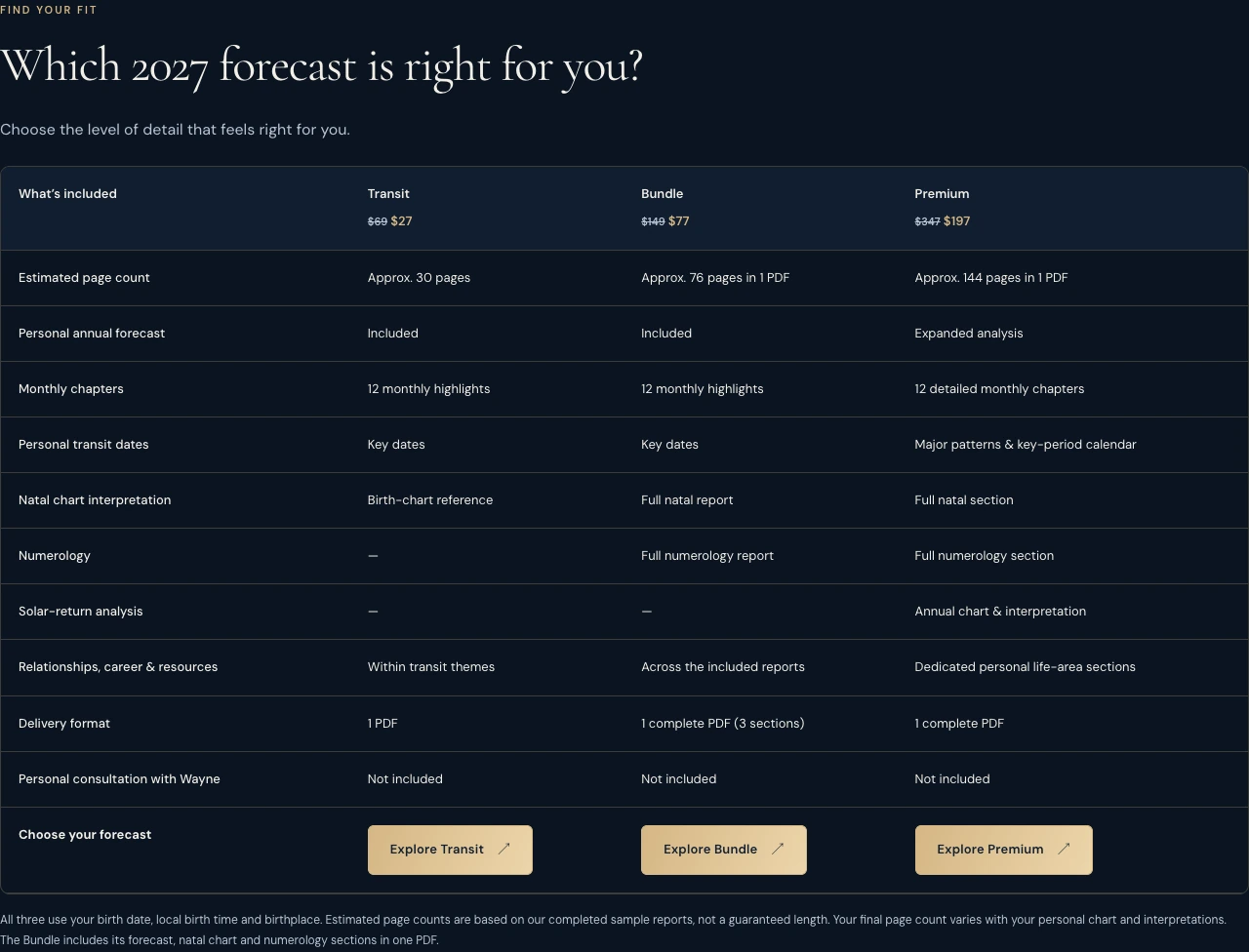
What each annual forecast includes
All three reports cover the year ahead. The Complete Bundle adds a birth chart interpretation and numerology. The Premium report also includes a solar return chart.
The design challenge
Does the client want a conversation or a written report?
Wayne offers both. Someone exploring their birth chart might want to ask Wayne questions or read an interpretation at home. We gave each option its own label in the main menu.
Book a Reading
This menu is for people who want time with Wayne. They can book a tarot call, discuss their birth chart, or explore the year ahead in a solar return reading.
Astrology Reports
Each annual forecast comes as a downloadable PDF. The shop shows what each report includes. Clients who also want to talk with Wayne can book a separate appointment.
What Digittrix built
How clients book readings, order reports, and read horoscopes
Visitors can check appointment times, browse sample forecasts, and read horoscopes before they decide whether to buy.
Find a time for a tarot call
Callers choose how long they want to speak with Wayne. Acuity then shows the price and available times on the booking page. They can also open the same calendar in a new tab.
Order and download a forecast
Buyers enter a name, birth date, local birth time, and birthplace before checkout. The shop asks anyone unsure of their birth time to contact Wayne. Buyers sign in or create an account at checkout. Under Orders in My Account, they can check the report’s status and download the PDF when it’s ready.
Read a horoscope or draw tarot cards
Visitors choose their sign for a daily, weekly, monthly, or yearly horoscope. The daily tarot tool lets them draw cards without typing their question.
Website testing
How we checked the booking link and report preview
We switched from a 15-minute tarot call to a 30-minute call. The calendar updated. Opening Acuity in a new tab showed a 30-minute private phone reading with Wayne. The direct link also opened that session in a phone-sized browser window.
We opened the February sample on the Personal Transit Forecast page before entering any birth details. It lists two dates and explains what each planetary event means for the example chart.
Source trail
Project credit and live examples
Wayne credits Digittrix with designing and developing his website. We captured the three screenshots and checked the public booking and report pages on November 28, 2026.
-
Psychic Wayne’s homepage
Use the homepage reading finder. The footer credits Digittrix for the site.
-
Tarot appointments
Choose a session length to see the booking calendar.
-
Astrology report shop
Compare the forecasts and see how buyers receive their PDFs.
-
Personal Transit Forecast
Explore three sample pages from the annual report.
-
Daily tarot
Try a card reading or follow the link to a private session.
Build with context
Does your practice offer both appointments and digital products?
Talk to Digittrix about booking, checkout, and customer accounts for your website.