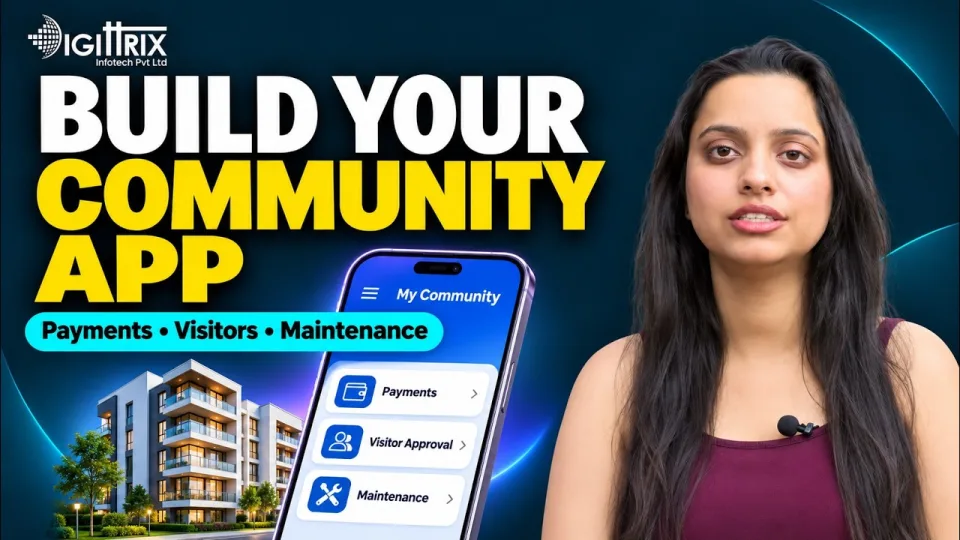
 6:25
Society management · 6:25 watch
Society management app development: features and planning
Plan a society or apartment management app for payments, visitors, repairs and shared facilities. Compare features, set priorities and plan your budget.

Mobile · APP DEVELOPMENT EXPLAINER
Plan your mobile app with a practical video guide. Compare features, Android and iOS options, development costs, launch steps and ongoing support.
THE KEY TAKEAWAY
Mobile app development involves planning, designing, building, testing and maintaining software for phones and tablets. A business app may also need an admin dashboard and connections to payment or customer-management systems. Start with one user task, choose the platforms your audience uses, and define the features and test results your first release must deliver.
DECIDE WHAT TO BUILD FIRST
A minimum viable product (MVP) is a focused first version that solves a real problem and helps you learn from users. Choose a starting point below, then include the staff tools and ways to handle failed or interrupted requests. Your first release should complete a useful task from start to finish.
| Starting point | Core journey | Decisions to make |
|---|---|---|
| Service booking | Choose a service, select a slot, pay, receive confirmation and manage the booking. | Who assigns the work? How do rescheduling, cancellations and refunds work? |
| Shopping or ordering | Find a product, check availability, complete checkout and track the order. | Which system owns stock and prices? Who handles fulfilment, returns and payment differences? |
| Internal staff tool | View assigned tasks, update records and report progress to an administrator. | Which roles can view or change each record? Does the team need offline access? |
FROM WATCHING TO PLANNING
For startup founders, business owners and operations teams planning a customer app, booking service, shopping app or internal business tool.
Speak with the people who will use the app and observe how they complete the task today. Identify where they wait, repeat work or need help. Define one outcome to improve, such as completing a booking without a phone call. Use those findings to choose essential features.
Native development uses tools built for a specific platform, such as Android or iOS. Cross-platform frameworks such as Flutter and React Native let teams share code across platforms. Both need device testing. Compare your users’ devices, required phone features and maintenance needs; ask the team to explain any platform-specific work.
Use a clickable prototype to test navigation, wording and the steps users take. For a booking app, check service selection, payment, confirmation and rescheduling. Include the staff actions behind each screen. Ask representative users to try the prototype and explain where they hesitate before you approve the design.
List payment, inventory, mapping and customer relationship management (CRM) systems. Identify who controls each account and which system keeps the authoritative record. Define staff permissions and how the app handles failed updates. Review working demos and test builds at agreed milestones, and assess new requests before changing the scope.
Test complete tasks, interrupted payments, duplicate requests and access permissions on agreed devices. Check readable text, clear errors and assistive-technology support. Assign someone to approve the release. Confirm store submission, source-code and design handover, account access and support responsibilities. Plan for Apple and Google to review the app after submission.
Track whether users complete the main task, where they stop and whether they return. For a booking app, review completed bookings, payment failures and support requests alongside user feedback. Choose measures that match your business goal. Use the findings to prioritise improvements and agree the next release.
PLANNING EXAMPLE · LAUNCH CHECK
A customer pays for a service, but the connection drops before the app displays confirmation. The customer opens the app again and taps the booking button. Agree these outcomes before launch:
BUDGET AND DELIVERY
Your platforms, features, user roles, integrations and testing needs determine the development work. For example, a booking app with one administrator has a different scope from a marketplace with provider accounts, subscriptions and several dashboards. Ask for an estimate with three clear parts:
Compare proposals for the same features, platforms and support period. Check what each quote includes and excludes. Ask who controls the accounts, what you receive at handover and how the team prices changes. Estimate provider fees using your expected usage, and record ongoing responsibilities alongside the build price.
Set milestones for requirements, design approval, development, integrations, testing and release. Name the person who supplies content, data, feedback and provider access for each stage. Allow for app-store review when planning launch. Digittrix confirms costs and dates after reviewing your requirements.
Explore mobile app development services ↗PUBLISHED MOBILE APP WORK
Digittrix’s Amrutam case study describes mobile app features for customer registration, doctor appointment scheduling, calls and prescription access. Its MadamG case study documents a customer app, beautician app and ERP administration panel. Explore these examples to see how customer tasks connect with staff tools.
Explore the Amrutam mobile app case studyCompare the delivered features and available product evidence with your requirements. Your proposal defines the scope of your own app.
Supporting Digittrix source checked .
A FEW USEFUL ANSWERS
Start with the task and how often people need it. A mobile-friendly website may meet your needs when customers mainly read information or submit occasional enquiries. Consider an app when repeat use, device features or offline tasks matter. Ask the team to compare both options against the same requirements and budget.
Choose the platforms your audience uses. A team with company-issued Android devices may need only Android; a wider customer audience may need Android and iOS. Compare native and cross-platform approaches against device compatibility, phone features, testing and ongoing maintenance.
An MVP is a focused first release that solves a user problem and lets you test your assumptions. A booking MVP needs confirmation and staff handling as well as the booking screen. Gather feedback on the complete task before deciding which features to add.
Often, yes. Your team first needs to check the system’s APIs—the interfaces that let software exchange data—along with account permissions and provider limits. Define which system controls each record, how updates reach the app and what staff do when an update fails.
Costs depend on platforms, user roles, features, integrations, data preparation and testing. Request separate build, launch and running costs, with assumptions and exclusions. Compare the same scope across proposals. Digittrix prepares a written estimate after reviewing your requirements.
The timeline depends on scope, approvals, content, integrations and testing. Ask for milestones with the inputs and approvals each stage needs. App-store review follows submission, so keep it separate from the date the development team completes the build.
Digittrix’s published terms provide for source-code transfer after final payment. Its mobile app service page also describes original design ownership and publishing through your developer accounts. Confirm the deliverables, third-party licences, account access and handover steps in your proposal.
Check the main task on agreed devices, then test interrupted payments, repeated taps, denied permissions and staff access. Include readable text, clear error messages and assistive-technology checks. Write down the expected result for each test and name the person who approves release.
Budget for hosting, monitoring, provider subscriptions, messaging, payment fees, store memberships and maintenance. Costs depend on usage and your service arrangements. Confirm support coverage, response targets, renewal terms and responsibility for new features before signing.
TECHNICAL GUIDE REVIEWER
Co-Founder of Digittrix. Harsh works across software product planning, project delivery and technology strategy. His technical content reviews cover scope, architecture, integrations and implementation risks.
Read Harsh’s biography ↗Watch the original video from Digittrix Infotech Pvt. Ltd. on YouTube. Our written guide adds planning advice and illustrative test scenarios; it is not a word-for-word transcript. Guide updated .
Chapter times follow the published YouTube description. The written guide adds a project checklist, development steps and an illustrative payment-recovery test. Check the linked service page and your proposal for current delivery, handover and support terms.
Found something that needs clarification? Contact Digittrix.
KEEP EXPLORING
6:25Plan a society or apartment management app for payments, visitors, repairs and shared facilities. Compare features, set priorities and plan your budget.
 4:36
Plan an education app for tutoring, recorded courses or live classes. Compare user roles, AI features, integrations, support and first-release priorities.