
Highlights
- Teacher availability calendars help prevent double bookings and keep class schedules accurate.
- Time zone conversion allows international students to book classes at suitable local times.
- Automated booking updates help tutors manage cancellations, rescheduling, and available slots.

Co-Founder
Vandana Abrol 
An enthusiastic developer and skilled business management expert with over a decade of experience in the field
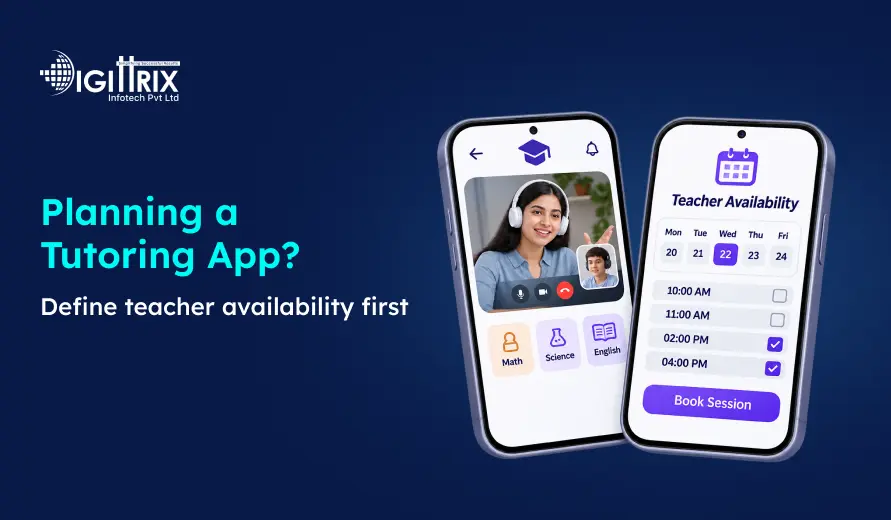
Quick Answer: This guide focuses on scheduled one-to-one tutoring. On-demand calling, group classes, and institute timetables require additional rules for live status, capacity and resource allocation.
Define teacher availability before designing search, booking, and payments. Availability determines which times students can book; lesson status and payout policies determine teacher payment. Settle who controls the schedule, how teachers enter it, which time zone each slot uses, how long lessons last, and what happens when someone cancels. Once these rules exist, every other feature has a clear base to build on.
Looking for an education app that meets your institution's specific needs? Explore why Customised Education App Development can offer greater flexibility, control, and features compared to third-party apps!
Why Availability Comes Before Other Features
A tutoring app sells time. If a student finds a teacher but cannot book a slot, the app has broken its main promise. Nearly every feature reads from availability, so a weak rule here spreads into the rest of the product.
|
Feature |
What it needs from availability |
|
Teacher search |
A clear signal of who has open slots |
|
Booking |
A slot that only one student can reserve |
|
Payments |
A held slot while payment completes, and a release if it fails |
|
Reminders |
The confirmed time in each person’s time zone |
|
Cancellations and rescheduling |
Rules that free the old slot and offer new ones |
|
Teacher payouts |
Records of lessons that took place |
|
Reporting |
A comparison of offered hours and booked hours |
When you decide availability late, your team rewrites booking, notifications, and payouts to match it. When you decide it first, those features follow the same rules.
A useful contrast comes from real-time products. Digittrix’s work on Dudar, a teacher-calling platform, centers on live teacher availability and calling. That shows why “available now” and “bookable next week” are different requirements: the first needs live status, the second needs a schedule with holds, payments, and policies Dudar case study.
Decide These Availability Rules First
Settle each decision below before you write designs or user stories for tutoring app development.
|
Decision |
Common options |
Why it matters |
|
Who controls availability |
Teacher only, admin only, or both |
Marketplaces usually let teachers set it. Institutes often let admins set it. |
|
Schedule pattern |
Weekly repeating hours, one-off slots, or both |
Weekly patterns save teachers time. One-off slots handle exceptions. |
|
Lesson length |
One fixed length or several, such as 30, 45, and 60 minutes |
The length decides how the app cuts hours into bookable slots. |
|
Buffer time |
None, or a short gap between lessons |
A buffer gives teachers time to reset and prevents back-to-back overlap. |
|
Booking window |
Minimum notice and how far ahead students can book |
Limits stop last-minute bookings that teachers cannot meet. |
|
Time zone |
One stored standard plus a display zone for each user |
This prevents lessons at the wrong hour. |
|
Time off |
Holidays, leave and blocked dates |
Teachers need to remove slots without breaking existing bookings. |
|
Class type |
One-to-one only, or groups with seat limits |
The type changes how a slot fills. |
|
Lesson mode |
Online, in person, or both |
The app needs a video link or a location for each booking. |
|
Approval |
Instant booking or teacher approval |
This choice affects booking speed and teacher control. |
 Create a Tutoring App That Makes Lesson Scheduling Easier
Planning an online tutoring platform? Get the right features for teacher availability, lesson bookings, time-zone management, and student scheduling with Digittrix.
How Teachers Should Set Availability
Many tutors teach part-time around jobs or studies, and their schedules change often. A teacher should be able to update their availability in a minute on a phone.
Build the teacher view around these parts:
-
Weekly template: The teacher picks days and hour ranges once, and the app repeats them.
-
Date exceptions: The teacher blocks one day or adds one extra slot without touching the template.
-
Student preview: The teacher sees how the slots appear to students.
-
Copy and bulk edit: The teacher copies Monday’s hours to other days in one action.
-
Clear slot states: Each slot shows as open, temporarily held, booked or blocked.
Syncing with a teacher’s personal calendar helps avoid scheduling conflicts, but it adds work. Plan it for a later release unless your teachers already rely on it.
How Students Book Slots
Students want the shortest path from “I need a tutor” to “lesson booked.” Design the booking flow in this order:
-
Show every slot in the student’s local time, and label the time zone.
-
Let students filter by subject, level, date, and time of day.
-
Hold the chosen slot for a short, fixed period while payment completes.
-
After verifying payment and reservation validity, convert the relevant hold into a confirmed booking. Release only superseded holds associated with that booking attempt.
-
Send a confirmation to the student and the teacher.
Double booking
Two students can see the same open slot at the same moment. Checking and reserving availability must happen as one protected operation, so competing requests cannot both succeed. A check that only runs when the page loads does not protect you, and neither does a server-side check followed by a separate booking step.
Enforce conflicts across the teacher’s entire occupied interval, including buffers, rather than checking only for an identical start time. For example, a 4:00–5:00 lesson must block a conflicting 4:30–5:00 booking.
Database constraints are one implementation option: PostgreSQL documents constraints that prevent overlapping reservations.
Duplicate payment notifications
Payment providers may retry notifications, and events may arrive more than once or out of order. Stripe documents this behavior. Duplicate payment notifications must not result in duplicate bookings or refunds, so make the confirmation step idempotent.
Grow Your Business Without Marketing Overload with Our 1 Week Plan

Social Media Management

CRM

SEO

Website Maintenance

Get 7 days free
With experts handling Content, CRM, SEO, and Website Maintenance —no contracts, no upfront cost.


Limited free trial slots available — start your 1-week growth plan today

Time Zones and Availability
Online tutoring apps serve users in different countries. Time zone differences can cause students and teachers to join at different times, especially around daylight saving time changes.
Store recurring availability as local weekday and time rules in the schedule’s named time zone. Store each confirmed lesson’s start and end as unambiguous instants, while retaining the relevant zone for display and auditing. IANA names, such as Asia/Kolkata, identify a zone exactly.
Show each person the lesson in their own local time.
Decide how repeating slots behave when clocks change. India does not use daylight saving time, but many students and teachers elsewhere do. A teacher in India who teaches a weekly slot to a student abroad will see that student’s local time shift when the student’s country changes its clocks.
Define repeating slots in the teacher’s local time, convert them for each student, and tell students when the converted hour changes.
Whatever you choose, write the rule down and test it with real dates, including local times that repeat or do not exist during clock changes. Both the IANA time zone database and the iCalendar specification (RFC 5545) account for these situations.
Edge Cases That Break Weak Availability Systems
Most availability bugs occur in unusual situations. Define the rule for each before development begins.
|
Scenario |
Rule to define |
|
Two students try the same slot |
The first successfully created hold reserves the occupied interval until it expires or is released. Competing requests cannot reserve that interval. Booking confirmation requires a valid reservation and the required payment or approval conditions. |
|
Payment is pending when the hold expires |
Release the slot. If payment succeeds after the hold expires, recheck availability before confirming anything. If the slot is unavailable, follow the agreed alternative-booking or refund process and notify the student. |
|
A teacher cancels a booked lesson |
Notify the student, offer new slots or a refund, and record the cancellation. |
|
A student cancels late |
Apply the cancellation window and decide whether the slot reopens. |
|
A student reschedules |
Secure the replacement slot before releasing the original booking. If rescheduling fails, preserve the original reservation. |
|
A teacher adds leave over booked lessons |
Warn the teacher and require a decision on each affected booking before the block applies. |
|
A lesson runs over time |
Decide whether the overrun uses the buffer or blocks the next slot. It must never silently displace an already confirmed lesson. |
|
A student does not show up |
Decide whether the teacher still gets paid and whether the student loses the lesson. |
|
A trial lesson |
Create a separate, shorter slot type and limit the number of trials per student. |
Keep Rules, Exceptions and Bookings Separate
Store three different kinds of records instead of one calendar table:
-
Availability rules: The repeating weekly pattern, such as Monday 4 pm to 8 pm.
-
Exceptions: Days off, blocked hours, and extra one-off slots.
-
Bookings: The lessons students have reserved.
Derive bookable times from recurring availability and date exceptions, then apply lesson duration, buffers, booking windows, confirmed bookings and active holds. For group lessons, also account for remaining capacity.
Generating slots for a rolling window—such as the next few weeks—is a practical design option: it avoids storing months of empty slots, though it is not the only valid architecture.
This split offers three benefits. A teacher can change next week’s schedule without rewriting past lessons. Editing availability should not silently alter confirmed bookings; changes to booked lessons should require an explicit cancellation or rescheduling workflow. Your team can also explain each slot by citing the rule or exception that created or removed it.
Link Availability to Booking Policies
Policies determine what happens after a booking is made, and each policy depends on the slot state. Write these rules with the product, support, and finance teams, and store each as a setting in your tutor management system:
-
Cancellation window: The last moment a student can cancel without a charge.
-
Rescheduling limits: How many times a student or teacher can move a lesson.
-
Refund rules: Which cancellations return money, and to which payment method.
-
Payout timing: When the teacher earns payment, such as after the lesson ends.
-
Late and no-show handling: How the app records and treats each case.
Make Online Tutoring Easier to Manage and Book
Need a platform where students can find tutors and book suitable lesson times? Digittrix can help develop an education app with smart scheduling, booking management, and teacher availability features.
Example First-Release Scope for Scheduled One-to-One Tutoring
A first release needs enough availability features to book and complete a lesson safely. The split below is an example, not a universal prescription. For some businesses, group capacity, calendar integration, or recurring package bookings may be essential at launch.
|
Release one |
Later release |
|
Weekly repeating hours with date exceptions |
Two-way calendar sync |
|
Time zone storage and local display |
Group classes with seat limits |
|
Fixed lesson lengths |
Flexible lesson lengths |
|
Slot hold during payment |
Waitlists for full teachers |
|
Double-booking prevention |
Automatic teacher matching |
|
Cancellation and rescheduling rules |
Package bookings with repeating lessons |
|
Confirmation and reminder messages |
Advanced availability analytics |
Acceptance Checks Before Launch
Test each of these with real accounts before release:
-
A teacher sets weekly hours, and a student sees the matching slots.
-
A student in another time zone sees the correct local time.
-
Two students try to book the same slot at the same time, and only one can hold it.
-
While one student has a valid hold, a competing request cannot reserve the same interval.
-
Overlapping requests, such as 4:00–5:00 and 4:30–5:00, cannot both succeed.
-
A held slot shows as temporarily held to the teacher and returns to open when the hold expires or is released.
-
A blocked day removes its slots from search.
-
A cancelled lesson reopens the slot or follows the stated rule.
-
A pending payment releases the slot when the hold expires, and a late payment triggers a fresh availability check.
-
A repeated payment notification creates no duplicate booking or refund.
-
A failed reschedule keeps the original booking.
-
A clock change moves repeating lessons the way your rule says, including repeated and nonexistent local times.
-
Both people receive the correct confirmation and reminder time.
Metrics to Track After Launch
These metrics point to areas worth investigating. They do not prove causes on their own.
|
Metric |
What it shows |
|
Slot fill rate |
Share of offered time that gets booked. Define the reporting period and denominator. With different lesson lengths, booked minutes divided by offered bookable minutes is clearer than counting slots. Do not count overlapping alternative slot choices as separate capacity. |
|
Searches with no open slots |
Unmet searches. Investigate filters, schedules and availability before concluding that demand exceeds supply. |
|
Time to first booking |
How quickly a new teacher gets a lesson |
|
Teacher response time (approval mode) |
Whether approvals slow bookings down |
|
Cancellation and reschedule rates |
Disruption that needs investigation |
|
No-show rate |
Missed lessons. It does not isolate the cause, so review reminders and policies alongside it. |
Planning to launch an educational app for your startup? Read this Step-by-Step Guide to Building an Educational App to understand the development process, key features, and technologies needed to get started!
Final Words
Strong availability design starts with clear rules on who sets hours, how slots repeat, which time zone applies, and what happens when plans change. Settle these before design begins, and test them with real accounts before launch. Doing so gives your team a firm base for education app development and makes every later feature easier to build.
Beyond the two fixes you listed, I made two related changes to keep the blog consistent. The acceptance check “only one succeeds” now reads “only one can hold it,” and I added a check so a held slot appears as temporarily held and returns to open upon expiry or release.
Plan Your Tutoring App’s Availability Rules With Digittrix
Availability rules are easiest to fix before design and development begin. If you are planning a tutoring or education app, Digittrix can help you define scheduling, booking holds, time-zone handling, and cancellation policies, then build them into a product your teachers and students can rely on.