
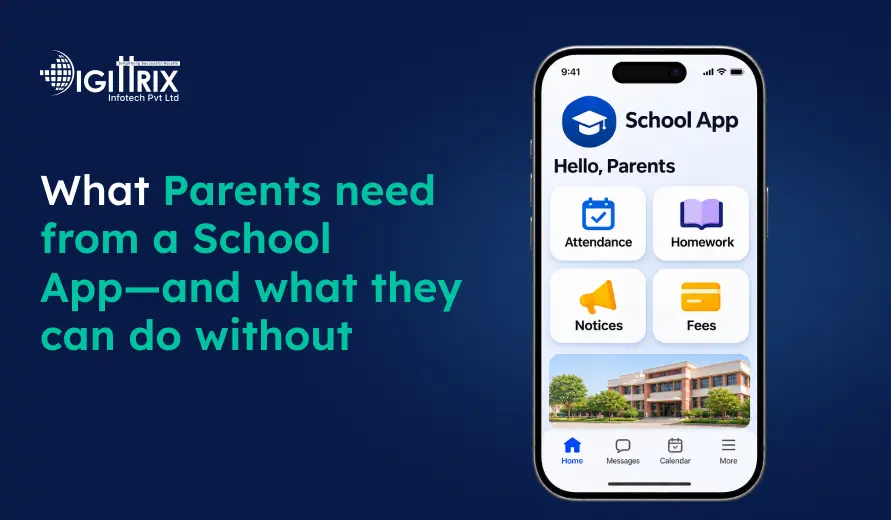
Want an education app that matches your institution's unique requirements? Understand why Customised Education App Development offers greater flexibility, personalised features, and better control than third-party applications!
What Parents Actually Do With a School Management App
Parents open a school app for a handful of repeated tasks. They check today's information, look at the latest attendance or pickup update, pay a fee, sign a form, or find out how their child is doing. Design around these tasks, whether you build an app or a web-based parent portal for schools, and the rest of the product becomes easier to decide.
|
Parent need |
App feature |
What good looks like |
|
Know what is happening today |
Notices, calendar, timetable |
One home screen that shows today's items first |
|
See the latest school-recorded attendance and pickup update |
Attendance entries, arrival and pickup updates |
Updates that show the time and source, with sensitive details kept out of lock-screen previews |
|
Follow progress |
Marks, report cards, homework, teacher remarks |
The latest results and the trend for each subject |
|
Pay fees on time |
Dues, payment, receipts |
A clear amount, a due date, and the payment status shown at once |
|
Respond to the school |
Forms, permission slips, leave requests |
A few taps and a confirmation |
|
Reach the right person |
Teacher and office messaging |
Set response hours and routing to the correct staff member |
|
Trust the school with their child's data |
Privacy and access controls |
Plain consent notices and access limited to authorised guardians and staff with a role-based need |
The School App Features Parents Need
Notices and Calendar
Parents miss school information when it arrives in many places. A single notice feed fixes that, and it forms the core of any school communication app. Let the school tag each notice by class and type, pin urgent items to the top, and show a read status so staff know who still needs a reminder. Add a calendar for exams, holidays, and events, so parents stop scrolling through old messages to find a date.
Build a School App That Meets Parents’ Everyday Needs
Planning a school management app? Digittrix can help your school bring notices, attendance updates, academic records, fee payments, forms, and parent communication into one easy-to-use platform, with appropriate privacy and access controls.
Discuss Your School App
Attendance, Arrival, and Pickup Updates
Timely attendance and transport information is an important need to validate with your own families. An attendance entry records an event. It does not establish a child's current safety or location. Show the latest school-recorded attendance, arrival or pickup update, including its time and source.
Plan for entries that are missing, delayed, or corrected. Show parents when staff have not yet recorded an entry, display the time of any correction, and tell parents how to reach the office. If the app displays pickup permission, treat it as support for the school's identity-checking and handover procedure, not a replacement for it.
For urgent messages, track sending, delivery and opening where the channel supports dependable reporting. Record explicit acknowledgement separately, and show unavailable status as unknown. Firebase explains that a message accepted for delivery has not necessarily reached the device. Use push and SMS as communication channels, with a defined staff follow-up or calling procedure for critical situations. A notification or read indicator does not replace the school's emergency response process.
Academic Progress
Parents want to see how their child is doing without waiting for a report day. Show recent marks, report cards, homework, attendance summary, and teacher remarks. A short trend for each subject helps more than a table of raw scores. Keep language plain, because many parents read these screens quickly on a phone.
Fees and Payments
Check your school's call log to see which tasks create the most calls. Fee questions are a common candidate, and a school management app that handles them can save time for both sides. Show dues, due dates, past payments, and receipts. Support payment for several children from one screen, and send a reminder before the due date.
Show the payment status immediately, and issue the receipt after the backend verifies successful payment against the correct student and fee demand. For pending payments, show a reference and clear instructions that help prevent duplicate payment. Payment providers distinguish processing from success and recommend server-side status handling.
Forms and Approvals
Permission slips, leave requests, and contact updates should take a few taps. Let parents confirm a form on the phone and let the school see the status of every response. This feature removes paper, lost slips, and repeated reminders.
Parent-Teacher Communication
Open messaging sounds helpful, but it often creates overload. A parent teacher communication app should give parents a structured way to contact a teacher or the office, with response hours the school can meet. Add appointment booking for meetings. Staff then keep control of their time, and parents know when to expect a reply.
Siblings and Languages
A parent with two or three children needs one login, not three. Let the app switch between children in one tap. Offer the languages families speak at home, so more parents can read the notices that matter to them.
Privacy and Access Controls
Parents expect the app to show a child's information only to authorised guardians and to school staff with a legitimate role. The sections below cover this in more detail.
A Real Example: The Saffron School Parent App
Digittrix developed the Saffron School CRM and a React Native parent app. Before the project, Saffron managed attendance and fees manually and shared updates on WhatsApp. In the delivered parent app, parents can view attendance, fee information, assignments, notifications, and school holidays. The case study reports no time savings, call reductions, or safety outcomes, so treat it as an example of scope, not proof of results. Read the full Saffron School CRM case study to see what the project covered.
What Parents Can Do Without in a School Management App
Many school apps carry features that look impressive in a demo but add little for parents. Cut or delay these at launch unless your own research shows a need.
|
Feature |
Why it may be lower priority |
Better choice |
|---|---|---|
|
Social feed with likes and comments |
It adds noise and moderation work |
A simple notice feed |
|
Points, badges, and leaderboards for parents |
It adds pressure without helping a task |
Plain progress summaries |
|
Open group chats for every class |
Messages pile up and personal details spread |
Moderated announcements and direct teacher messaging |
|
The same message sent through many channels |
Parents receive duplicates and may start ignoring alerts |
One main channel, plus SMS for urgent items |
|
Heavy animations and themes |
They slow the app on older phones |
Light, fast screens |
|
Staff modules, such as inventory or payroll, in the parent view |
Parents rarely need them |
Keep them in your school management software and the staff app |
|
Dense analytics dashboards |
Parents want a quick answer, not a report |
A short summary with a trend line |
|
Rare-use modules, such as alumni or library |
Few parents may open them in the first months |
Add them after launch if parents ask |
Make Notifications Fewer, Clearer, and Better Timed
Notification timing and relevance affect parents' trust in the app. Too many alerts can teach parents to ignore all of them, including the urgent ones. Sort messages into types, and send each type through the right channel.
|
Type |
Examples |
Suggested delivery |
|
Urgent |
Emergency closure, transport changes, pickup changes |
Push notification with an SMS fallback and a staff follow-up procedure |
|
Routine |
Homework, notices, event reminders |
Push notification or a daily digest |
|
Financial |
Fee due dates, payment status |
Push notification, with the receipt in the app after verification |
|
Optional |
Newsletters, club updates |
In-app only, with an opt-out |
Let parents set quiet hours and choose which routine alerts they receive. Write each alert so the first line tells the parent what happened and what to do, and keep sensitive details out of lock-screen previews.
Design a Mobile App for Schools for Real Parents
Parents use the app on busy days, on mid-range phones, and often on slow networks. Build for those conditions from the start.
-
Light and fast: Keep screens simple so the app opens quickly on older Android phones.
-
Last data available: Let parents view their most recent notices and results when the network drops, and show when the information was last updated.
-
Easy sign-in: Use a phone number and a one-time code, and verify guardianship separately.
-
Readable text: Use large type, clear icons, and short sentences.
-
Shared phones: Support families where one phone serves several people, with clear sign-out and account switching.
-
A fallback for parents without smartphones: Offer SMS alerts or a simple web-based parent portal for schools for critical information.
Verify each guardian's relationship and permitted access before linking a child. A phone OTP confirms control of a number, not guardianship. On shared devices, provide clear sign-out and account-switching controls, limit sensitive notification previews, and protect cached records. Show when offline information was last updated.
Give Parents a Better Way to Stay Connected With School
Make everyday school tasks easier with a parent-focused app. Digittrix can help you plan features for attendance, fee records, homework, school notices, permission forms, and teacher communication while keeping student information protected.
Start Your School App ProjectMeet the Privacy Rules Parents Expect
A mobile app for schools stores information about children, so privacy carries real weight. Set these rules before design begins:
-
Role-based access: Authorised guardians see their child's records, and school staff see only what their role requires. Teachers see only the classes they teach.
-
Guardian rules: Decide how the school handles separated parents, guardians, and authorised pickup contacts. An authorised pickup contact is not automatically a guardian entitled to see marks, fees, or personal records, so record each permission separately.
-
Photo and video rules: Share children's photos only with the consent the school has recorded, and never in open feeds.
-
Data minimisation: Collect only the information the app needs, and delete data the school no longer needs.
-
Secure login and storage: Protect accounts and records with standard security measures, and review them regularly.
In India, the Digital Personal Data Protection Act, 2023 sets duties for processing children's data in Section 9, supported by Rules 10 to 12 of the DPDP Rules, 2025, which the government notified in November 2025. As of 25 November 2026, the official commencement notification places Sections 7 to 10 of the Act, which include Section 9, in the 18-month phase, scheduled for May 2027. These provisions do not yet apply in full. The rules give educational institutions limited, conditional exemptions, not a blanket exemption for every school-app activity. Check how the rules apply to your school before launch. A legal summary of the commencement timeline explains the phases.
Decide What to Build First in Your School Management App
Schools often build the longest feature list instead of the most useful one when they plan a school management app. Use these steps to set priorities:
-
Read the office call log. The questions parents ask most often show which features may save the most time.
-
Ask a small group of parents and staff. Use a short survey with five or six questions and one open comment box.
-
Rank features by task frequency and need. Rank your school app features by how often parents use them and whether the school needs them for essential procedures.
-
Validate optional features. Check them with the families and staff who will use them.
-
Test with real parents. Watch them complete tasks on their own phones.
Treat this table as a suggested starting point.
|
Release One |
Later release |
|---|---|
|
Notices and calendar |
Live transport tracking |
|
Attendance, arrival, and pickup updates |
Canteen and store payments |
|
Fee dues, payment status, and receipts |
Event ticketing |
|
Forms and approvals |
Library and alumni modules |
|
Marks, homework, and report cards |
Advanced analytics |
|
Structured teacher messaging |
In-app lessons and content |
|
One login for siblings |
Parent community features |
|
Language options and privacy controls |
Personalised dashboards |
Library functions, transport information, or language support may be essential for a particular school. Move them into the first release when your families need them.
Test the App With Real Parents Before Launch
Run these checks with a small group of parents on their own phones:
-
A parent finds today's notices within a few seconds.
-
A parent sees an attendance update, understands its time and source, and knows what a missing or corrected entry means.
-
A parent pays a fee, sees the pending status when confirmation is delayed, and does not pay twice.
-
A parent completes a permission form on a slow connection.
-
A parent with two children switches between them without confusion.
-
A second person on a shared phone cannot see the first parent's records after sign-out.
-
A parent changes notification settings and sees the change take effect.
-
A parent without a smartphone still receives urgent information through the fallback channel.
Track These Metrics After Launch
Measure your school management app against these signals, and review them each term.
|
Metric |
What it shows |
|---|---|
|
Activation rate (activated accounts ÷ invited parents) |
Whether parents can set up the app |
|
Weekly active parents |
Whether parents keep using it |
|
Notice read rate |
Recorded opening, not necessarily understanding or acknowledgement |
|
Fee payment completion |
Whether the payment flow works |
|
Support calls to the school office |
Compare calls by topic and school period. A drop alone does not prove the app improved service. |
|
Form completion time |
Whether forms are quick to finish |
|
Notification opt-outs |
A signal to investigate volume, timing, and relevance |
Planning to create a learning platform for students? Follow this Step-by-Step Guide to Educational App Development to understand essential features, development stages, and technologies for building a successful education app!
Final Words
A strong school management app serves parents first. It gives them timely notices, school-recorded attendance and pickup updates, progress information, simple fee and form tools, and firm privacy controls, and it leaves out features that add noise. Start with a suggested core set, test it with real parents, and add more when families and staff ask for it.

Co-Founder
Harsh Abrol 
Since 2014, Digittrix has helped companies optimise digital products for stronger conversions.
Highlights
- A school app can display daily attendance records, absence alerts and monthly summaries for parents.
- Digital fee sections can show outstanding balances, payment dates, transaction histories and receipts..
- Parent-facing apps can provide homework, exam schedules and school notices through one platform.